These instructions apply to the DS 3 Crossback Mk1 (D34) 2019-Present.
For other models, please choose your vehicle here.
If the touchscreen in your DS 3 Crossback (D34, 2019–Present) has frozen, gone black, or stopped responding to taps, you can force the head unit to reboot yourself in under a minute — no garage, no tools, and without losing your radio presets or paired phones.
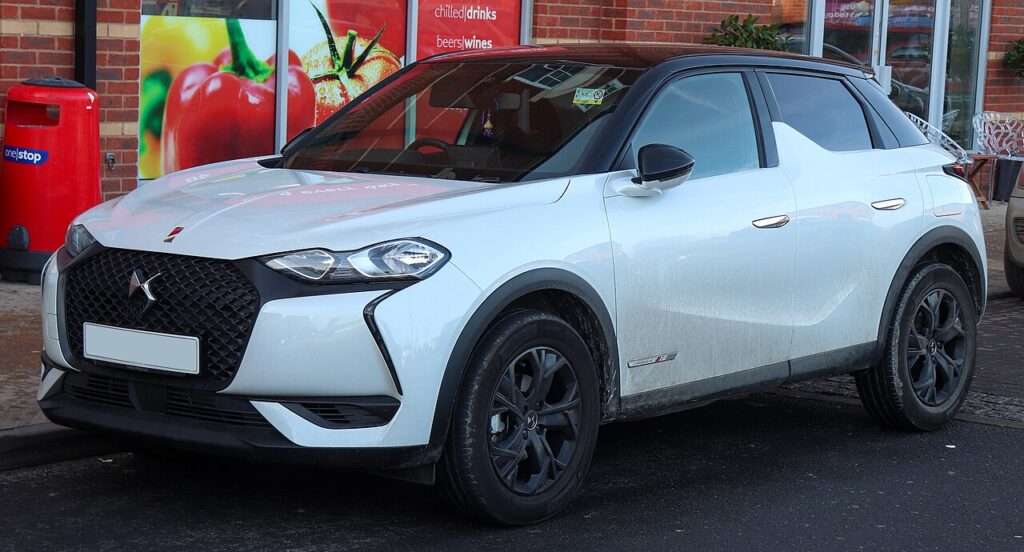
Which system is in your DS 3 Crossback
The DS 3 Crossback uses the PSA/Stellantis NAC infotainment, the same head unit family as the Peugeot 208 and 2008 it shares a platform with, dressed in DS’s own diamond-motif interface. There is no rotary knob. A row of toggle-style “piano key” switches sits below the screen, and the paddle marked with a phone symbol is the control you hold to force a reboot. Freezes, slow boots and the occasional black screen on NAC — sometimes after a firmware update — are software lock-ups, not a dead display.
Soft reset (reboot) the touchscreen
Do this parked, with the ignition on so the unit keeps its power.
- Find the phone-symbol piano key in the toggle row beneath the screen.
- Press and hold it for about 8–10 seconds — hold straight through the point where the audio cuts out.
- When the screen goes black, release the key.
- The DS logo appears as the NAC system restarts; let it boot.
- Wait up to a minute for the home screen to reload — radio, Bluetooth, Apple CarPlay / Android Auto and media return on their own.
If the piano keys themselves seem unresponsive, switch the ignition off and on — cycling power often wakes the toggle strip back up.
Will this erase anything? No
The reboot is completely safe. It does not wipe your radio presets, navigation favourites, paired phones, or settings — it simply restarts the head unit’s software, exactly like restarting a phone. Use it as often as the screen plays up.
If the screen stays frozen
- Hold longer. If 8–10 seconds did nothing, repeat and keep the phone key held for a full 15–20 seconds before the display blanks.
- Unplug any USB device. A faulty stick or phone cable in the USB port is a common NAC freeze trigger — remove it and reboot.
- Change radio station. If the unit reboots while listening to DAB, corrupt broadcast data can be the cause; switching station avoids it.
- Let the car sleep. Switch off, lock the car and walk away for five minutes so the electronics fully power down, then unlock and restart.
- Check for a software update. A bad NAC firmware build has been known to leave the DS 3 Crossback screen unusable; a corrected update from a DS dealer is the fix.
- Pull the fuse (last resort). With the car off, remove the head-unit fuse for one to two minutes and refit it to force a cold restart. Check the owner’s manual fuse chart for the infotainment position first.
Factory reset (erases data — rarely needed)
A factory reset is separate from the reboot and only worth doing if you are selling the car or chasing a deep, persistent glitch. Go to Settings → System → Factory Reset, confirm, and wait for the system to reboot. It erases presets, paired phones and navigation history, so only do it deliberately.
Frequently Asked Questions
There is no knob on my DS 3 Crossback — how do I reset the screen?
Correct, there is no rotary control. The reboot is a long hold of the phone-symbol piano key in the diamond-pattern toggle row below the screen, not a press on the glass.
Is the DS 3 Crossback reset the same as a Peugeot 208?
Effectively yes. They share the PSA NAC head unit, so the phone-key reboot is the same; only the on-screen styling and the DS boot logo differ.
My screen broke after a software update — can I fix it myself?
A failed NAC update can leave the screen unusable, and a reboot may not recover it. Try the phone-key hold first; if it stays dead, a DS dealer can re-flash the correct firmware.
Is it safe to drive with the screen frozen?
Yes. The touchscreen is separate from the engine and braking systems — you only lose audio, Bluetooth and navigation. Reboot once you are safely parked.
The screen is stuck on the DS logo — what now?
A unit looping on the logo usually needs a full power-down. Repeat the phone-key hold for 15–20 seconds; if it still loops, lock the car and leave it five minutes. Persistent boot-loops point to a firmware update being due.
If a warning light or fault message stays on the dash after the reboot, it may have stored a diagnostic trouble code — you can look it up on autodtcs.com.
Independent guide — not affiliated with DS. Always follow your official service manual and safety precautions. Read our full disclaimer.