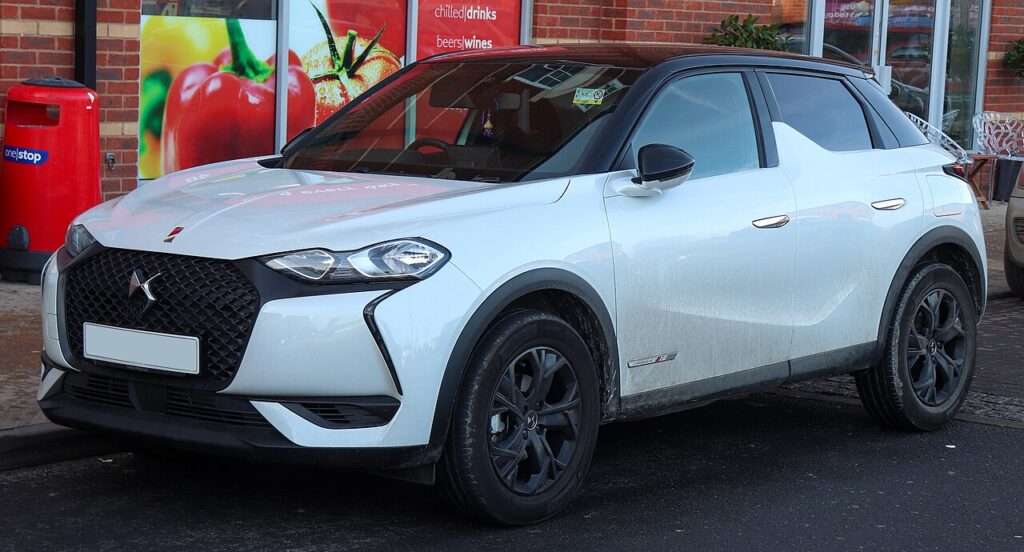
These instructions apply to the DS 3 Crossback Mk1 (D34) 2019-Present.
For other models, please choose your vehicle here.
The DS 3 Crossback (2019–present) — later rebadged simply DS 3 — is DS Automobiles’ small premium crossover, built on the PSA CMP platform it shares with the Peugeot 208 and DS’s own electric E-Tense version. It comes with a single, chunky keyless smart fob with a pop-out emergency blade; there is no cheaper flip-key variant to muddle things. When the hands-free doors stop reacting or the buttons go intermittent, the cause is nearly always the coin cell inside. Here is the exact battery this fob takes — and it is not the thin cell some older Citroën and DS keys used — how to open it cleanly, and why a replacement key stays a dealer job.
How to Tell the Fob Battery Is Dying
- Hands-free entry gets fussy. The keyless door handles no longer wake as you approach and you find yourself pressing the button instead — the first hint the cell is fading.
- A key-battery message on the cluster. The DS 3 Crossback flags a low smart-key warning on the driver display when the fob voltage drops; treat it as a prompt, not an emergency.
- Shrinking button range. Having to stand right by the car, or hold the fob against the door, for lock and unlock to register.
- Cold-morning dropouts. A cell close to the end struggles most when it is cold, so response gets patchy first thing and recovers as the day warms.
Expect two to four years from a cell in this fob. Because it is a keyless smart key, leaving it near the car — on a hall table by the driveway, say — keeps it waking to look for the vehicle and drains it faster than a fob kept well away.
The Battery You Need
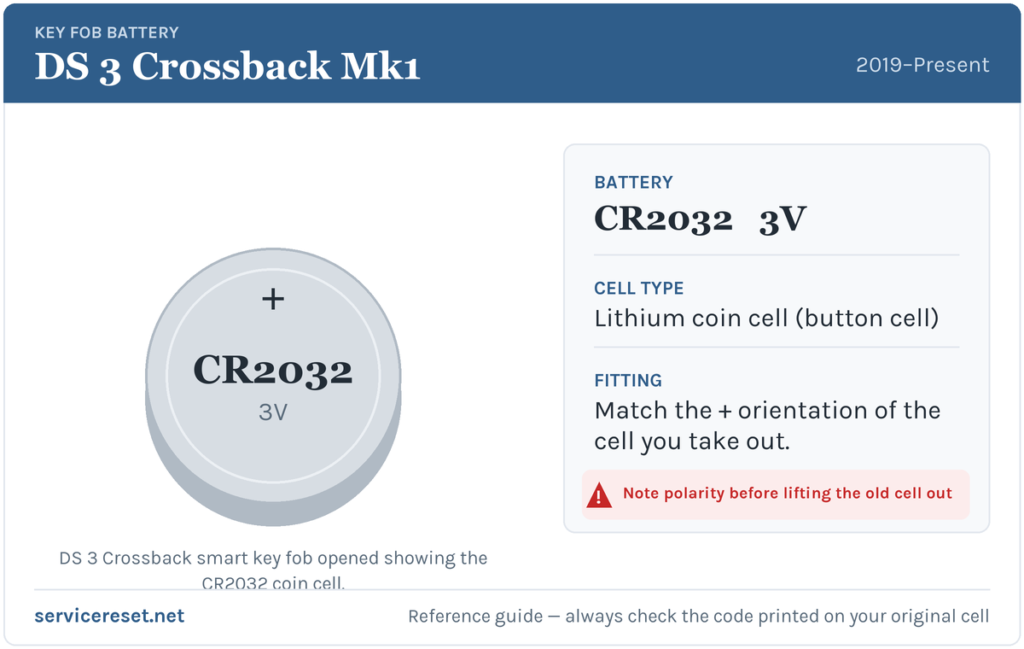
The DS 3 Crossback smart fob takes a single CR2032: a 3-volt lithium coin cell, 20 mm across and 3.2 mm thick, on sale in any supermarket or hardware shop. Fit a fresh, good-quality branded cell — a tired or bargain cell can sag under the transmit load and give short range even when it reads “new”. One thing to be clear about: this is the full-thickness CR2032, not the thinner CR1620 that the older pre-Crossback DS 3 flip key used. The Crossback is a different platform with a different fob, so don’t carry the old size over.
How to Change the Cell
- Slide out the emergency blade. Press the small release on the fob and pull the metal key straight out; on this fob the blade also frees the back cover.
- Open the case. On the back of the fob there is a slot at the seam — insert a small flat screwdriver or a thin plastic tool and gently twist to lift the cover away and expose the cell.
- Note the orientation, then lift the cell out. Before you disturb it, look at which face points up; a quick phone photo removes all doubt.
- Fit the new CR2032 the same way round. Press it down until it clicks under its retaining clip.
- Close it up. Press the cover back on all the way round until it seats flush, then slide the emergency blade home until it latches.
⚠️ Match the polarity. A coin cell fitted the wrong way round makes poor contact and can slowly discharge, so the key seems dead again within days — and on a keyless fob that is easy to misread as a bigger fault. Always copy the orientation of the cell you removed; the ‘+’ marking is stamped on the cell and usually visible in the holder too.
Make Sure It Took
Walk a few metres away and lock, then unlock, the car with the button; full range should be back instantly. Then test hands-free: with the fob in your pocket, touch a front door handle and it should wake and unlock. Any low-key message on the cluster clears the next time the car reads a healthy fob — sometimes at once, sometimes after one drive.
If a Fresh Cell Doesn’t Fix It
- Re-check seating and orientation. A cell in upside down, or not fully under its clip, is the most common reason a “new” battery does nothing. Refit it against the orientation you noted.
- Clean the contacts. Wipe the terminals with a dry cloth — a smear of grease or light corrosion is enough to cause dropouts.
- Prove the cell. A CR2032 stored loose for months can measure well below 3 volts. Try a second one before condemning the fob.
- Look at the car’s own battery. If the DS is slow to wake and several electrical quirks arrived at once, a weak 12 volt battery can imitate key faults — worth a check before blaming the fob.
New Key or Spare — Why It’s a Dealer Job
Swapping the cell leaves the fob’s pairing untouched, so no programming is needed and the key works the moment it powers up. A replacement or additional key is another matter: DS’s immobiliser has to be accessed with the correct diagnostic equipment, and blank smart fobs are supplied and coded against the car’s VIN. That keeps a lost-key replacement with a DS dealer or a suitably equipped auto-locksmith — so keep the battery in your spare fresh too, and you are never one flat cell from being locked out.
Frequently Asked Questions
What battery does a DS 3 Crossback key fob take?
A single CR2032 3-volt lithium coin cell — the full-thickness 20 mm type, not the thinner CR1620 used by the older pre-Crossback DS 3.
Is it definitely CR2032 and not CR1620?
Yes. The DS 3 Crossback is a newer PSA-platform car with a keyless smart fob that uses the thicker CR2032. The CR1620 belonged to the earlier DS 3 flip key, which is a completely different key.
Which way round does the cell go?
Fit it the same way as the one you removed. Note or photograph the original before lifting it out; an upside-down cell contacts poorly and can drain, leaving the fob unresponsive.
Do I need to reprogram the fob after changing the battery?
No. The pairing is stored in the fob and survives a battery change, so the key works straight away. Only a brand-new key needs coding to the car.
How long should the battery last?
Usually two to four years. A keyless fob left close to the car wakes constantly and drains sooner, so keeping it away from the vehicle when parked at home helps.
Can I still drive the DS 3 Crossback if the fob is completely dead?
Yes. Use the emergency blade in the fob to unlock the driver’s door, then hold the fob against the marked starting position inside the car and press start — the system reads the fob at close range even with a flat cell, so a dead battery won’t leave you stuck.
If the fob stopped responding suddenly straight after the 12 volt battery was disconnected — rather than fading over weeks — the pairing is a more likely culprit than the cell, and any stored fault code will point that way. You can look up what a logged code means on autodtcs.com.
Independent guide — not affiliated with DS. Always follow your official service manual and safety precautions. Read our full disclaimer.