These instructions apply to the DS 3 Crossback Mk1 (D34) 2019-Present.
For other models, please choose your vehicle here.
If the tyre-pressure warning has come on in your DS 3 Crossback (2019–present) after you’ve checked or adjusted the pressures, or fitted different wheels, it’s usually not a fault — the system just needs to be told the new pressures are the correct ones. Until you do that it keeps measuring against the old stored reference and leaves the warning showing. On the DS that reset is done through the touchscreen. Here’s how.
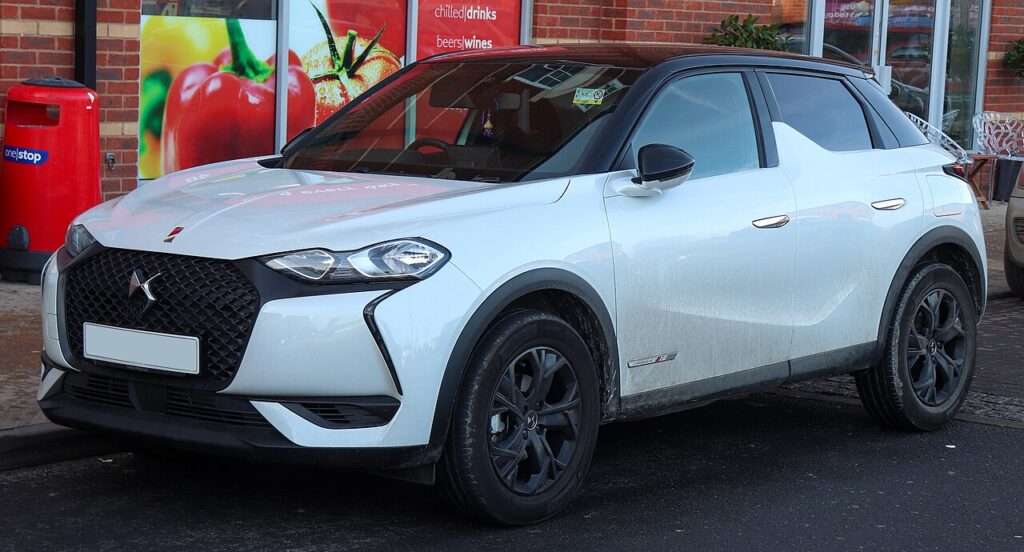
How the DS 3 Crossback’s System Works
The monitor keeps a stored reference of what your correctly inflated tyres should look like and warns you when a wheel drifts away from it. Because it works against a saved baseline rather than a live target you set, topping a tyre up isn’t enough on its own — you have to run the reset so the current pressures become the new reference. That reset lives in the touchscreen menu rather than on a physical button, so there’s no button to hold on this model.
Before You Begin
- Check pressures cold — first thing, or after the car has stood a few hours. Warm tyres read high and store a false baseline.
- Set all four tyres to the figure on the placard in the driver’s door shut; use the loaded column if you’re carrying passengers or luggage.
- Get every corner right before you reset — the system adopts whatever is set at that moment as “correct”.
- Switch the ignition on so the touchscreen is live.
Resetting the System
- Set all four tyres to the correct pressures first (the placard is in the driver’s door shut) — the system stores whatever is set, so they must be right.
- On the touchscreen, open Driving assistance (or the car/vehicle menu) and select Tyre pressure.
- Choose the reset / initialise option and confirm (‘Yes’) with the pressures correct.
- The system stores the current pressures as the new reference and the warning clears.
If the Warning Stays On
- Recheck every tyre. One still below spec keeps the warning on and blocks the reset from taking.
- Reset only with correct, cold pressures. Resetting with a soft or warm tyre teaches the system the wrong value.
- Drive a short distance after confirming so the system settles and the light clears.
- Cold morning? Pressures fall as temperature drops; top up to the placard figure and reset again.
- After a wheel swap or rotation, always run the reset — the old reference no longer matches the wheels fitted.
- One corner keeps losing pressure suggests a slow puncture at the valve, bead or from a nail; have the tyre inspected rather than repeatedly resetting.
- Still showing with everything correct? A sensor or system fault may be involved — look up the code on autodtcs.com.
After the Reset
With the pressures set and the reset confirmed, the tyre warning should clear — either as soon as you exit the menu or after a few minutes of normal driving as the system settles. It then stays off until a tyre genuinely drops or you change a wheel again. A brief warning flash at start-up while the system self-checks is normal and nothing to worry about.
Frequently Asked Questions
How do I reset the tyre pressure warning on a DS 3 Crossback?
Set all tyres correctly, then in the touchscreen go to Driving assistance > Tyre pressure and confirm the reset.
Is there a button instead of the screen?
The reset is done through the touchscreen menu on this model; set the pressures first, then confirm.
Why won’t the warning clear?
Usually a tyre still below spec, or the reset was done with incorrect/warm pressures.
Do I need a tool?
No for a normal reset; a tool is only needed if a sensor is replaced and must be matched.

Why did the warning appear when it got cold?
Tyre pressure falls as the outside temperature drops, so a cold night can push a correctly set tyre below the stored reference and trip the light. It’s normal, not a fault. Re-inflate every tyre to the placard figure while cold, then run the reset again so the warning stays off.
Do I have to reset it every time I inflate the tyres?
Yes, if you want the light to clear reliably. The system judges your tyres against the baseline it last stored, so simply adding air won’t remove the warning until you confirm the new pressures through the menu. It only takes a few seconds and saves the current readings as the new correct reference.
If the warning came on with other lights, decode the code on autodtcs.com.
Independent guide — not affiliated with DS. Always follow your official service manual and safety precautions. Read our full disclaimer.