These instructions apply to the Fiat Tipo Mk2 (356) 2016-present.
For other models, please choose your vehicle here.
Your Fiat Tipo (356, 2016–present) with Start&Stop shuts the engine off at a standstill to save fuel and reduce emissions. When you’d rather keep it running — crawling traffic, a hot day, or before any under-bonnet work — one button switches it off. The Start&Stop symbol appearing as you halt is completely normal: it means the engine has parked itself to save fuel, not that anything is wrong. This guide covers how the system decides to stop, how to turn it off for the drive, and what to check if it behaves oddly.
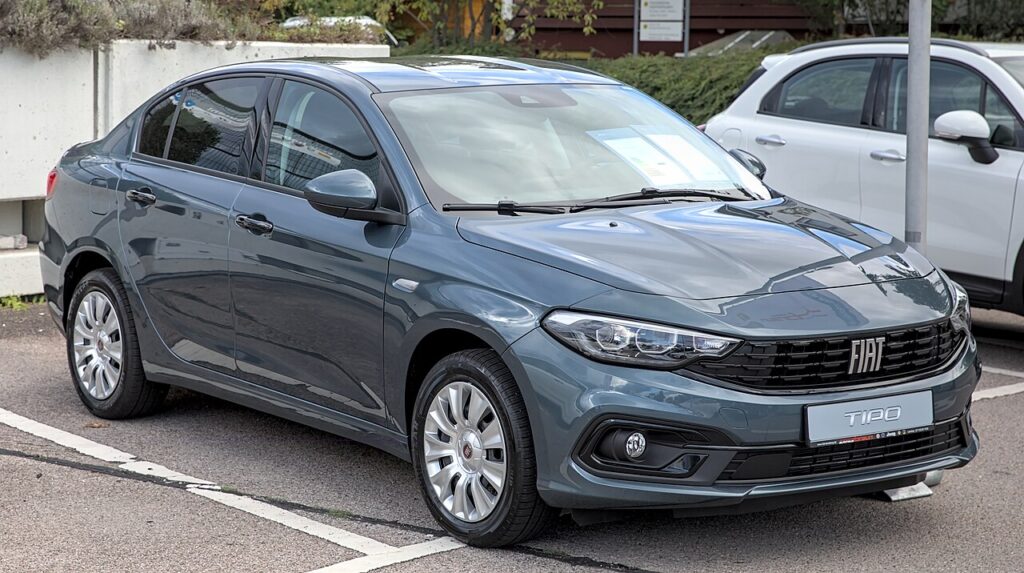
How Start&Stop Works on the Tipo
The Tipo watches the car and cuts the engine only when the conditions are right. Bring the car to a full stop — in a manual, into neutral with the clutch released — and the engine shuts off; press the clutch (or lift off the brake on an automatic) and it restarts at once. The stop only occurs when a set of inhibit conditions are all satisfied: the 12 V battery must hold enough reserve charge, the engine must be warm, the cabin must be near your set temperature, and the car should be on level ground. If any one fails, the engine simply keeps idling — the system standing down to protect your comfort and the battery, not signalling a fault.
Before You Start
- Do this with the ignition on and the car stationary — you don’t need the engine running to press the button.
- The Start&Stop button sits on the dash or centre console, marked with an A inside a circular arrow.
- Before any engine-bay work, switch Start&Stop off so the engine can’t restart on its own.
- The setting lasts only for the current drive, so expect to repeat it each time you set off.
Turning Start&Stop Off
- Find the Start&Stop button — marked with an A inside a circular arrow — on the dash or centre console.
- Press it once; the indicator confirms it’s off and the engine stays running at stops.
Why It’s On Again Next Time
The Tipo switches Start&Stop back on at every ignition cycle — there’s no permanent off. Press the button at the start of each drive if you don’t want it.
When the Engine Won’t Stop — or the Button Won’t Help
Even with the system on, the Tipo keeps running if the 12 V battery charge is low, the cabin still needs heating or cooling, or you’re on a slope — all normal. On mild-hybrid Tipos the system is managed automatically too. If it never seems to cut the engine, run through these:
- A tired or ageing 12 V battery is the most common cause — Start&Stop needs healthy reserve charge to guarantee a restart and withdraws quietly when the battery is weak.
- Cold engine. Straight after a cold start it keeps idling until the coolant warms up.
- Heavy climate demand. On extreme days, with the fan working hard to reach your set temperature, it stays running for cabin comfort.
- Slope. On a gradient, or if the car isn’t fully at rest, it prefers to keep running.
- Clutch or brake input. In a manual, the engine won’t stop unless you’re in neutral with the clutch fully up; on an automatic, hold the brake firmly.
- Short trips. After many restarts in quick succession it may opt out to spare the starter and battery.
None of these is a defect. If the setting won’t hold, or a dedicated fault symbol appears, have the 12 V battery tested first.
What to Expect After
Once the button is pressed, the indicator shows Start&Stop is disabled and the engine idles normally at every stop for the rest of that drive — no cutting out at lights or in queues. Next time you start the car the Tipo re-arms the system automatically, ready to save fuel again unless you switch it off once more.
Frequently Asked Questions
How do I turn off Start&Stop on a Fiat Tipo?
With the ignition on, press the ‘A’ circled-arrow button on the dash or centre console once. The indicator confirms it’s disabled for this drive and the engine will keep running at every stop. It’s a single physical button, so there’s no menu to search through.
Can I disable it permanently?
No — it re-arms each time you start the car, so there’s no factory way to keep it permanently off. The simplest habit is to press the button once at the start of any drive where you don’t want the engine cutting out at stops.
Why didn’t the engine stop today?
The engine only stops when every inhibit condition is met: enough 12 V battery charge, a warm engine, the cabin near its set temperature, and level ground. Low battery charge, heavy climate demand, or a gradient will each keep it running by design. This is normal, protective behaviour.
Is it bad to leave it on?
No — it’s built for constant use, and the engine only stops once warm and lubricated. That said, a tired 12 V battery can make Start&Stop erratic, so if it behaves inconsistently the battery is worth checking before anything else.
Is the mild-hybrid Tipo different?
Yes. On mild-hybrid versions the electrical system manages the engine automatically as part of the hybrid assist, so it may stop and restart for reasons beyond the simple Start&Stop logic. The engine pausing and resuming at various points on those models is normal hybrid behaviour, not a fault.
Should I turn it off before working under the bonnet?
Yes. With Start&Stop active the engine could restart by itself while you’re near moving parts. Press the button to switch it off first, and for anything more than a quick check turn the ignition off entirely so the engine cannot fire up unexpectedly.
If a Start&Stop fault shows, it usually points to the 12 V battery — see our Tipo battery guide, or look the code up on autodtcs.com.
Independent guide — not affiliated with Fiat. Always follow your official service manual and safety precautions. Read our full disclaimer.