These instructions apply to the Honda Civic Mk9 (FK) 2012-2017.
For other models, please choose your vehicle here.
The Honda Civic Mk9 (FB/FK, 2012–2017) hides a Service Diag menu inside its i-MID screen — the small colour display between the dials. It is Honda’s built-in engineering menu: from it you can run a display and button test, adjust the reversing-camera guide lines, read the software and artwork versions, and see an In Line Diag readout of the car’s communication networks. No scan tool is needed — it opens with the steering-wheel buttons.
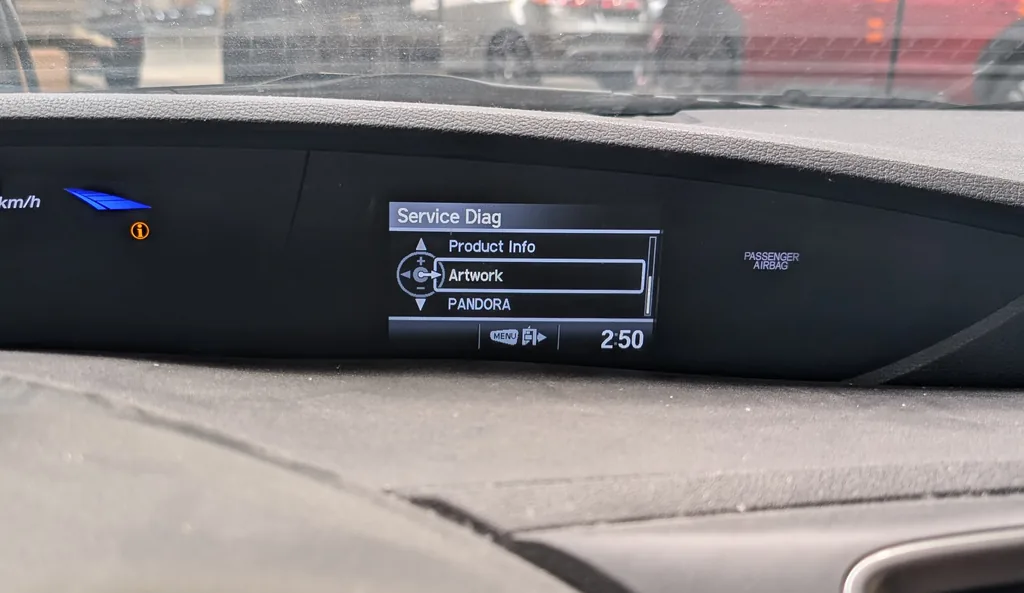
What the Service Diag Menu Shows
- Product Info / Artwork — the i-MID software and graphics versions.
- In Line Diag — a live status list of the vehicle networks (F-CAN, B-CAN, HDS-CAN and others), colour-coded green for OK and red for a communication fault.
- Camera — adjust the rear-view camera guide lines.
- Display Check — a screen and button self-test.
How to Open the Service Diag Menu
- Park the car and turn the ignition to ON (II) — engine off, do not start.
- Press the MENU button on the steering-wheel i-MID controls to bring up the i-MID menu.
- Now press and hold SOURCE and MENU together for about 20 seconds — longer than feels natural.
- The Service Diag menu appears. Use the steering-wheel + / – and ▶ (enter) controls to move through it and open In Line Diag, Camera or Display Check.
How to Exit
Turn the ignition to OFF (0) to leave the menu, or back out with the MENU button. Nothing is saved unless you deliberately change the camera guide lines, so you can drive away normally afterwards.
Frequently Asked Questions
Is this the same as the climate self-diagnostic?
No. The climate self-test uses the heater/AC panel buttons and reports HVAC fault codes. This Service Diag menu lives in the i-MID screen and covers the display, reversing camera and network buses.
It did not open — what went wrong?
Bring up the i-MID menu first with MENU, then hold SOURCE and MENU together and keep holding for a full 20 seconds. Make sure the ignition is in ON (II), not just accessory — it often takes a second try to get the timing.
Which buttons are SOURCE and MENU?
They are on the steering-wheel audio/i-MID controls — SOURCE switches the audio source and MENU opens the i-MID menu. Hold both at once to reach Service Diag.
Can it damage anything?
No. It is a read-only engineering menu; the only thing that changes the car is the reversing-camera guide-line adjustment, which you choose to alter.
If In Line Diag shows a network in red, or a warning lamp is on, decode the stored code on autodtcs.com.
Independent guide — not affiliated with Honda. Always follow your official service manual and safety precautions. Read our full disclaimer.