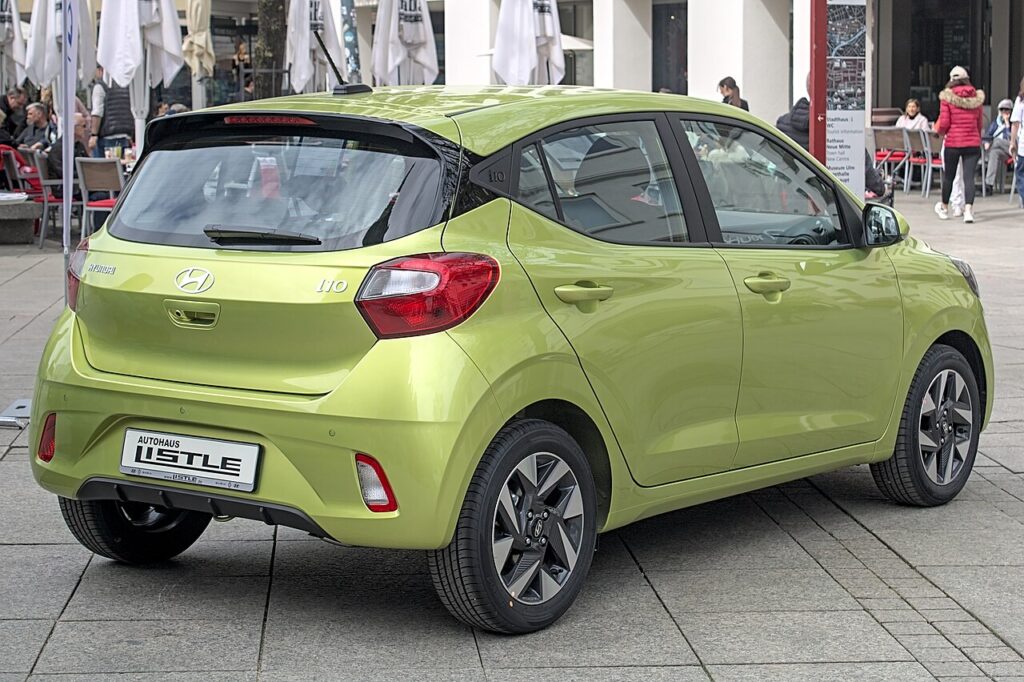
These instructions apply to the Hyundai i10 Mk3 (AC3) 2020-Present.
For other models, please choose your vehicle here.
If the tyre-pressure light is on in your Hyundai i10 Mk3 (AC3, 2020–present) after adjusting pressures or swapping wheels, it usually just needs the car driven so the system relearns. The i10 Mk3 uses a direct TPMS — a sensor in each wheel — so the reset is automatic once the pressures are right. A lit symbol on its own is not a fault: it is the car telling you at least one corner is outside the range it expects, and on a small, light car like the i10 even a small drop is enough to trigger it. Correct the pressures, drive, and it clears itself.
How the i10’s TPMS Works
Each wheel has a pressure sensor that reports to the car, so a low corner shows on the display. There’s no button or menu step — you correct the pressures and the system relearns as you drive. Because the reading comes from a real sensor rather than being inferred from wheel speed, the i10 can often tell you which corner is low and roughly by how much, which makes it easy to top up only the tyre that needs it. Those sensors run on tiny internal batteries that typically last several years; when one eventually dies, the fault behaves differently from a simple low tyre — more on that below.
First, a Few Checks
- Check the tyres cold — before driving, or after the car has sat for a couple of hours. Warm tyres read high and give a false setting.
- Use the figures on the label in the driver’s door opening; they may differ between the front and rear axle and by load.
- Have a reliable gauge to hand — forecourt air-line gauges are often out; a small pocket gauge is worth carrying.
- Don’t forget the spare if the car carries a full-size monitored wheel rather than a repair kit.
- Set every corner before you drive off — the relearn only counts once all four are correct.
How to Reset the i10 Mk3 TPMS
- Set all four tyres to the correct pressure cold — the figures are on the label in the driver’s door opening.
- Drive normally for about 20 minutes at a steady speed.
- The system confirms the new pressures and the warning goes out by itself.
If the Warning Stays On
- Re-check every tyre, including the spare if it’s a monitored full-size wheel — a single soft corner keeps the light on.
- One tyre keeps dropping — look for a slow puncture, a nail, or a leaking valve; the system is doing its job.
- Cold morning? Pressure falls roughly a few kPa for every 10 °C drop, so a tyre set on a mild day can trip the light on the first frost — top up and it settles.
- Just fitted winter or swapped wheels? If those rims have their own sensors the car may need a short drive to pick them up; without sensors it cannot monitor them at all.
- Check the valve caps and valves — a weeping valve slowly bleeds a tyre and re-triggers the warning days later.
- A steady-flashing TPMS light (typically flashing for about a minute at start-up, then staying on) points to a sensor or system fault rather than low pressure and needs a tyre shop’s tool.
Once It’s Done
Once the pressures are right and you’ve driven a steady stretch, the amber symbol goes out and stays out for the rest of that trip and beyond — there is nothing to save or confirm on the i10. If it lights again after a few days on one particular corner, treat that as a genuine slow leak rather than a glitch and get the tyre checked.
Frequently Asked Questions
Does the i10 TPMS need a tool to reset?
Not for a normal reset — set the pressures and drive, and the light clears itself. A tool is only needed if the in-wheel sensors were replaced, swapped between wheels, or a new set of rims was fitted and the car needs to learn the new sensor IDs. For everyday pressure adjustments there is no button to press.
How long until the light goes out?
Usually within about 20 minutes of steady driving after correcting the pressures. Very short, stop-start journeys can take longer because the system wants a continuous stretch of driving to confirm the readings. If it hasn’t cleared after a decent run, re-check the pressures rather than keep driving.
Why did the light come on in cold weather?
Air contracts as it cools, so pressure drops as the temperature falls. A tyre set correctly on a mild afternoon can read low enough overnight to trip the warning on a cold morning. Top up to the door-label figure while the tyres are cold and drive; this is normal seasonal behaviour, not a fault.

The light keeps flashing — is that low pressure?
A persistent flash usually means a sensor fault rather than low pressure. Typically the symbol flashes for around a minute when you start the car and then stays lit, which is the system’s way of saying it cannot read one of the wheels — often a flat sensor battery. Have the sensors checked with a tyre shop’s tool.
Can I still drive with the TPMS light on?
You can drive, but treat the light as a prompt to check your tyres at the next safe opportunity. If it came on suddenly and the car pulls or feels unstable, you may have a rapid deflation — slow down and inspect the tyres. If it is a steady low-pressure warning, correct the pressures soon, as running under-inflated wears tyres and raises fuel use.
Do I need to top up the spare too?
Only if your i10 carries a full-size wheel that the system monitors; many are supplied with a tyre repair kit instead of a spare. If there is a monitored spare, keep it at the pressure shown on the door label so it is ready to use and doesn’t itself trigger the warning once fitted.
If a fault code is stored, look it up on autodtcs.com. To clear a service reminder, see our i10 Mk3 service reset guide.
Independent guide — not affiliated with Hyundai. Always follow your official service manual and safety precautions. Read our full disclaimer.