These instructions apply to the Hyundai Kona Mk2 (SX2) 2023-Present.
For other models, please choose your vehicle here.
After an oil change on the second-generation Kona hybrid, the oil-life maintenance reminder in the instrument cluster needs resetting so it tracks the next interval from zero. On this car you clear it through the infotainment touchscreen rather than a button sequence.
Before you start
- Complete the oil and filter change first, so the reminder is reset against fresh oil.
- Switch the ignition on so the touchscreen is fully awake.
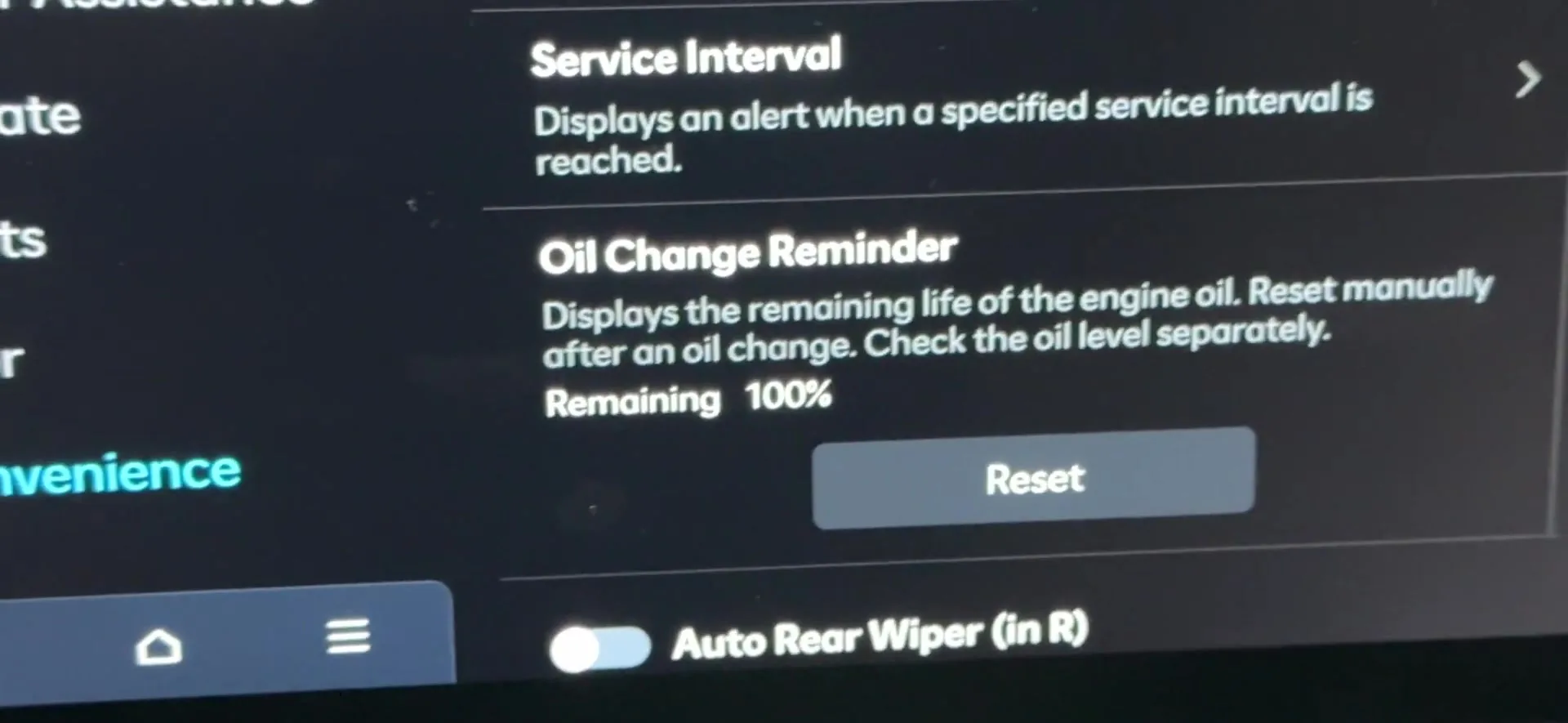

- Turn the ignition on and wait for the infotainment screen to load.
- Open the vehicle or settings menu and go to the maintenance area.
- Select the oil-life or engine oil maintenance reset option.
- Choose “Reset.”
- When the screen asks whether the engine oil has been changed, confirm “Yes.”
- Check the cluster: the oil-life reminder should return to full and the service warning should clear.
FAQ
Is there a mileage counter I need to reset as well?
No. On this Kona the owner only resets the oil-life maintenance reminder. There is no separate service-distance counter for you to zero.
Why does it ask if the oil has been changed?
The confirmation prompt stops an accidental reset. Answering “Yes” tells the system to begin a fresh oil-life interval, so only confirm after the oil has actually been replaced.
The reminder came back shortly after resetting. Did it work?
If you confirmed “Yes” and the cluster returned to full, the reset took. A reminder that reappears usually means the confirmation was not completed, so open the maintenance menu again and repeat the “Reset” and “Yes” steps.
Independent guide — not affiliated with Hyundai. Always follow your official service manual and safety precautions. Read our full disclaimer.