These instructions apply to the Infiniti Q60 (V37) 2017-2024.
For other models, please choose your vehicle here.
If the tyre-pressure warning has come on in your Infiniti Q60 (V37, 2017–2024) after you’ve adjusted the pressures or changed a wheel, you reset it from the dashboard menu and a short drive. The light on its own is the low-pressure/monitoring symbol — it means the system wants you to check and re-store the pressures, not that anything has broken. Here’s how to clear it properly.
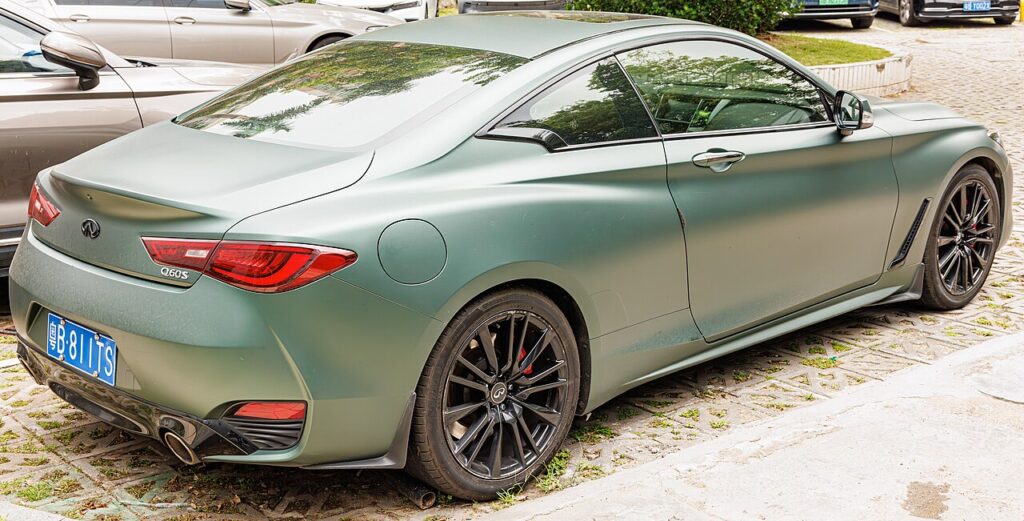
How the System Works on the Q60
The Q60 uses a direct tyre-pressure system: each wheel carries its own sensor that transmits the actual pressure, which is why the car can show a value per corner rather than guessing from wheel-speed. The menu reset doesn’t inflate anything — it tells the car to take your freshly corrected cold pressures as the new baseline, then a short drive lets each sensor wake up and report so the warning can go out.
When to Reset
- After checking or adjusting the tyre pressures.
- After changing or rotating wheels/tyres.
First, a Few Checks
- Set all four tyres to the correct cold pressure — the figures are on the driver’s door-pillar label. Check them before driving, or after the car has stood a few hours.
- Don’t forget the spare if it’s a full-size wheel with its own sensor.
- Park level, apply the parking brake, and have the car in ‘P’.
- Switch the ignition on but do not start the engine for the menu step.
Resetting the System
- Park level, apply the parking brake, and put the gear lever in ‘P’.
- Adjust all four tyres to the correct cold pressures, then switch the ignition on (do not start).
- Open the menu and select ‘Meter Settings’ > ‘TPMS Setting’ > ‘Tyre pressure reset’, then ‘OK’.
- Drive the vehicle at over 25 km/h (15 mph) to complete the relearn.
If the Warning Stays On
- Recheck every tyre — a single corner a few psi below spec keeps the warning on, and it’s easy to miss the one that’s low.
- Complete the drive above 25 km/h for a few minutes so every sensor has time to wake and report.
- On a cold morning pressures read low; set them to the label figure when cold rather than chasing the gauge on a warm tyre.
- If you fitted a space-saver or a spare without a sensor, the system will flag that corner until the sensored wheel is back on.
- Suspect a slow puncture if one corner keeps dropping after you’ve set it — the sensor is doing its job.
- After any tyre-shop wheel swap, re-store the pressures once you’re happy they’re correct.
- Still showing with correct pressures? A sensor may have a flat battery — look up the code on autodtcs.com.
Once It’s Done
Once the corrected pressures are stored and you’ve driven far enough for the sensors to report, the warning goes out and stays off for the trip. It may take a minute or two of driving rather than clearing the instant you press ‘OK’. If it lights again next cold morning, that’s normal seasonal pressure loss — top up and it settles.
Frequently Asked Questions
How do I reset the tyre pressure light on an Infiniti Q60?
Set all four tyres to the correct cold pressures first, switch the ignition on without starting, then open Meter Settings > TPMS Setting > Tyre pressure reset and confirm with OK. Drive above 25 km/h (15 mph) for a few minutes so the sensors report and the warning clears.
Why won’t the warning clear?
The most common reason is one tyre still sitting below the door-label figure — recheck all four, including the spare if it’s sensored. The other is not completing the relearn drive: the car needs a few minutes above 25 km/h for each sensor to wake and transmit before it will drop the warning.
Do I need a tool?
No. A normal reset is done entirely from the dashboard menu plus a short drive — no scanner or programming device. A tool is only needed if a pressure sensor itself is being replaced, so the new sensor’s ID can be registered to the car.
Does adjusting one tyre need a full reset?
Yes. Set all four to the correct cold pressures first, then run the menu reset so the stored baseline reflects every corner. Storing with one tyre still wrong just bakes the error in and the warning may return, so it’s worth getting all four right before you confirm.

Why does the light keep coming on in winter?
Air contracts as it cools, so a tyre set correctly in mild weather can read a few psi low on a frosty morning. Top every corner back up to the door-label figure when the tyres are cold, run the reset, and the warning should stay off unless a tyre is genuinely losing air.
Can I still drive with the warning on?
Treat it as a prompt to check your tyres soon rather than an emergency, but don’t ignore it — it can signal a puncture. Find somewhere safe to check all four pressures. A significantly low or rapidly deflating tyre should be sorted before continuing, as it affects grip, braking and tyre wear.
If the warning came on with other lights, decode the code on autodtcs.com.
Independent guide — not affiliated with Infiniti. Always follow your official service manual and safety precautions. Read our full disclaimer.