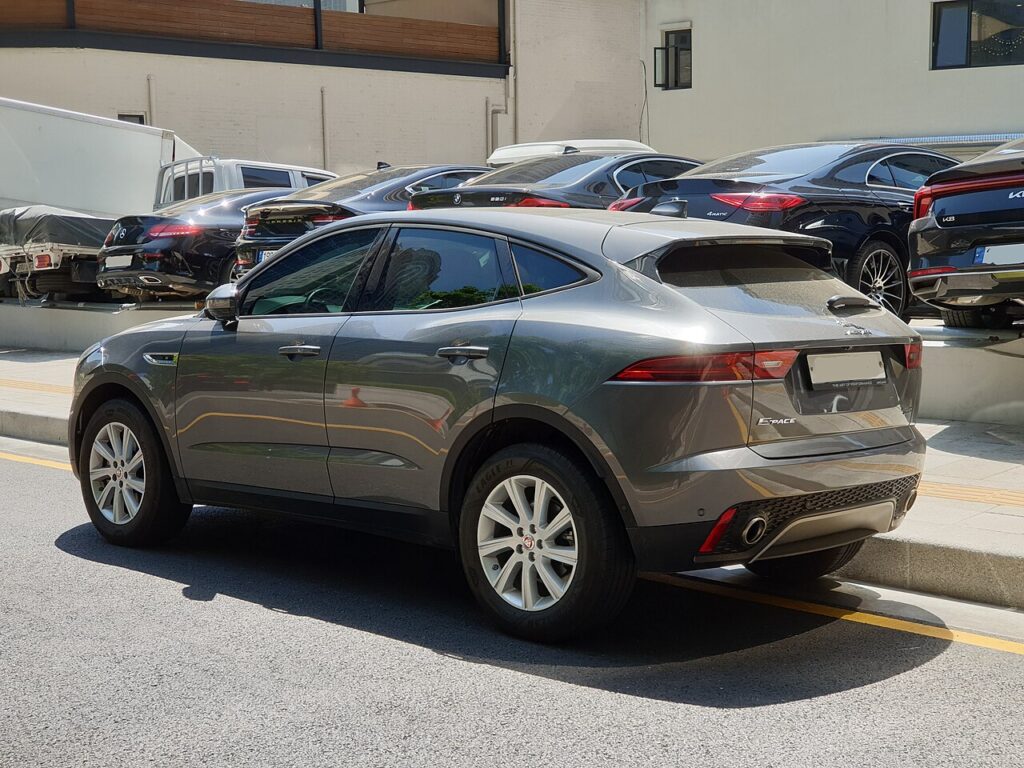
These instructions apply to the Jaguar E-Pace Mk1 (X540) 2017-Present.
For other models, please choose your vehicle here.
The Jaguar E-Pace (X540, 2017–Present) has an electronic parking brake with the actuator motors bolted directly onto the rear calipers, and Jaguar built in an owner-usable maintenance mode. To change the rear pads you put the EPB into that mode so the motors wind off and stay off — you can’t just switch the brake off and start work, and you must never force the screw-type rear pistons back by hand.
What maintenance mode is and why the X540 needs it
Unlike the cable-pulled XE/XF setup, the E-Pace (built on Jaguar’s transverse D8 platform) mounts a geared electric motor on each rear caliper, driving a threaded piston directly. With the system live, those motors hold the pistons clamped and re-apply the moment they sense a release. Maintenance mode (“Park brake in maintenance mode”) winds both motors fully open and inhibits the switch, so the pistons stay retracted while you work and can’t snap shut on your fingers.
Entering maintenance mode and retracting the calipers
Park on level ground, chock a front wheel and connect a battery charger — low voltage aborts the routine.
- Switch the ignition ON without starting the engine.
- Hold the EPB switch in the release (off) position for about two seconds.
- Keeping it held, press the accelerator fully to the floor for about two seconds.
- Still holding both, cycle the ignition OFF then ON quickly.
- The display should read “Park brake in maintenance mode” and the motors go quiet. Switch the ignition off.
With the motors backed off, remove the slide pins (a 7 mm Allen key on the captive bolts behind the dust caps) and lift the caliper. Wind the rear piston clockwise back into its bore with a peg-type wind-back tool. If the motor stays partly clamped, unbolt the actuator and turn the exposed spindle clockwise by hand. Fit the new pads and reassemble.
Never force the pistons back by hand
Never push or clamp the E-Pace’s rear pistons straight back. They are threaded and motor-driven — forcing one straight strips the spindle, and pushing it back through the caliper motor shears the gearset and destroys the actuator. Retract only by winding clockwise (or by commanding the motors open in maintenance mode), never by levering. If a piston won’t turn, it isn’t fully released — stop and recheck the mode.
Exit and bed-in
With the pads in and wheels back on, exit by repeating the sequence but holding the EPB switch in the apply (on) position so the motors re-clamp to the new pad thickness. Keep the ignition ON until it completes to avoid logging a fault. Pump the brake pedal until firm, then apply and release the EPB three times and confirm the wheels won’t turn with it on and the car holds on a slope. Bed the pads in with several firm slow-downs from about 30 mph, cooling between stops.
Frequently Asked Questions
Can I do the E-Pace rear pads with no scanner? Usually yes — the switch-and-accelerator maintenance-mode sequence is owner-accessible. Some owners instead unplug the two actuator connectors quickly after releasing the brake; either way, keep JLR Pathfinder or a generic EPB tool as a fallback.
The connector-unplug trick — is it safe? It works because the motors can’t re-clamp once disconnected, but you must unplug fast before the brake re-applies, then refit and re-initialise afterward. The maintenance-mode sequence is the cleaner route.
Do the rear pistons wind or push? They wind in clockwise; never use a straight clamp on the E-Pace.
It won’t enter maintenance mode — why? Battery voltage or timing. Charge the battery and hold each step the full two seconds with a sharp ignition off/on at the end.
How many times should I cycle the EPB after? Three apply/release cycles, then verify it locks the rear wheels and holds on a gradient before driving.
If a brake or EPB fault code appears while you work, decode it first on our sister site autodtcs.com.
Independent guide — not affiliated with Jaguar. Always follow your official service manual and safety precautions. Read our full disclaimer.