These instructions apply to the Kia Ceed Mk3 (CD) 2018-Present.
For other models, please choose your vehicle here.
When the service reminder appears on your Kia Ceed Mk3 (CD, 2018–present) — including the ProCeed and XCeed — you clear it from the instrument-cluster User Settings menu using the steering-wheel buttons. No diagnostic tool is needed. Do the oil and filter change first. The message is a maintenance reminder counting down to the next scheduled service, not a warning that anything has failed, so once the work is finished the counter simply needs zeroing.
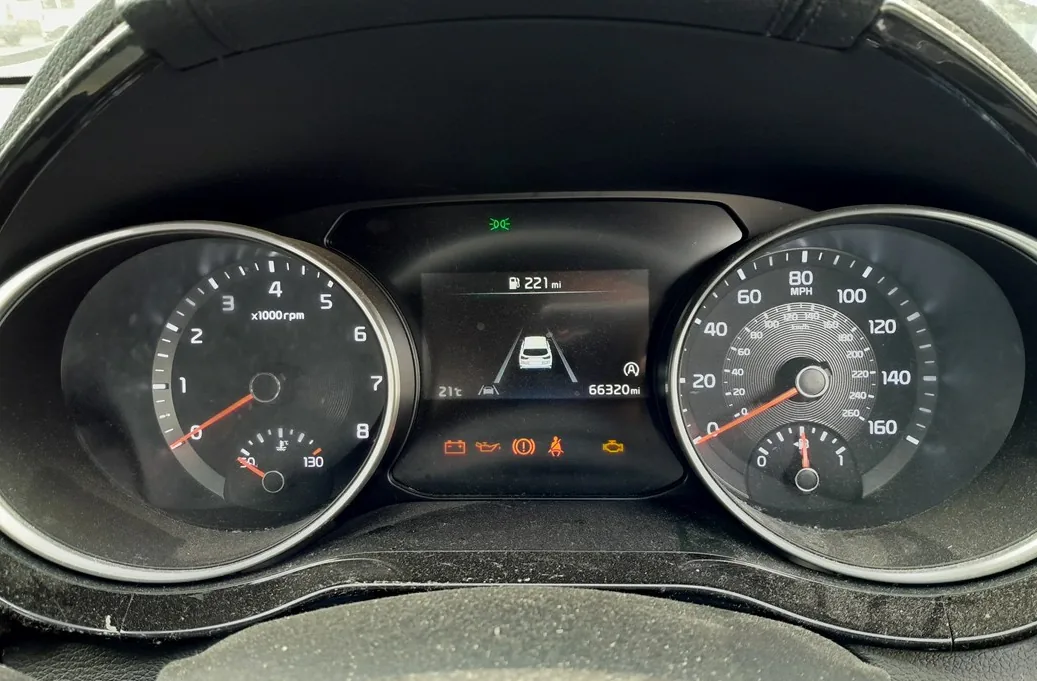
What the Service Reminder Means
The Ceed Mk3 tracks its Service Interval as a simple countdown based on distance covered and time elapsed since the counter was last set. When either limit is reached, the cluster shows a service message (often alongside a small spanner symbol) to tell you a scheduled service is due. It is not tied to a sensor reading the condition of the oil, so it will keep counting down whether or not the car has actually been serviced — and it will keep showing after a service until someone resets it.
Because it is a reminder rather than a fault, the car drives normally with the message displayed. That said, the whole point of the interval is to prompt the oil and filter change on schedule, so it is worth acting on rather than ignoring. If a separate red or amber warning lamp is lit at the same time, treat that as a genuine fault and deal with it independently — it is not cleared by the service reset.
Getting Ready
Only reset the counter after the oil and filter change (or other scheduled work) has actually been carried out. Resetting early just hides the message while the oil keeps ageing, which throws the next interval out. A few sensible steps before you begin:
- Park on level ground with the handbrake or electronic parking brake applied.
- Turn the ignition on with the engine off — on a keyless car press Start once without your foot on the brake so the dash powers up but the engine does not fire.
- No tools are required; the whole job is done through the dashboard menus.
Reset After the Service Only
The Service Interval counter just measures distance and time. Reset it once the work is done, or the next reminder will be wrong.
How to Reset the Ceed Mk3 Service Reminder
- Turn the ignition on (engine off).
- Press the ‘MENU’ button on the steering wheel and select ‘User Settings’.
- Scroll to ‘Service Interval’ and press ‘OK’.
- Select ‘Reset’, then ‘Yes’, and press ‘OK’.
On cars with the touchscreen you can instead use Setup → Vehicle → Instrument panel → Service Interval → Reset.
If It Doesn’t Reset
If the message is still there afterwards, work through these before assuming anything is wrong with the car:
- You didn’t confirm — step through Reset → Yes → OK. The counter only clears once you accept the final confirmation.
- Wrong menu item — make sure you selected ‘Service Interval’ specifically, not trip meters or another User Settings entry.
- The engine was running — some cluster menus behave differently once the engine is started; do the reset in ignition-on, engine-off.
- Try an ignition cycle — switch the ignition fully off, wait a few seconds, switch back on and repeat the menu steps.
- A different warning is lit — that’s a fault, not the service counter, and the service reset will not touch it.
What Happens Next
Once the reset is confirmed, the service message disappears from the cluster and the Service Interval starts counting down again from full. The next time you switch on, the dash should come up clean with no spanner or service prompt. If you like, you can open the Service Interval menu again to check it now shows the full distance and time remaining rather than a due or overdue figure.
How Often It Comes Up
Reset the counter every time the scheduled service is carried out — typically once a year or at the mileage interval Kia specifies for your engine and market, whichever comes first. Exact service intervals vary by engine, model year and country, so check the figure in your own handbook or service book rather than assuming; the reset itself is the same regardless of what that interval is.
Frequently Asked Questions
How do I reset the service light on a Kia Ceed?
Ignition on, then Menu → User Settings → Service Interval → Reset → Yes on the cluster (or via Setup on the touchscreen).
Do I need a diagnostic tool?
No — it’s done from the dashboard menu with the steering-wheel buttons.
Does the engine need to run?
No — ignition on, engine off.
Is the ProCeed and XCeed reset the same?
Yes — the ProCeed and XCeed share the Mk3 (CD) cluster, so the same User Settings → Service Interval steps apply.
Does resetting the service light clear a fault or warning?
No. It only zeroes the service countdown. Any genuine warning lamp is separate and stays until its cause is fixed.
The reminder came back — why?
The reset wasn’t confirmed. Repeat and select Yes to the end.
If a warning light appeared with the service message, look it up on autodtcs.com. After battery work, see our Ceed Mk3 battery guide.
Independent guide — not affiliated with Kia. Always follow your official service manual and safety precautions. Read our full disclaimer.