These instructions apply to the Kia Picanto (TA) 2011 - 2017. For other models, please choose your vehicle here.
The Kia Picanto (2011–2017) uses standard halogen bulbs that can be replaced at home without special tools. This guide shows how to replace the headlight, front position, and rear light bulbs safely and correctly.
Before You Start
- Switch the ignition OFF and remove the key.
- Wait until all lights have cooled before touching the bulbs — halogens get extremely hot.
- Use clean gloves or a paper towel when handling new bulbs to avoid skin oil damage.
- Confirm the correct bulb type for your model (H4 for main headlight in most trims).
Front Headlight Bulb Replacement
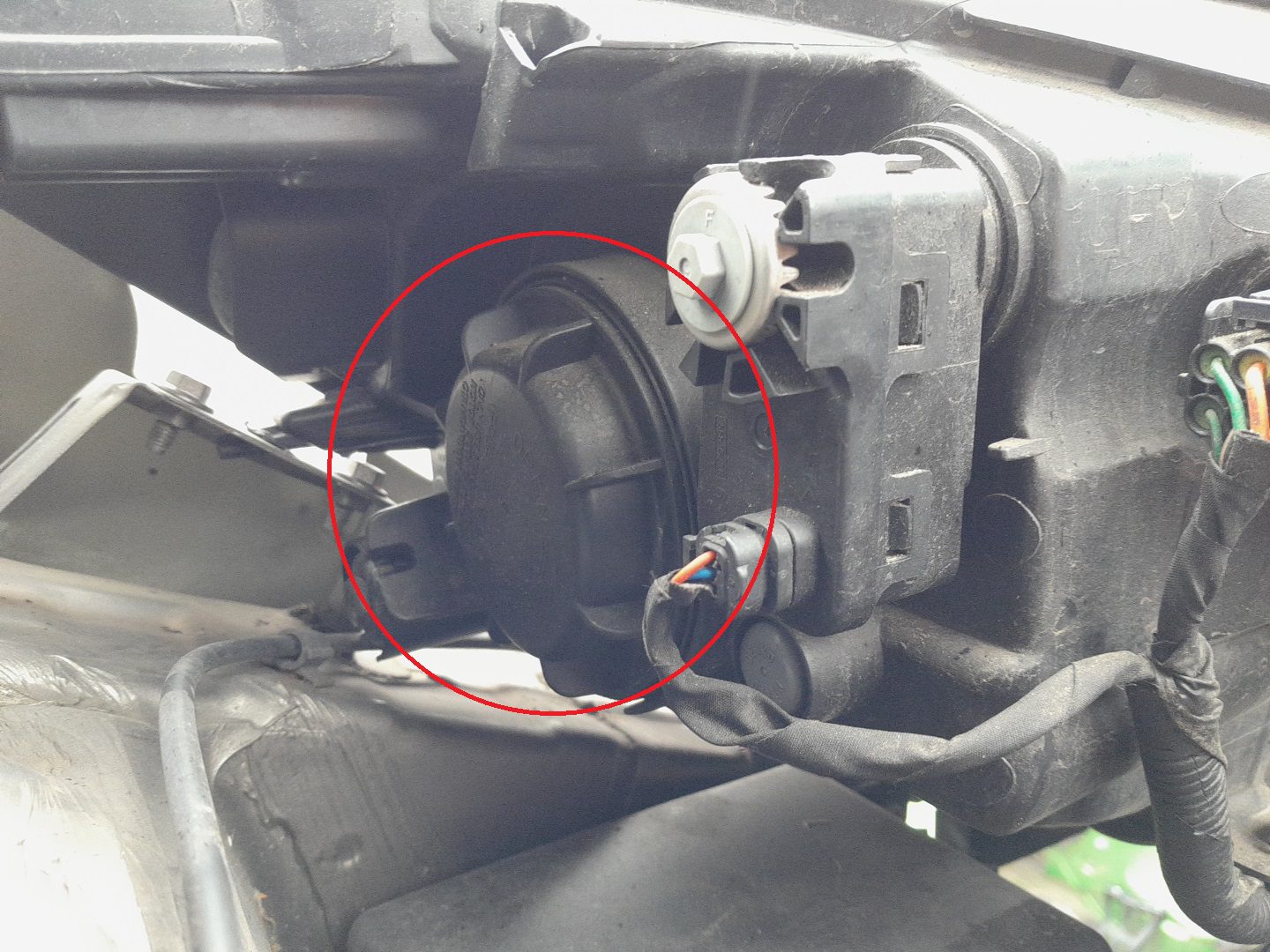
- Open the hood and locate the rear cover of the headlamp assembly.
- Remove the rubber dust cover by pulling it backward.
- Disconnect the wiring connector from the bulb socket.
- Release the spring clip that holds the bulb in place and pull the bulb straight out.
- Install the new H4 bulb — align the locating tabs and avoid touching the glass.
- Secure the spring clip, reconnect the wiring plug, and refit the rubber dust cover.
Front Position / Turn Signal Bulbs
- Position lamp: W5W (5 W wedge-type)
- Turn signal: PY21W (21 W amber)
- Rotate the bulb holder counterclockwise and pull it straight out of the housing.
- Remove the old bulb by pulling it out of the socket.
- Push the new bulb firmly into place and reinstall the holder clockwise until it locks.
Rear Combination Light Bulbs
The tail-lamp cluster contains bulbs for stop/tail, turn signal, and reverse lights.
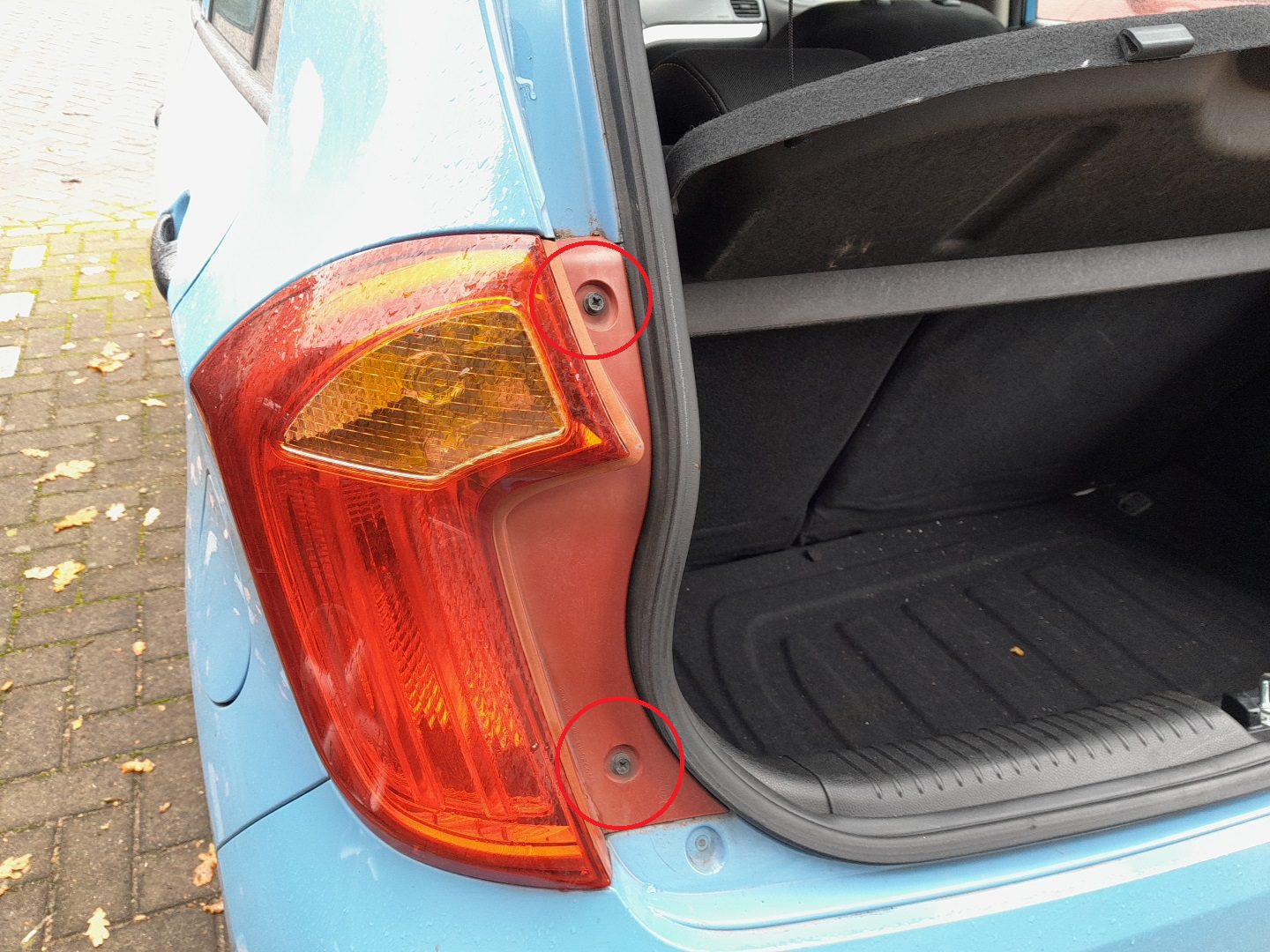
- Open the tailgate and remove the two Phillips screws securing the lamp unit to the body.
- Pull the cluster rearward to release the locating pins — do not pry with metal tools.
- Turn the bulb holder counterclockwise to remove it.
- Replace the burned-out bulb with one of the same rating:
- Stop/Tail – P21/5W dual-filament
- Turn Signal – PY21W amber
- Reverse – P21W clear
- Reinstall the bulb holder and push the lamp back into position until it clicks, then tighten the screws.
Tips & Troubleshooting
- Always replace bulbs in pairs for even brightness and color.
- If a new bulb doesn’t work, check the fuse for that circuit (see your fuse guide).
- Keep spare bulbs in the glove compartment — they’re inexpensive and useful during travel.
- After replacement, verify that all lights (low/high beam, indicators, brake, reverse) operate correctly.
Disclaimer: The information on this page is provided for general guidance only. Always follow your official service manual and safety precautions when working on your vehicle. We are not responsible for errors, omissions, or any damage resulting from the use of this information.
This website is an independent resource and is not affiliated with, endorsed by, or sponsored by Kia. All trademarks and brand names belong to their respective owners.