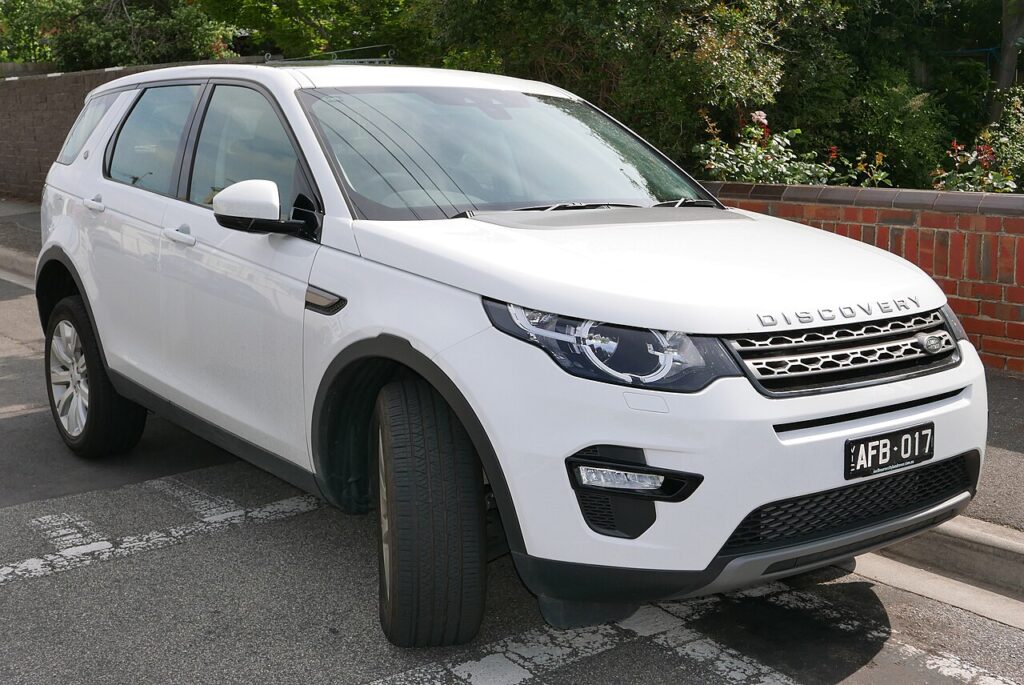
These instructions apply to the Land Rover Discovery Sport Mk1 (L550) 2015-Present.
For other models, please choose your vehicle here.
If the touchscreen in your Land Rover Discovery Sport (L550, 2015–Present) has frozen, gone black, or stopped responding to taps, you can force the infotainment unit to reboot from the driver’s seat in under a minute — with no tools and no loss of your saved settings. The Discovery Sport ran three different systems over its life, so the right method depends on the model year, and this guide covers all of them.
Which infotainment system your Discovery Sport has
Launch cars (2015–2016) used the original 8-inch InControl Touch head unit. The 2017–2019 cars moved to the 10-inch InControl Touch Pro — sharper, but the one owners most often report freezing or lagging on start-up. From the 2019/2020 facelift, JLR fitted Pivi Pro, which has its own backup battery, boots fast and updates over the air. All three reboot through the power/volume control; only the hold time differs.
Soft reset (frozen screen, keeps all data)
- Keep the vehicle switched on so the screen has power — the engine does not need to be running.
- Find the round volume / on-off knob on the centre console beneath the display.
- Press and hold it: about 10–15 seconds for InControl Touch / Touch Pro, or 20–25 seconds for Pivi Pro. Keep holding past the point where the audio mutes.
- The screen goes black, then the Land Rover logo reappears — that is the unit rebooting.
- Release and wait up to a minute for the home screen to finish loading before touching anything.
Is this safe? Will I lose anything?
Yes, it is safe, and no — a soft reset only power-cycles the head unit. Radio presets, paired phones, navigation favourites and your seat/audio settings are stored in permanent memory and survive the reboot. It is the same as restarting a hung phone, and you can do it as often as needed.
If the screen stays frozen
- Hold longer. Touch Pro often needs the full 15–20 seconds; Pivi Pro reboots nearer 20–25. Releasing early only mutes the audio.
- Reboot twice on Pivi Pro if a stalled over-the-air update left it stuck.
- Lock and walk away for 5–10 minutes so all modules sleep, then restart.
- Try the InControl app — locking the doors via the app, then starting normally, clears some hangs.
- Pull the radio fuse for a couple of minutes, or as a last resort disconnect the 12V battery for 15–20 minutes (this clears station memories).
Factory reset (erases personal data)
Only needed for selling the car or chasing a deep fault — it wipes paired phones, accounts, favourites and settings. Go to Settings → All settings → System → Reset (wording varies by system: Restore factory settings or Clear personal data). Some very early Touch builds have no visible factory-reset entry, in which case the dealer performs it. Always try the soft reset first.
Frequently Asked Questions
How do I reboot the Discovery Sport screen?
Hold the centre-console volume / on-off knob until the Land Rover logo reappears — about 10–15 seconds on InControl Touch / Touch Pro, or 20–25 seconds on the later Pivi Pro. There is no separate reset button.
How do I know which system my car has?
Pre-2017 cars have the 8-inch InControl Touch; 2017–2019 cars the 10-inch Touch Pro; 2019/2020-on facelift cars have Pivi Pro (curved-look UI with a profile setup and over-the-air updates). The model year is on the door-jamb sticker.
Why does my Touch Pro keep freezing?
The 2017–2019 InControl Touch Pro is a known weak point — it can lag on cold start or hang on the logo. JLR issued software updates and a 2024 settlement covered Touch Pro reliability. A dealer software update usually reduces repeat freezes.
Will rebooting delete my presets or paired phone?
No. A soft reset only restarts the unit; presets, paired devices and favourites are kept. Only a factory reset or a long battery disconnect erases them.
Do I need the engine running to reset it?
No — the ignition just needs to be on so the screen is powered. You can reboot it parked with the engine off.
If a fault code appeared around the freeze, decode it on our sister site autodtcs.com to check whether it is infotainment-related.
Independent guide — not affiliated with Land Rover. Always follow your official service manual and safety precautions. Read our full disclaimer.