These instructions apply to the Land Rover Discovery Sport Mk1 (L550) 2015-Present.
For other models, please choose your vehicle here.
A tyre-pressure warning on your Land Rover Discovery Sport (2015–present) after you’ve adjusted the pressures or changed a wheel doesn’t mean something is broken — the system is largely self-managing. Set the pressures correctly and the warning clears on its own, without a reset button or menu step. The Discovery Sport reads actual pressure from a sensor in each wheel, so it knows exactly which corner is down. Here’s how it works and what to check if the light won’t go out.
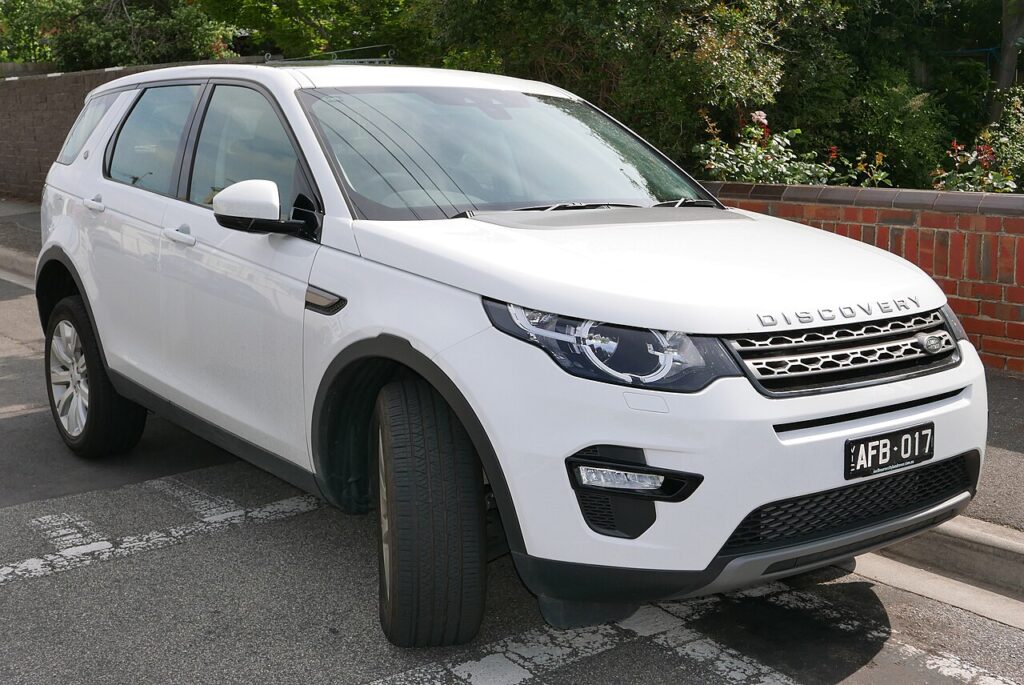
How the Discovery Sport’s System Works
The Discovery Sport uses direct sensors in each wheel that report actual pressures. There’s no reset button — once the pressures are correct, the system recognises them and the warning light goes out (it may take a short drive to confirm). Because it measures true pressure rather than wheel speed, it can flag a single low corner precisely and doesn’t need a stored “these are correct” snapshot the way an indirect system does — correcting the air is the reset.
First, a Few Checks
- Check the tyres cold where possible — before driving, or once they’ve reached ambient temperature. Warm tyres read high.
- Use the placard in the driver’s door shut (or the handbook) for the correct figures.
- Pick the right load setting — the Discovery Sport may use higher pressures when fully loaded or towing.
- Check the spare if your vehicle carries a monitored full-size wheel.
- Be ready for a short drive afterwards in case it needs a moment on the move to confirm.
Clearing the Warning
- Check the tyres cold where possible (or let them reach ambient temperature).
- Set all four tyres to the correct pressures (placard in the driver’s door shut or the handbook) — remember the Discovery Sport may use higher pressures when fully loaded or towing.
- Switch the ignition on; with the pressures correct, the warning light should go out.
- If it doesn’t clear immediately, drive for a few minutes so the sensors report and the system updates.
If the Warning Stays On
- Recheck every tyre — one below spec keeps the warning on.
- Make sure you used the right load setting — the placard lists normal and laden pressures.
- Check the spare if it’s a monitored full-size wheel — it can trip the warning even though it’s not on the road.
- Cold weather lowers pressure by roughly 0.1 bar per 10°C, so a frosty night can set it off — top up cold and drive.
- After a wheel change or seasonal swap, a new or moved sensor may need matching with a workshop tool before it reports correctly.
- Still lit with correct pressures? A sensor may have a flat internal battery or fault, which needs a workshop — look up the stored code on autodtcs.com.
Once It’s Done
With every tyre at the placard figure, the warning should go out as soon as you switch on, or within a few minutes of driving as the sensors report. After that the Discovery Sport keeps monitoring in the background and only warns again if a tyre genuinely drops below spec. You don’t need to repeat anything unless the pressures change, you swap wheels, or a sensor is replaced.
Frequently Asked Questions
How do I reset the tyre pressure warning on a Discovery Sport?
Set all tyres to the correct pressures — the system recognises them and the light goes out, possibly after a short drive. There’s no reset button. Because the sensors read actual pressure, correcting the air is effectively the reset; you don’t need to confirm anything in a menu or hold a button.
Why is there no reset button?
It uses direct sensors that read actual pressures, so it clears itself once the pressures are right. An indirect system infers pressure from wheel speed and needs you to store a “correct” reference; a direct system measures the real value, so there’s nothing to store — just put the right air in.
Why won’t the light go out?
Usually a tyre still below spec, the wrong load setting, or a sensor with a failing battery.

Do I need a tool?
Not for a normal reset; a failed sensor needs replacing and matching at a workshop. The same applies after fitting a set of winter wheels with their own sensors — the vehicle has to learn the new sensor IDs before it will display those corners, which is a quick job with the right tool.
Why did the warning appear in cold weather?
Air contracts as it cools, so pressure falls on a cold night even with no leak — enough to drop a correctly set tyre below the threshold by morning. Top up to the placard figure while the tyres are cold and drive. It may recover slightly as they warm, but topping up cold is the proper fix rather than relying on heat.
Should I use higher pressures for towing or a full load?
Yes — the placard lists a laden or towing figure that’s higher than the everyday one. Set the tyres to that column when carrying a heavy load or hitching a trailer, then drop back to the normal figure afterwards. Running the laden pressure keeps the tyres in shape under load and prevents the warning tripping from the extra weight.
If the warning came on with other lights, decode the code on autodtcs.com.
Independent guide — not affiliated with Land Rover. Always follow your official service manual and safety precautions. Read our full disclaimer.