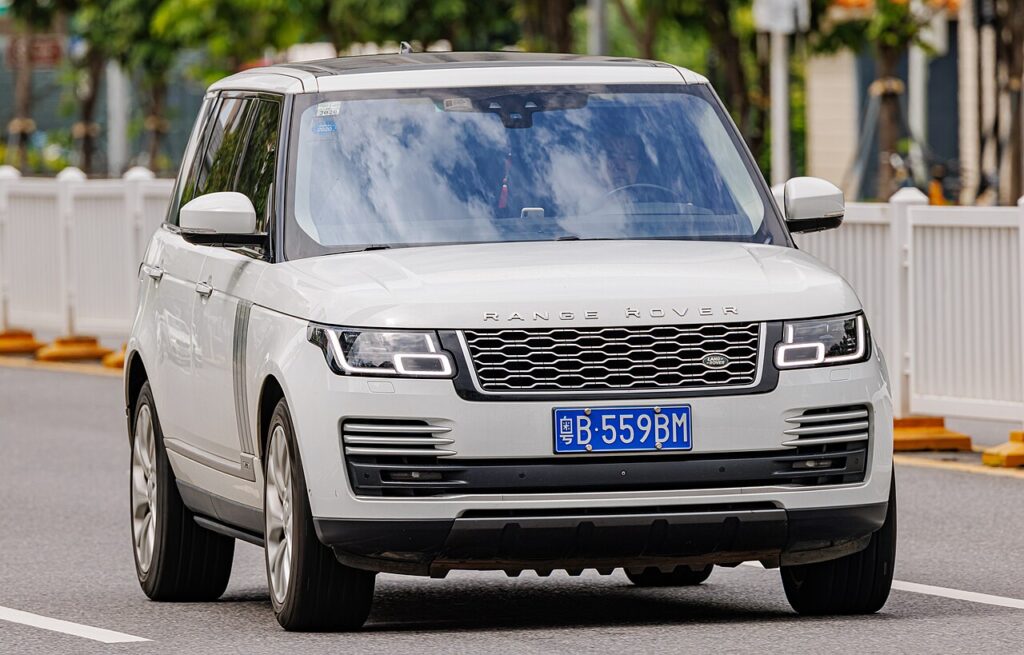
These instructions apply to the Land Rover Range Rover Mk4 (L405) 2013-2022.
For other models, please choose your vehicle here.
After the battery on your Range Rover (2013–2022) has been disconnected or gone flat, the one-touch function on the windows often stops working — the glass only moves while you hold the switch. Re-initialising each window restores it in seconds, with no tools.
When You Need This
On the L405 Range Rover every door glass is one-touch in both directions, so losing that convenience is very noticeable — instead of a single tap taking the window all the way up or down, you have to hold the switch the whole way. This is not a fault and nothing has broken. The window motor has simply lost the calibration it needs to know exactly where the top and bottom of its travel are, which is why the automatic run and the anti-pinch safety both stop working until you teach the positions again.
How It Works on This Model
Each door has its own motor with a position sensor, and the module counts pulses from that sensor to know how far the glass has moved. It stores a fully-closed and a fully-open reference so it can run the window to either end on one press and reverse if it detects an obstruction on the way up. Disconnecting the 12 V battery, or letting it go flat, wipes those stored references. Until they are re-learned the module falls back to a “hold to move” manual mode and disables one-touch, so the relearn below is normal maintenance after any battery work.
Before You Start
- Sit in the driver’s seat with the doors closed so you can reach each switch comfortably.
- Turn the ignition on (engine can be off) so the window circuits are live.
- Make sure nothing is resting in the window channels and no one has hands near the glass.
- Do one window fully before moving to the next — don’t rush the hold at each end.
- If it is very cold, run the window up and down once by hand-holding the switch first to free the seals.
Re-initialising a Window
- Pull the switch up to fully close the window, holding briefly after it stops, then release.
- Press the switch down to fully open it, again holding briefly after it stops, then release.
- Pull up to fully close once more, holding a few seconds at the top, then release.
- Test one-touch up and down, and repeat for each window that lost the function.
If It Still Won’t Auto-Close
- Hold the switch past the end stop in each direction — the motor must feel the limit to learn it, so a brief pause at both the top and the bottom is essential.
- Check the glass runs freely — a dry or dirty rubber channel adds drag that can make the module think it has hit an obstruction and abandon the learn.
- Repeat the full sequence — if you released too early at any end, run all three steps again from a fully-closed start.
- Confirm the battery is properly charged — a still-weak 12 V supply can drop voltage under motor load and lose the setting again.
- Try each window separately; one door failing while others succeed usually points to that regulator or switch, not the procedure.
- Persistent fault? A window-module issue can store a code — look it up on autodtcs.com.
What to Expect After
Once the sequence takes, a single tap should send the glass fully up or down again and the anti-pinch reversal returns at the same time. The setting is stored permanently and will stay until the next time the battery is disconnected or goes flat, so you should not have to repeat it in normal use. It is worth trying one-touch on all four windows before you finish so you know each door is done.
Frequently Asked Questions
Why did my windows stop auto-closing?
The one-touch memory is cleared when the 12 V battery is disconnected or goes flat. The module loses its stored top and bottom positions and drops back to a manual hold-to-move mode. Running the close-open-close relearn on each affected window teaches those end points again and restores both the automatic run and the anti-pinch reversal.
Do I need tools?
No. The whole relearn is done from the door switch with the ignition on — there is nothing to remove, no fuse to pull and no diagnostic equipment involved. It takes only a few seconds per window, and the most common reason it fails is releasing the switch too soon rather than any missing tool.
Which order, up or down?
Fully close and hold, then fully open and hold, then fully close and hold again. Holding for a second or two at each end is what lets the motor register the true limit of travel. If you let go the instant the glass stops, the position may not be captured and one-touch can stay disabled.
Do I have to do every window?
Only the ones that lost one-touch. On the Range Rover all four doors are one-touch, so after a full battery disconnect you will usually need to relearn all of them, but if only a single window is affected you can just do that one and leave the rest.
Could the anti-pinch also be affected?
Yes. The same stored positions drive the pinch-protection that reverses the glass if it meets resistance closing. While the window is uncalibrated that safety may not behave normally, which is another reason to complete the relearn promptly and to keep hands and fingers clear of the opening while you do it.
What if it works then loses the setting again?
If the relearn holds only briefly and then reverts, suspect the 12 V battery or its connections rather than the window itself. A battery that is still weak after a jump or a poor earth can sag under motor load and wipe the memory. Have the battery and charging tested, then repeat the procedure once it is healthy.
Just reconnected the battery? Our Range Rover battery disconnect/reconnect guide lists the windows among the items to re-initialise.
Independent guide — not affiliated with Land Rover. Always follow your official service manual and safety precautions. Read our full disclaimer.