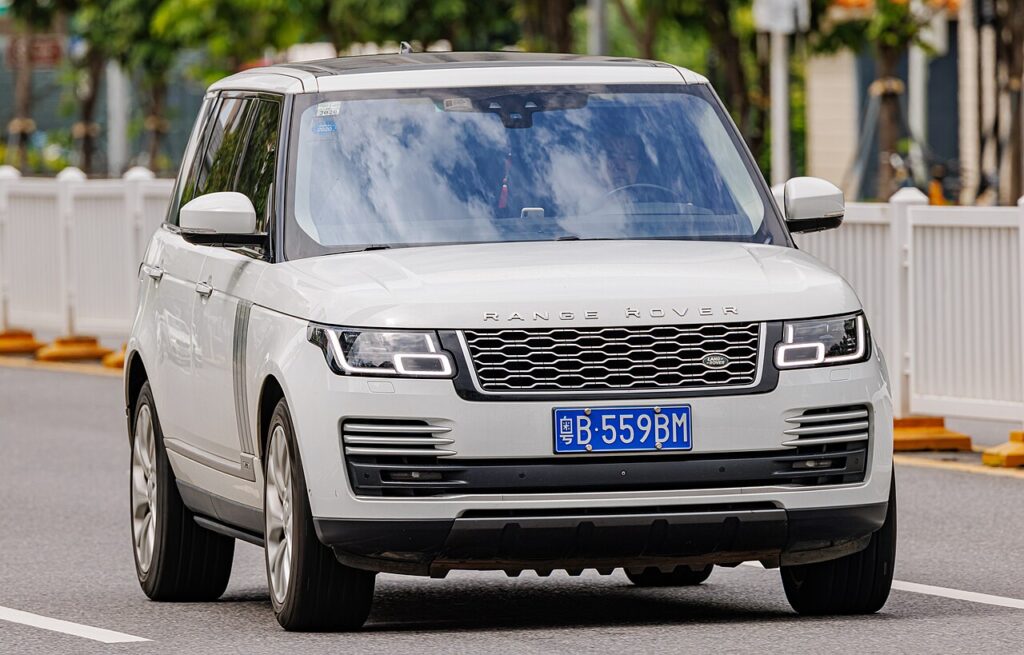
These instructions apply to the Land Rover Range Rover Mk4 (L405) 2013-2022.
For other models, please choose your vehicle here.
When the smart key for a Range Rover (L405, 2013–2022) starts only working with the fob pressed right up against the door handle, or the dash throws a “Smart Key Battery Low” warning, the flat coin cell inside is almost always the culprit — not the car’s keyless-entry module. This fourth-generation full-size Range Rover ships with a keyless “presence” fob that hides a mechanical emergency blade, and some owners also carry the optional waterproof Activity Key wristband. The plain coin-cell swap on the standard fob is a five-minute driveway job; below is the exact cell, how to split the case without cracking it, and why the Activity Key and any brand-new key are a different story.
How to Tell the Fob Battery Is Dying
- You have to be almost touching the car. Keyless unlock and the boot gesture only fire from a few centimetres away, or you end up holding the fob to the door handle. Shrinking range is the earliest and clearest sign.
- “Smart Key Battery Low” in the message centre. The L405 instrument cluster puts this text up when the fob voltage drops — Land Rover’s own advice is to change the cell promptly rather than let it die completely.
- Keyless start hesitates. The engine start button may need a second press, or you have to hold the fob against the steering column to get a crank.
- Cold mornings make it worse. A cell that is nearly flat sags further in the cold, so a fob that was marginal in summer can stop working on a frosty morning.
A CR2032 in an L405 fob generally lasts two to four years. Because the fob is always listening for the car, leaving it right next to the vehicle overnight drains it faster than you might expect.
The Battery You Need
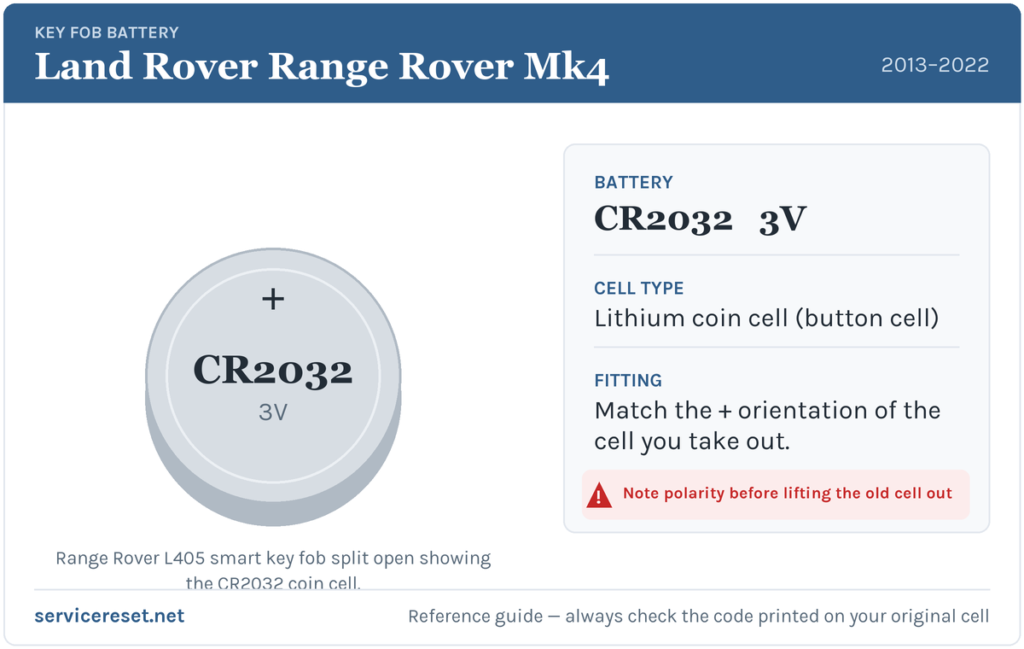
The Range Rover L405 smart key takes one CR2032 — a 3-volt lithium coin cell, 20 mm across and 3.2 mm thick. It is the single most common fob battery on the market, sold in any supermarket, hardware shop or phone shop. Fit a fresh, good-quality branded cell; avoid the near-identical but thinner CR2025, which can sit loose against the contacts and give poor range even when new. Handle the replacement by its edges only — skin oils on the flat faces can corrode the terminals over time.
Method — Standard Keyless Smart Fob
- Release the emergency blade. Slide the small silver catch at the base of the fob in the direction of the arrow and pull the metal emergency key blade straight out.
- Split the case. With the blade removed you expose a slot in the seam; ease a flat plastic tool — or the blade itself — into that gap and gently work the two halves of the housing apart. It separates with light pressure, so don’t force it.
- Note the orientation, then lift the cell out. The CR2032 seats with its positive (+) face upward in the L405 fob. Glance at how the old one sits before you remove it so you can match it exactly.
- Fit the new cell and close up. Press the fresh CR2032 in flat under its retaining clip, click the two halves back together until the seam closes evenly, then slide the emergency blade home until it latches.
⚠️ Mind the polarity. A coin cell fitted upside down bridges the contacts the wrong way and can quietly discharge, leaving you with a “new” battery that is already flat. Always copy the orientation of the cell you took out — positive side up on this fob.
Confirm It Worked
Step back a few metres and lock, then unlock, the car with the fob buttons; full range should return at once. Sit in with the fob and press start — keyless recognition should be instant again. The “Smart Key Battery Low” message clears once the car reads a healthy fob, which may take one wake-up cycle rather than happening the very second you close the case.
If a Fresh Cell Doesn’t Fix It
- Re-check seating and polarity. The commonest cause of “the new battery didn’t work” is a cell in upside down or not fully clipped under its tab.
- Clean the contacts. Wipe the battery terminals and the cell’s faces with a dry cloth — a film of grease or light corrosion is enough to cause dropouts.
- Try the backup start. If the fob is truly dead, the L405 lets you start the car by holding the fob against the marked spot on the steering column and pressing the brake and start button — proof the immobiliser, not the battery, is fine.
- Suspect the car’s 12 V battery. A weak vehicle battery can make the whole keyless system sluggish and mimic a fob fault; if the Range Rover is generally slow to wake, that is worth checking too.
New Key or Spare — Why It’s a Dealer Job
Changing the cell leaves the fob’s existing coding untouched, so nothing needs reprogramming afterwards. A new key is another matter: the L405’s immobiliser and keyless-vehicle module have to be accessed with JLR-approved diagnostic equipment, and blank fobs must be ordered against the car’s VIN and security data. That makes adding a spare or replacing a lost key a job for a Land Rover dealer or a specialist auto-locksmith. The optional Activity Key wristband is sealed and has no owner-serviceable battery — it is charged and paired through the car, not opened up. Keep the spare fob’s cell fresh and you are never down to one working key.
Frequently Asked Questions
What battery does a Range Rover L405 key fob take?
One CR2032 3-volt lithium coin cell. The same cell fits every button smart key across the 2013–2022 range; only the sealed Activity Key wristband is different and is not user-serviceable.
Which way round does the battery go?
Positive (+) side up in the L405 fob. Before you lift the old cell out, note how it sits and match it — a cell fitted the wrong way can flatten itself and stop the key working.
Do I need to reprogram the key after changing the battery?
No. A battery change doesn’t affect the fob’s coding, so it pairs with the car automatically the next time you use it. Only a brand-new or replacement key needs programming.
How long should the fob battery last?
Usually two to four years. Storing the fob right beside the car, where it wakes constantly to answer the vehicle, shortens that noticeably.
My Range Rover key still won’t work with a new battery — now what?
Re-check the polarity and that the cell is fully seated, then clean the contacts. If it still won’t respond, use the emergency blade to get in and start the car by holding the fob against the steering column — that confirms it’s the fob’s transmitter, not the car, and the fob may need replacing.
Can I still get in and drive if the fob is completely dead?
Yes. Slide out the hidden emergency blade to unlock the driver’s door, then hold the fob against the marked point on the steering column and press start with your foot on the brake. A flat coin cell won’t strand you.
If your Range Rover’s remote stopped working suddenly — straight after the 12 V battery was disconnected, say, rather than fading over weeks — the fault may be the car’s electronics rather than the cell, and a stored fault code can point you to the cause. You can look up what any logged code means on autodtcs.com.
Independent guide — not affiliated with Land Rover. Always follow your official service manual and safety precautions. Read our full disclaimer.