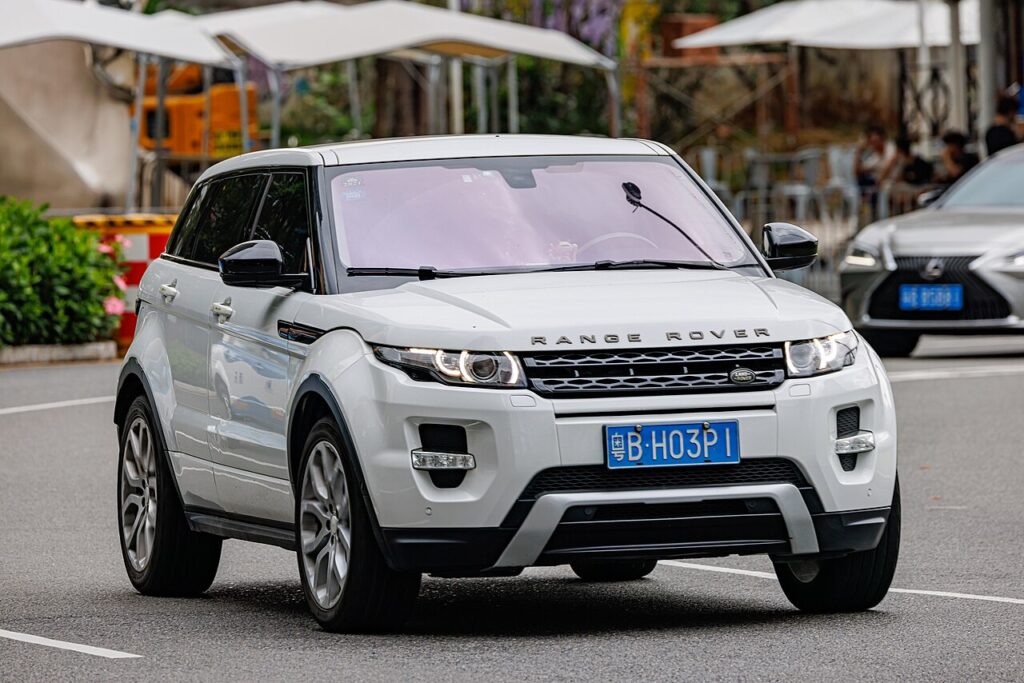
These instructions apply to the Land Rover Range Rover Evoque Mk1 (L538) 2011-2019.
For other models, please choose your vehicle here.
A Range Rover Evoque (L538, 2011–2019) whose smart key only unlocks the car from arm’s length, or whose keyless entry has become hit-and-miss, is usually flagging a flat coin cell rather than a real fault. This first-generation Evoque uses a single keyless smart key — the slim two-piece fob with a pull-out emergency blade — and it is worth knowing that the case on this L538 key opens differently from the later 2019-on Evoque (L551), so a video for the newer car may not match yours. Below is the correct method for the L538: how to read the warning signs, the exact battery, the way its case actually splits, and where a locksmith or dealer becomes unavoidable.
How to Tell the Fob Battery Is Dying
- Range collapses. The Evoque that once answered from across the street now needs you almost touching the door, or the fob pressed to the handle. This shortening reach is the first and most reliable clue.
- Passive entry hesitates. Grabbing the door handle no longer wakes the car every time, and the start button occasionally refuses until you move the fob closer.
- A cluster message appears. The instrument display shows a “Smart Key battery low” warning once the cell has weakened — a useful few-weeks heads-up before it goes fully flat.
- It struggles in the cold. A cell that is nearly done sags further at low temperature, so the first frosty morning is a classic time for a marginal Evoque key to finally quit.
Expect roughly one to three years from an Evoque smart-key cell — some owners get barely a year if the fob lives on a hook right next to the car and is woken constantly. If yours is in that window and playing up, change the battery before you suspect anything more serious.
The Battery You Need
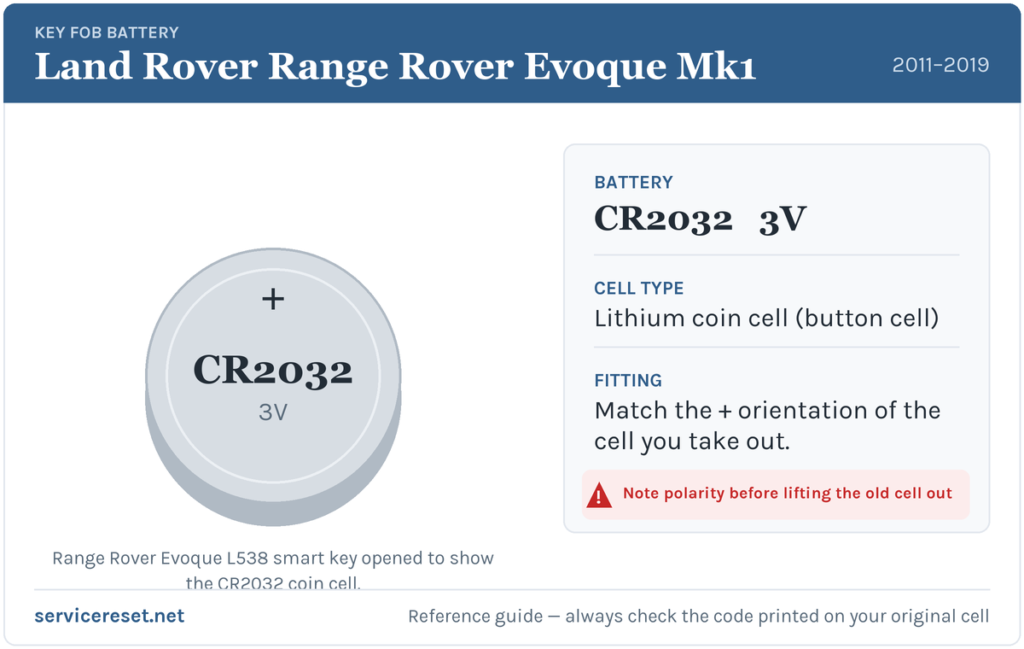
The L538 Evoque smart key runs on one CR2032: a 20 mm, 3-volt lithium coin cell that any shop stocks. Choose a reputable brand — a cheap cell may show full voltage yet collapse under the transmitter’s current pulse, leaving weak range from the start. Steer clear of the thinner CR2025; it drops into the same recess but at 2.5 mm will lose contact as the key is jostled.
How to Change the Evoque L538 Smart-Key Battery
- Slide off the side cover. The L538 fob has a small sliding cover on its edge — ease it open to expose the emergency key blade and its release.
- Pull out the emergency blade. Release the catch and draw the metal blade fully out of the fob. You will use it in a moment as a lever, and it is also how you get into a locked Evoque if the key is completely dead.
- Twist the case apart. With the blade removed, insert it (or a thin plastic tool) into the slot it left and twist gently to split the two halves of the smart-key case. Work the seam a little at a time rather than prying hard at one corner.
- Swap the cell. Lift the old CR2032 from its holder, handling the replacement by its edge only — finger oil on the faces can corrode the contacts and cut battery life. Seat the new cell positive (+) side up, matching how the original sat.
- Reassemble. Press the halves back together until they click all the way round, slide the emergency blade home, and close the side cover. Test lock, unlock and tailgate from a few metres.
⚠️ Polarity matters. A CR2032 fitted the wrong way up will not drive the transmitter, and if it is left reversed it can quietly flatten itself against the contacts. When in doubt, copy the exact orientation of the cell you removed.
Check It Worked
Walk back several paces and lock, then unlock, the Evoque. Strong range should return immediately. If the low-key message was displayed, it usually clears once the car has read a good key once or twice — occasionally only after your next drive rather than the instant you finish.
If a Fresh Cell Doesn’t Fix It
- Re-check orientation and seating. An upside-down or loosely clipped cell is the number-one reason a new battery seems dead. Reopen the case, confirm + is up, and make sure the cell sits flat under its clip.
- Clean the terminals. A dry wipe of the holder contacts clears the grease or light corrosion that causes intermittent dropouts.
- Test keyless start. If the buttons are unresponsive but the Evoque still starts when you hold the fob to the reader point on the column, the transponder is fine and only the remote side is weak.
- Consider the car’s 12 V battery. A worn vehicle battery can make an Evoque slow to wake and imitate a key fault; if the car itself feels sluggish, check that before condemning the fob.
The L538 is also known for the odd genuine keyless glitch, so if a fresh cell plus clean contacts still leaves entry unreliable, a scan for stored body-control or keyless faults is the sensible next step rather than buying a new key blindly.
New Key or Spare — Why It’s a Dealer Job
A battery change keeps all of the fob’s existing coding, so there is nothing to reprogram afterwards. Adding a spare or replacing a lost Evoque key is another story: the immobiliser has to be accessed with franchised diagnostic equipment, and a fresh smart key must be ordered and paired to the car’s VIN against proof of ownership. That puts new-key work with a Land Rover dealer or a qualified auto-locksmith — so keep the cell in your second key healthy too, and you are never one flat battery away from being locked out.
Frequently Asked Questions
What battery fits a Range Rover Evoque L538 key?
One CR2032 3-volt lithium coin cell — the common 20 mm size found in any supermarket or hardware shop.
Which way up does the cell go?
Positive (+) face upward, matching the battery you removed. Fitted the other way, the key simply will not transmit.
Do I need to reprogram the Evoque key after changing the battery?
No. Replacing the cell does not disturb the coding, so the fob works as soon as it is back together. Only a genuinely new key needs pairing.
Why does my Evoque key battery drain so quickly?
Keeping the fob right beside the car — on a hallway hook near the drive, for example — makes it wake and “listen” constantly, which can drop a cell’s life to a year or less. Storing it a little further away helps.
My Evoque still won’t respond after a new battery — what now?
Re-seat the cell correctly and clean the contacts first. If keyless start works but the buttons stay dead, the remote circuit may have failed; if entry is generally flaky, have the keyless system scanned before assuming the key is scrap.
Can I drive the Evoque with a totally dead fob?
Yes. Use the emergency blade hidden in the fob to unlock the driver’s door, then hold the key against the start reader inside as the handbook describes; the car will detect it and start even with a flat cell.
If your Evoque lit a warning or dropped into a restricted mode at about the same moment the remote stopped — instead of the fob fading over weeks — the two issues may be separate, and a stored trouble code will point to the system actually at fault. You can decode any logged fault on autodtcs.com.
Independent guide — not affiliated with Land Rover. Always follow your official service manual and safety precautions. Read our full disclaimer.