These instructions apply to the Land Rover Range Rover Evoque Mk2 (L551) 2019-Present.
For other models, please choose your vehicle here.
Your Range Rover Evoque (2019–present) switches the engine off at a standstill to save fuel, then restarts it as you pull away. If you’d rather keep it running — in traffic or by preference — you can switch the system off in one press. Here’s how, and why it resets each drive.
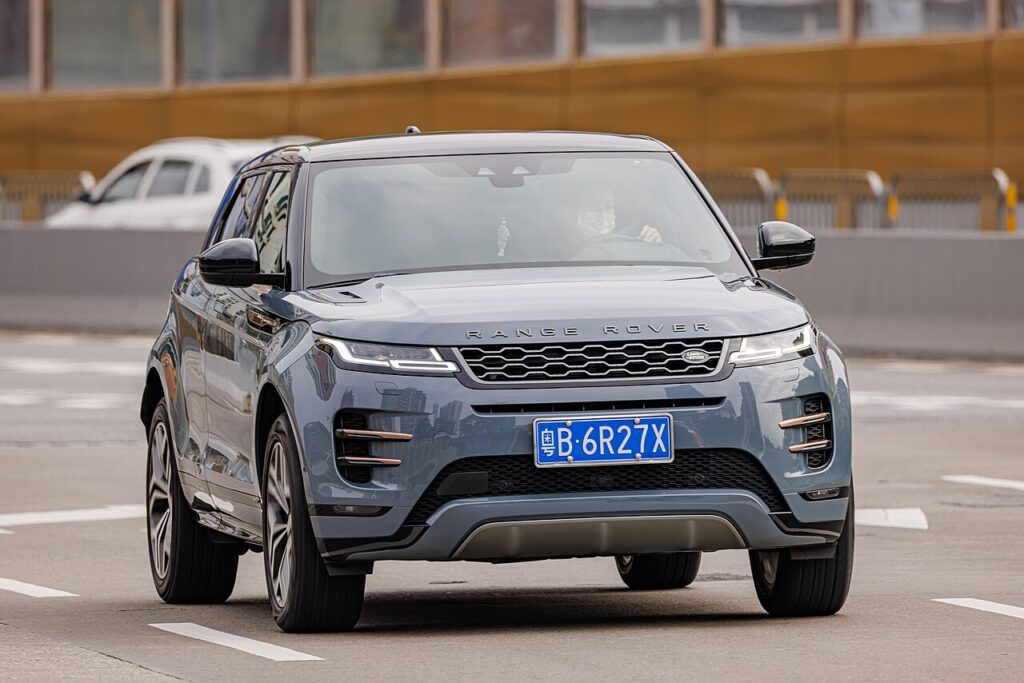
What Auto Stop-Start Does on the Evoque
Stop-start is a fuel-saving feature, not a fault. On the second-generation Evoque the engine cuts once you have come to a complete halt — at lights or in stationary traffic — and restarts the instant you lift off the brake. The “A”-in-an-arrow symbol on the dash confirms the system is armed. On this platform the restart is usually very smooth because the engine can be spun up electrically rather than by a conventional starter alone.
How It Works on This Model
Many Evoques are mild hybrids, pairing a small 48 V battery and a belt-driven starter-generator with the usual 12 V system. That generator lets the car coast with the engine off and blend the restart almost imperceptibly. The management electronics watch the 12 V and, where fitted, the 48 V state of charge and only shut the engine down when both can support an immediate, smooth restart and carry the electrical load while stopped.
Before You Start
- Have the engine running and warm — the button toggles the feature, it does not start the car.
- The stop-start (ECO) button is on the centre console, marked with an “A” inside a circular arrow.
- You can press it while stationary or moving; it takes effect immediately for the current drive.
- The setting resets to on at the next engine start — there is no permanent off switch in the menus.
Turning the System Off
- With the engine running, press the stop/start (ECO) button on the centre console (an “A” inside a circular arrow).
- An indicator confirms the system is off; the engine now stays running at a standstill.
The system defaults back to on each time you start the car, so disabling it is a per-drive choice — press the button again to re-enable it.
When the Evoque Disables Stop/Start Itself
Even with the system on, the Evoque won’t stop the engine when it isn’t appropriate, so continued idling isn’t necessarily a fault. It keeps the engine running when the cabin is still reaching temperature, the engine is cold, the car is on a gradient, when heating or demisting demand is high, or when the 12 V battery charge is low. On mild-hybrid models the system also coasts and restarts more smoothly via the 48 V starter-generator.
If It Won’t Cut Out
If the engine refuses to stop even when conditions look right, run through the common causes first:
- Weak or ageing battery. A tired 12 V battery is the most common reason the engine stops cutting out — it can no longer guarantee a clean restart.
- Recent battery disconnection. After a jump-start or battery change the management system relearns state of charge over several drives, and stop-start often stays dormant until it settles.
- Cold engine or cabin. On a cold morning the engine and heater are still warming, so the system holds off.
- High climate demand. Strong heating, cooling or demisting keeps the engine running to serve the cabin.
- Not fully stopped or brake not firm. The car must be completely stationary with the brake pressed properly.
- Gradient. On a noticeable slope the engine is kept running for control.
- Mild-hybrid system charging. If the 48 V battery is low, the car may keep the engine running to replenish it.
What to Expect After
After the press the indicator shows the system is off, and the engine idles normally at every stop for the rest of that journey. There is no warning light to clear and nothing to reset — switch off and restart, and stop-start arms itself again automatically. If you want it off routinely, make the single press part of your start-up habit.
Frequently Asked Questions
How do I turn off stop/start on a 2019-on Range Rover Evoque?
Press the ECO (“A”) button on the centre console with the engine running. An indicator confirms it is off, and the engine will idle at every stop for the rest of the drive. Press it again at any time to switch stop-start back on.
Does it stay off?
No — the setting resets to on every time you start the car. There is no permanent menu switch, so if you prefer it off you need to press the button once each drive. Folding that press into your start-up routine is the easiest way to remember.
Why does the Evoque restart so smoothly compared with older cars?
Most second-generation Evoques are mild hybrids with a 48 V belt-driven starter-generator. It can spin the engine up electrically and blend power in, so restarts feel far less abrupt than a traditional starter motor. That same system lets the car coast briefly with the engine off to save more fuel.
Why has my Evoque stopped switching the engine off?
Usually a low or ageing 12 V battery, a recent disconnection the management system is still learning, or the engine and cabin not yet up to temperature. High climate demand, a steep gradient or a low mild-hybrid battery can also hold it back. If a fault light is on, have the charging system checked.
Is leaving stop/start on harmful?
No. The Evoque’s starter, batteries and engine are all designed for frequent restarts, and on mild-hybrid models the electric assist makes each one gentler still. Turning the system off is purely a matter of preference, not something the mechanicals need.
Does disabling stop/start hurt fuel economy?
Only slightly, and only in the stop-go conditions where the engine would otherwise cut. On a flowing drive the difference is negligible because the engine rarely idles for long. Many owners accept the small penalty for a more consistent feel in heavy traffic.
If a warning light appeared alongside the change, decode it on autodtcs.com.
Independent guide — not affiliated with Land Rover. Always follow your official service manual and safety precautions. Read our full disclaimer.