These instructions apply to the NIO ET7 (2022-2024).
For other models, please choose your vehicle here.
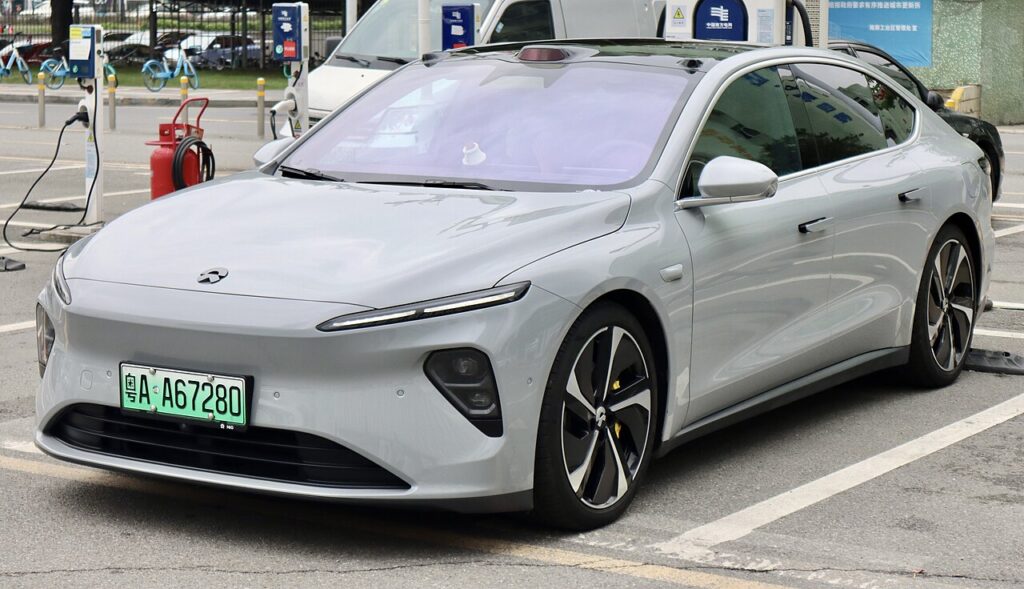
The NIO ET7 (2022–2024) is unusual for a key-fob article, because on this Chinese electric saloon the fob is only one of several ways in — and for a lot of owners it isn’t even the main one. NIO built the ET7 around battery-free access: a Bluetooth phone key, an NFC phone key, and a physical NFC card that all work without any coin cell to go flat. The Smart Key fob — the button remote with lock, unlock and boot buttons — is the traditional option, and it does contain a replaceable coin cell. If your ET7’s remote has lost range or stopped responding, this guide covers the exact cell it takes, how to open it, and why you are rarely actually locked out of an ET7 even with a stone-dead fob.
How to Tell the Fob Battery Is Dying
- Shrinking range. You have to stand right next to the car, or almost touch the fob to the door, before it responds. This is usually the first sign a coin cell is on the way out.
- Intermittent or no button response. The lock, unlock or boot button works only sometimes, or not at all, even though the car itself is fine.
- Cold-weather dropouts. A cell that is nearly flat sags further in the cold, so the fob may fail on a frosty morning and seem to recover once warm.
- You fall back on the phone or card. If you have quietly started using the NIO App or the NFC card instead because the fob “isn’t reliable”, that is the fob’s battery talking.
A coin cell in a smart fob like this typically lasts two to four years, and less if the fob spends its life sitting near the car, waking constantly. If yours is a few years old and showing any of the above, fit a fresh cell before assuming anything is wrong with the car.
The Battery You Need
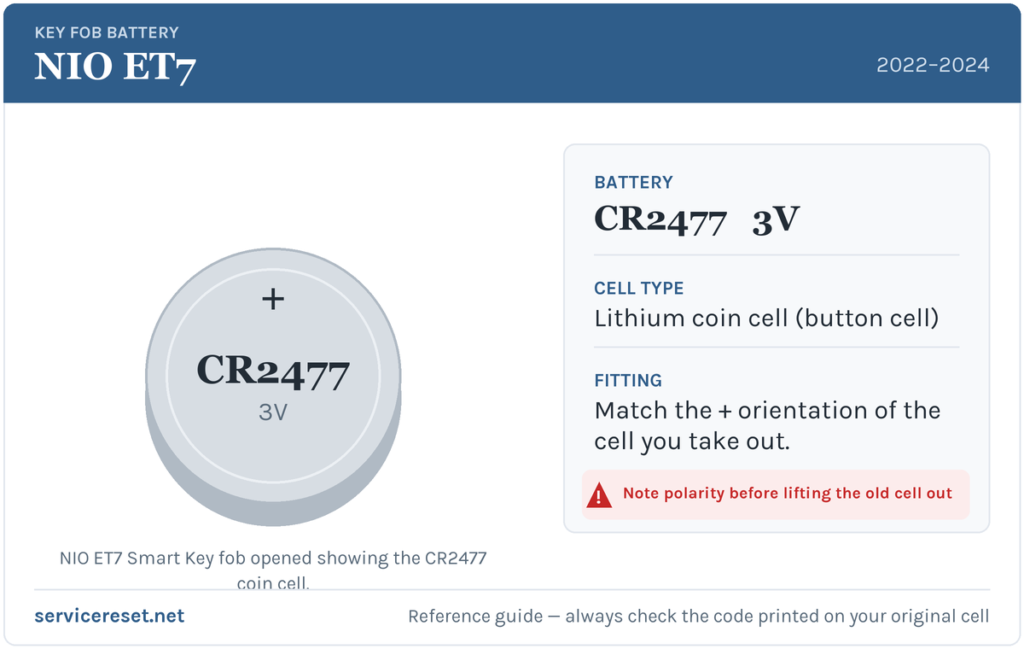
The ET7 Smart Key fob uses a single CR2477 3-volt lithium coin cell, according to NIO’s own owner documentation. The CR2477 is a larger, thicker cell than the CR2032 found in most other cars, so check you have the right one — a CR2032 looks similar but is too small and thin to seat and hold charge properly. Buy a good-quality branded CR2477; cheap cells sag under the brief high current a transmitter draws and can give short range even when new. If you open the fob and find a different code printed on the cell inside, trust that marking over any generic figure and match the exact code you read off the old battery.
Method — Opening the ET7 Smart Key
- Take out the emergency blade first. The Smart Key hides a small metal mechanical key. Slide the release switch and pull the blade straight out, then set it aside so it is not in the way.
- Pinch and slide. Hold the fob firmly by its sides. Using a fingernail or a thin plastic pry tool, run it along the edge of the case starting from the bottom, working the seam open until the bottom cover releases. NIO’s guidance is to slide along the edge rather than force a single point, so the plastic clips let go evenly.
- Lift the cover and note the orientation. With the cover off, look at how the old CR2477 sits before you disturb it, then ease it out.
- Fit the new cell positive-side down. On the ET7 fob the CR2477 goes in with the positive (+) face pointing down, into the holder — the opposite of many fobs, so do not simply assume the printed side faces up. Make sure it sits flat against the conductive spring contact.
- Close it up. Press the bottom cover back on until it clips shut all the way round, then slide the metal emergency blade back into the body until it latches.
⚠️ Get the polarity right. The ET7 fob is designed for the cell to sit positive-side down against the spring contact. Fitting it the wrong way round means the fob will not work and can slowly discharge a good cell — so copy the orientation NIO specifies, and match the way the old one came out.
Check It Worked
Stand back a few metres and press lock, then unlock. Full range should return at once. NIO also advises keeping the freshly-batteried Smart Key on you for the next day or so and using it to lock and start the car normally, so you can be confident it is talking to the vehicle again before you rely on it as your only key.
If a Fresh Cell Doesn’t Fix It
- Re-check polarity and seating. Positive-side-down is the single easiest thing to get wrong here. The cell must also press firmly on the spring contact, not sit loose under the cover.
- Confirm the cell is genuinely a CR2477. A too-thin CR2032 dropped in by mistake will make weak or no contact.
- Wipe the contacts. A smear of finger grease or light corrosion on the terminals is enough to cause dropouts; clean them with a dry cloth.
- Use another method meanwhile. With the NFC card, Bluetooth phone key and NFC phone key, a failed fob never locks you out — keep using the car normally while you sort the remote. Suspect a hardware fault only last: if a known-good CR2477 fitted correctly still does nothing, the fob’s transmitter may have failed, which is rare compared with a flat or upside-down cell.
New Key or Spare — Why It’s a Service Job
Changing the cell keeps the fob’s existing pairing, so nothing needs reprogramming after a battery swap. Adding a spare or replacing a lost Smart Key is different: because the ET7 is a connected NIO vehicle, keys and digital access are managed against your car and account through NIO — a new physical Smart Key has to be provisioned and paired via NIO service, not coded on the driveway. The upside is that the ET7’s phone and card keys give you instant, battery-free backups in the meantime, so a lost or dead fob is far less of an emergency than on an older car with a single transponder key.
Frequently Asked Questions
What battery does a NIO ET7 Smart Key take?
A single CR2477 3-volt lithium coin cell, per NIO’s owner documentation. It is a larger, thicker cell than the common CR2032, so make sure you buy the right size, and check the code printed on the old cell when you remove it.
Which way up does the cell go?
Positive (+) side facing down into the holder, against the spring contact. That is the reverse of many fobs, so do not just point the marked face up — match how the original was fitted.
Do I need to reprogram the fob after changing the battery?
No. A battery swap does not affect the pairing, so the fob works straight away. NIO does suggest carrying it and using it for the next day to confirm it is reading correctly. Only a brand-new or replacement key needs provisioning through NIO.
Can I get into and drive the ET7 if the fob is completely dead?
Yes. The ET7 is built around battery-free access — you can unlock and start it with the NFC card, the Bluetooth phone key or the NFC phone key set up in the NIO App. There is also a metal emergency blade inside the Smart Key to open the driver’s door mechanically. A flat fob will not strand you.
How long should the Smart Key battery last?
Typically two to four years. If you mostly use the phone or card keys, the fob’s cell can last even longer simply because it is used less. Leaving the fob sitting close to the car, where it keeps waking, shortens its life.
The fob still won’t work after a new battery — is the car broken?
Almost certainly not. Re-check that the CR2477 is the right size, is seated positive-side down, and presses firmly on the contact. If a known-good, correctly-fitted cell still does nothing, the fob’s internal electronics may have failed — but in the meantime the phone and card keys let you carry on using the car normally.
If your ET7’s remote stopped working at the same time as a warning or unusual message appeared on the car itself — rather than the fob simply fading — the cause is more likely on the vehicle side than the coin cell. You can look up what a stored fault code means on autodtcs.com.
Independent guide — not affiliated with NIO. Always follow your official service manual and safety precautions. Read our full disclaimer.