These instructions apply to the NIO ET7 (2022-2024).
For other models, please choose your vehicle here.
If the one-touch (auto up/down) function on your NIO ET7 (2022–2024) has stopped working — usually after the 12 V battery was disconnected or went flat — the windows just need re-initialising. It’s a quick job with no tools, and it is completely normal after any interruption to the power supply. Nothing has broken: the window motor has simply lost the reference points it uses to know where the glass is, so it falls back to a safe “hold the switch” mode until you teach it those limits again.
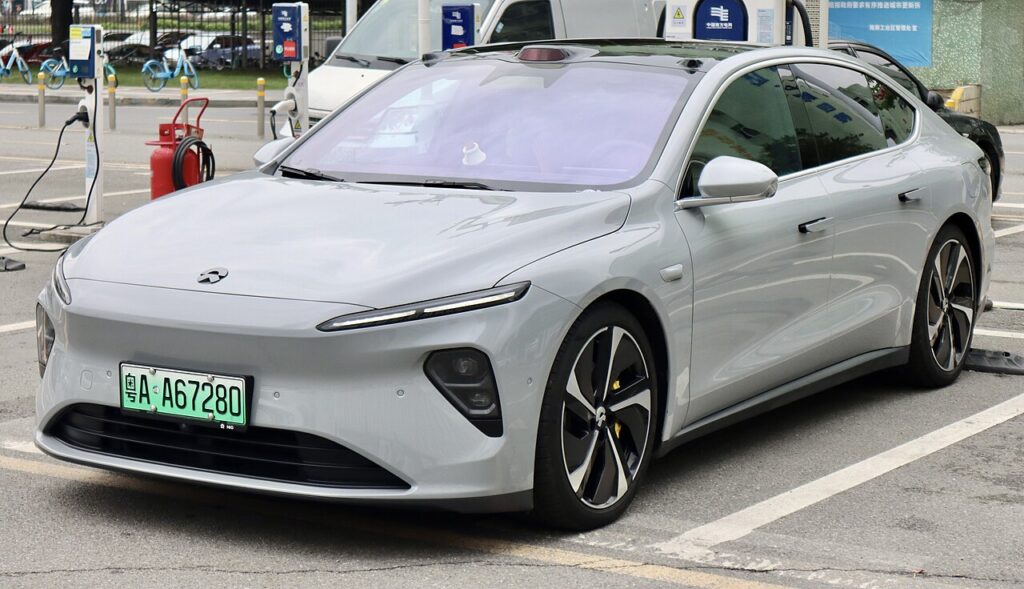
How the Auto Windows Work on the ET7
Each door has its own window motor and a small control module that counts the motor’s rotation to track exactly where the glass sits. That count is what lets one-touch stop cleanly at the top and bottom, and it is also what the anti-trap (anti-pinch) safety relies on — the module watches for a sudden rise in motor load and reverses the glass if something is in the way. When the 12 V supply is cut, the stored count is wiped. The glass still moves because you are commanding the motor directly, but the module no longer trusts its position data, so it disables the automatic modes until you re-teach the travel.
Getting Ready
- Have the car powered on (ready mode) so the windows have full power.
- Do this with the door closed — a door-open position can affect the seal at the top.
- Make sure the 12 V battery is healthy; a weak supply can interrupt the learn halfway.
- Clear the run channels of ice, leaves or grit so the glass reaches its true stops.
- Keep hands and fingers clear of the frame — anti-trap is off until the relearn finishes.
Re-initialising Each Window
- Power the car on and close the door.
- Raise the window fully with the switch and keep holding for a couple of seconds after it stops.
- Lower the window fully and keep holding for a couple of seconds after it stops.
- Raise it fully again — one-touch should now work. Repeat for each window.
If It Won’t Stay Set
- Hold at each limit for the full couple of seconds — letting go too early is the most common reason the learn doesn’t stick.
- Do the whole up-down-up cycle in one go without releasing early between the extremes.
- Re-seat the 12 V battery connections if you’ve just done battery work; a loose earth can drop power mid-learn.
- Try each door from its own switch rather than the driver’s master panel if one window refuses.
- Let the battery charge for a short drive if it was flat, then repeat the relearn.
- A motor or switch fault can store a code — look it up on autodtcs.com.
What Happens Next
Once each window has learned its limits, one-touch up and down returns immediately and the anti-trap protection is active again. There is no warning light for this and nothing to reset in the touchscreen — the windows simply behave normally from the next press. The setting is stored, so you only need to repeat this if the 12 V battery is disconnected again.
Frequently Asked Questions
Why did my NIO ET7 windows stop auto-closing?
Disconnecting or flattening the 12 V battery wipes the position count the window module uses. With no trusted reference, one-touch and anti-trap switch off and the glass only moves while you hold the switch. Re-initialising each window teaches the module its top and bottom limits and restores automatic operation.
Do I need a diagnostic tool?
No. The relearn is done entirely with the door’s own window switch — hold at the top, hold at the bottom, hold at the top again. No scan tool, app or dealer visit is required for the standard one-touch re-initialisation.
Do I have to do all the windows?
Yes, each window that has one-touch is calibrated separately by its own motor and module, so repeat the same up-down-up cycle at every affected door. If only one window lost its auto function, you only need to redo that one.
What does holding at the limit do?
Holding for a second or two after the glass stops lets the module log the exact fully-closed and fully-open positions. Those two points define the travel, which is what one-touch needs to stop cleanly and what the anti-trap uses as its reference. Release too soon and the limit may not register.
Is it safe to run the windows with anti-pinch disabled?
During the short relearn the anti-trap is inactive, so keep fingers and objects out of the frame until you have finished the cycle. Once the window has learned its limits the anti-pinch protection comes back automatically, so normal daily use is fully protected again.
Could a blown fuse cause this instead?
A blown window fuse usually stops the glass moving at all, not just the auto function. If the window still moves while you hold the switch but won’t auto-run, the cause is the lost calibration rather than a fuse. If nothing moves, check the relevant fuse before assuming a motor fault.
If you’ve just reconnected the battery, see our NIO ET7 12V battery guide. For any stored fault codes, look them up on autodtcs.com.
Independent guide — not affiliated with NIO. Always follow your official service manual and safety precautions. Read our full disclaimer.