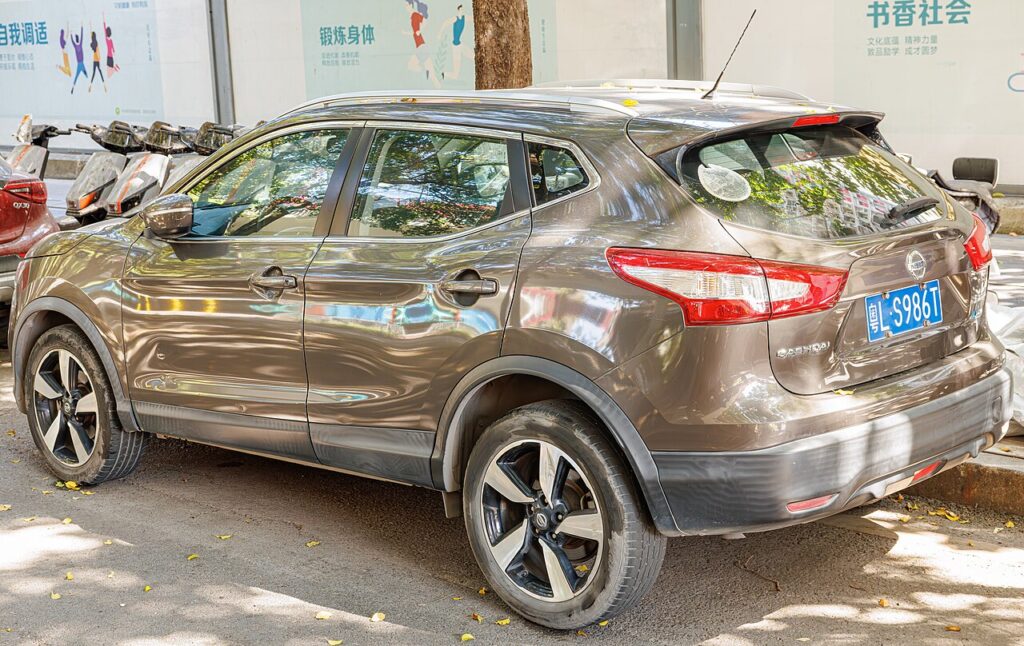
These instructions apply to the Nissan Qashqai Mk2 (J11) 2014-2021.
For other models, please choose your vehicle here.
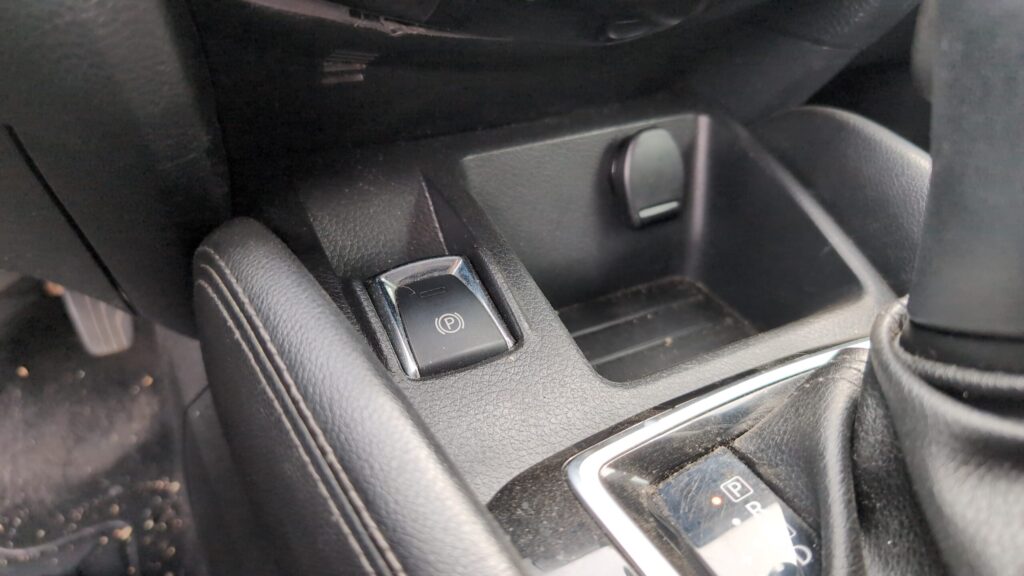
This guide covers putting the electronic parking brake into service mode on the Nissan Qashqai (J11, 2014–2021) so you can swing the rear caliper open and fit new pads. It applies to the EPB cars — the ones with a small P rocker switch on the centre console near the gear lever. A handful of very early entry-level J11s left the factory with a conventional pull-up handbrake lever instead; if yours has a cable lever, none of this applies and you simply wind the rear pistons in by hand.
What service mode does and why you need it
On the J11 the rear calipers carry a small electric motor and gearbox that drives the piston out against the pad to hold the car. That motor sits between the piston and the pad, so when the pads are worn the piston is wound a long way out. To fit thicker new pads the motor first has to retract the piston back into its bore, and the only clean way to make it do that is to command it electronically. Service mode (Nissan calls it the brake-pad replacement function) fully retracts both rear motors and parks them at their reference position so you can lift the caliper off, swap the pads, and then re-extend the motors onto the new, thicker friction material.
Retracting the rear calipers
- Park on level ground, engine off, transmission in P, wheels chocked. Leave the ignition in the ON (engine-off) position so the EPB controller stays powered and can talk to your tool.
- Plug an EPB-capable scan tool into the OBD socket below the steering column. The Qashqai responds to Nissan CONSULT and to generic EPB tools (Autel, Foxwell, Launch and similar) that list a Nissan/EHS brake-service function.
- Select the brake controller (EHS / PKB), open Work Support, and choose Start Brake Pad Replacement. Confirm. You will hear both rear motors whir as they wind the pistons fully back.
- Wait for the tool to report the motors are at the open position. Only now remove the road wheel, unbolt the caliper, and replace the pads.
- With the new pads seated, choose Finish Brake Pad Replacement so the motors re-clamp onto the new pads, then run the calibration/initialisation step the tool offers.
Never force the pistons back by hand
Do not wind, clamp or lever a J11 rear piston back without first retracting the motor. The screw mechanism inside the caliper is not designed to be back-driven from the piston face; forcing it strips the gear teeth, bends the actuator shaft, or pushes debris and brake fluid back up into the motor seals. A damaged EPB actuator is a caliper-replacement job. If you have no scan tool, the only safe alternative is to wind the motor back with its own power — unplug the motor connector and feed it briefly from a 12V source, reversing polarity to drive it in — but never push the piston in mechanically while the motor is still extended.
Exit service mode and bed in the new pads
After the finish step, switch the ignition fully off and back on, then cycle the EPB switch — pull up to apply, press down to release — and confirm the dash brake symbols clear. Pump the brake pedal several times before you drive so the pistons take up the gap. Then bed the pads in: from about 30–40 mph, brake firmly but not to a stop, eight to ten times, leaving a gap between stops to let the discs cool. Avoid hard, prolonged stops for the first 200 miles so the friction material transfers an even layer onto the discs.
Frequently Asked Questions
Does every Qashqai J11 have an electronic parking brake? Most do, but some early base-spec cars used a pull-up cable handbrake. Look for the console P switch — if it is there, you have the EPB and need service mode.
Can I change the rear pads on a J11 without any tool? Only by powering the caliper motor back with a 12V supply through its connector. There is no dashboard button sequence that opens the calipers on the J11.
Why is the brake warning light on after I finished? Usually the calibration step was skipped or the ignition was switched on with a motor unplugged, logging an open-circuit fault. Run the initialisation function and clear the codes with your tool.
How far do the rear pistons retract? Far enough to clear a fresh pad set. If a caliper will not open up, the motor did not reach the reference position — recheck the connector and repeat the start function.
Do I need to do anything to the front brakes? No. The front calipers are conventional hydraulic units with no EPB motor, so they need no service mode — just push those pistons in normally.
If a parking-brake or ABS warning lamp stays on after the job, scan the car for stored fault codes and look them up at autodtcs.com before clearing them.
Independent guide — not affiliated with Nissan. Always follow your official service manual and safety precautions. Read our full disclaimer.