These instructions apply to the Renault Trafic Mk3 (X82) 2014-2021.
For other models, please choose your vehicle here.
The stop-start (start/stop) system on a Renault Trafic III (X82, 2014–2021) switches the engine off at junctions to save fuel. If you’d rather it didn’t — in slow traffic, when manoeuvring a loaded van, or on a cold morning — you can turn it off with one button. It’s a per-drive setting, not a permanent change.
Turn Stop-Start Off
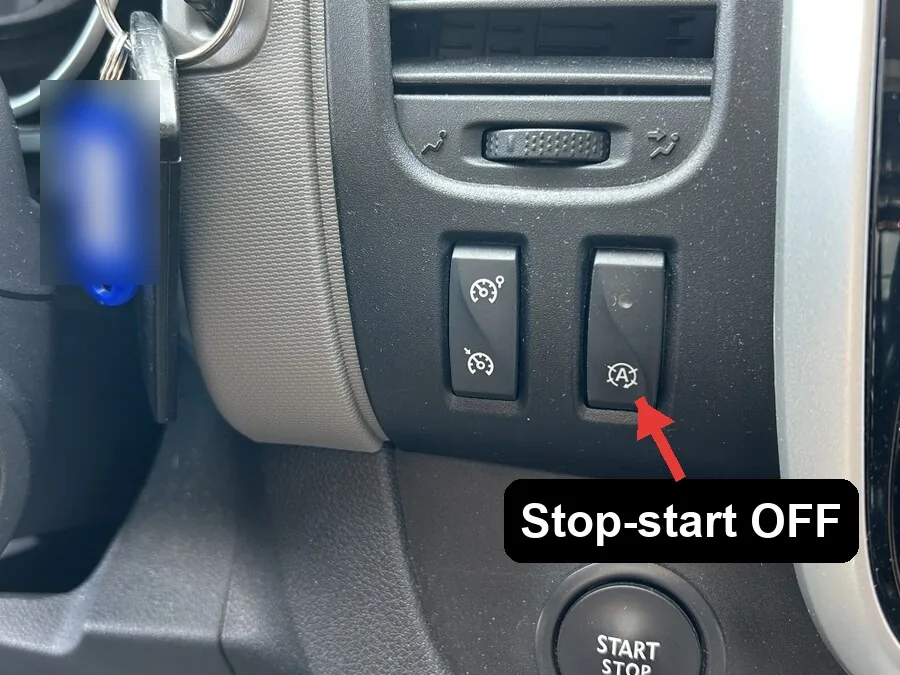
- With the van running, press the stop-start off button on the dashboard (the icon is an “A” inside a circular arrow).
- ‘Start/stop deactivated’ appears on the display and the system warning light illuminates.
- The engine now stays running at a stop until you turn it back on.
Press the same button again to switch it back on, and the light goes out.
Good to Know
- Stop-start re-enables itself every time you restart the van — there’s no way to leave it off for good from the driver’s seat, so press the button each drive if you don’t want it.
- Even when it’s on, the van won’t auto-stop unless conditions are met — engine warm, battery well charged, cabin not demanding heavy heating or cooling. A weak battery is the usual reason it stops working on its own.
Frequently Asked Questions
How do I turn off stop-start on a Renault Trafic?
Press the dashboard button marked with an “A” and a circular arrow while the engine is running — ‘Start/stop deactivated’ shows on the display and the warning light comes on.
Does it stay off?
No. It resets to on every time you start the van, so you need to press the button again each drive.
Why has my stop-start stopped working by itself?
Most often a battery that isn’t holding enough charge, or the engine not being fully warm. The system only auto-stops when the battery and conditions allow, so an ageing battery quietly disables it.
Is it the same on the Fiat Talento, Nissan NV300 and Vauxhall Vivaro?
Yes — the same X82 platform and button, so deactivation works identically.
If a stop-start or battery warning stayed on, look up the code on autodtcs.com.
Independent guide — not affiliated with Renault. Always follow your official service manual and safety precautions. Read our full disclaimer.