These instructions apply to the Skoda Fabia Mk4 (PJ) 2021-Present.
For other models, please choose your vehicle here.
The Škoda Fabia (Mk4, 2021–Present) moved onto VW Group’s larger MQB-A0 architecture and, with it, gained far wider availability of the KESSY keyless system. If the remote has gone silent and the doors will not respond, the fob’s coin cell has almost certainly died — and the fourth-generation Fabia gives you a clean way to get in and drive on a flat battery. Depending on trim you will either be holding the fob to a START/STOP button or simply twisting a blade in a barrel.
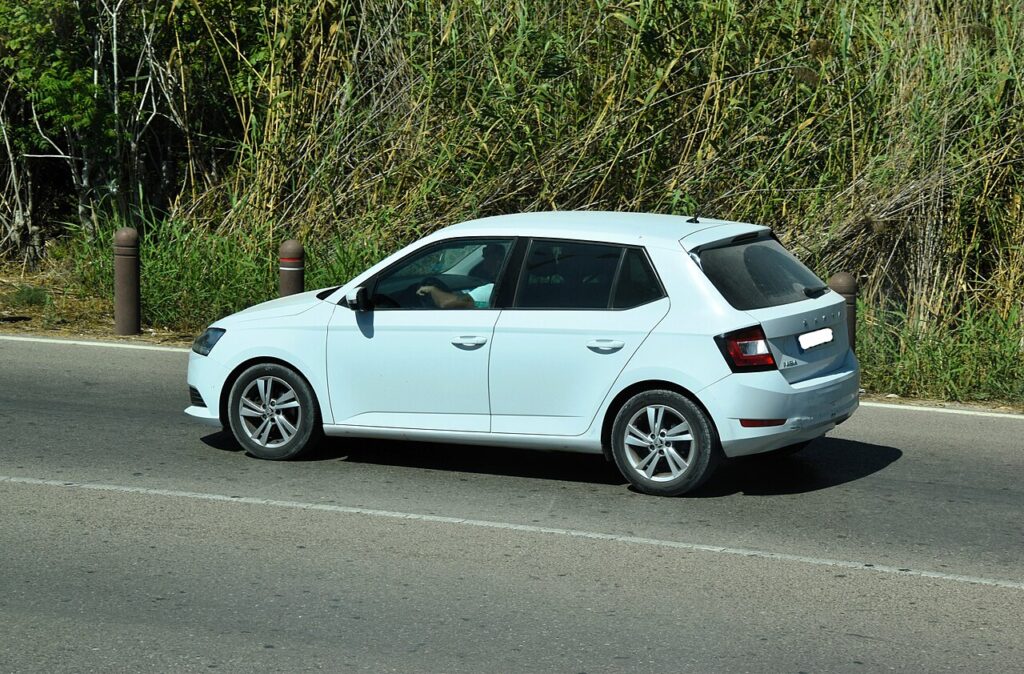
This generation is the fourth-gen supermini hatch (there is no estate). The hidden emergency blade handles entry on every version; the start method depends on whether your car has keyless go.
Start the Fabia Mk4 With a Dead Fob
KESSY (button-start) Fabia:
- Unlock and get in using the emergency blade (next section).
- Hold the brake pedal down.
- Press the fob flat against the START/STOP button so the transponder sits against the reader behind it.
- Press the button. The immobiliser energises the passive chip by induction and releases the engine.
- If it does not catch, nudge the fob to a slightly different spot on the button and try again.
Turn-key Fabia:
- Open the driver’s door with the emergency blade.
- Insert the blade into the ignition barrel and turn to start — the fob battery plays no part in starting a blade-ignition car.
Unlock the Fabia Mk4 With the Emergency Key Blade
- Slide the release catch on the fob and pull the metal emergency blade out.
- The driver’s door lock barrel hides behind a plastic cap on the handle. Insert the blade tip into the rear slot and lever the cap off.
- Put the blade in the barrel and turn to unlock. Opening the car this way can trip the alarm; pressing START with the fob inside clears it.
- For KESSY cars, continue with the contact-start method; for turn-key cars, use the ignition barrel.
Why a Dead Battery Doesn’t Strand You
Inside the fob is a passive immobiliser transponder that is powered wirelessly by the car’s reader coil, not by the coin cell. The battery only drives the long-range radio for remote locking and keyless approach. Hold the fob to the START button (or turn the cut blade in the barrel on a non-KESSY car) and the immobiliser still authenticates the key and lets the engine run. A battery-free spare blade key would do the same job.
Replace the Key Fob Battery
- Remove the emergency blade to access the case.
- Split the two halves of the fob with a plastic pry tool along the seam.
- Lift out the old cell — the Fabia Mk4 fob uses a CR2032 3V coin cell.
- Insert the new battery with the + symbol facing the same way as the old one, handling it by the edges.
- Snap the case back together, refit the blade, and test the buttons. Expect 2–3 years of life.
Frequently Asked Questions
Does the Fabia Mk4 have keyless start? Many do — KESSY is far more common on this generation than on the Mk3, especially on higher trims. Check whether you have a START/STOP button or a twist key.
Where is the emergency reader on a KESSY Fabia Mk4? Behind the START/STOP button. Press the flat back of the fob right onto the button.
How do I open the door with a dead fob? Use the emergency blade in the hidden driver’s-door lock, under the clip-off cap on the handle.
What battery does the Fabia Mk4 fob use? A single CR2032 coin cell.
Why did the alarm sound when I unlocked with the blade? Manual entry can arm the alarm; authenticating the key by pressing START inside the car turns it off.
If a warning light stayed lit once you were running, decode it on our sister site autodtcs.com.
Independent guide — not affiliated with Skoda. Always follow your official service manual and safety precautions. Read our full disclaimer.