These instructions apply to the Toyota Yaris Mk2 (P9) 2005-2013.
For other models, please choose your vehicle here.
After an oil change, the Toyota Yaris Mk2 (P9, 2005–2013) shows a service (maintenance) reminder in the odometer display that you clear yourself in under a minute. The reminder is tied to the oil change interval — this guide shows the exact button sequence, with no tools or dealer visit needed.
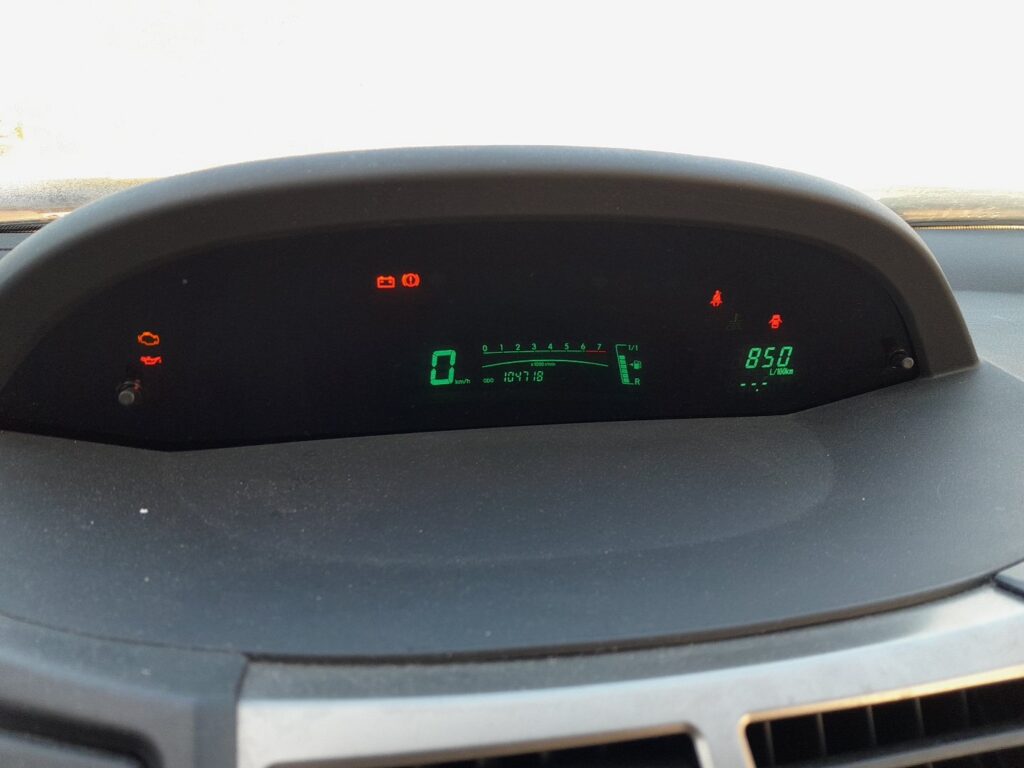
What the Light Means
On the Yaris the “MAINT REQD” / spanner reminder simply means the pre-set mileage since the last oil change has been reached. It is a reminder, not a fault — reset it once the oil and filter have been done.
The maintenance reminder is a fixed-mileage counter, not a condition sensor: it doesn’t measure the state of the oil, it just counts up to the interval programmed at the last reset and then flags “MAINT REQD” when you switch on. That’s why clearing it is perfectly safe once the service is genuinely done — you’re only telling the counter to start again. The exact mileage between changes is listed in your service handbook; if you’re unsure of the figure, follow the book rather than assuming a number.
Before You Start
The reset only zeroes the counter — do the actual oil and filter change first, or you’ll lose track of when the car is really due. Then set the car up like this:
- Park on level ground and apply the handbrake.
- Have the key ready — the reset uses the ignition positions, with the engine off.
- You’ll be selecting TRIP A on the odometer display, so know where the trip button is.
- No tools or scanner are needed.
How to Reset the Yaris Service Reminder
- Turn the ignition on and use the trip button to select “TRIP A” on the odometer display.
- Turn the ignition off.
- Press and hold the trip-reset button.
- Keeping it held, turn the ignition key to position “II” (on, engine not started).
- Keep holding until the display counts down and shows “000000”, then release the button.
- The maintenance reminder is reset.
On keyless cars, insert the key card and press the start/stop button twice (to ON) instead of turning a key, then hold the trip button.
If It Didn’t Reset
- Make sure TRIP A is showing before you start — not TRIP B or the odometer.
- Keep the button held the whole time while the ignition goes to position II and the display counts down.
- If nothing happens, the engine was probably started — the ignition must be at position II (on), not cranked.
- Start from ignition off — the sequence begins with the key off and the button already held before you switch to position II.
- If it still won’t take, switch everything off, wait a moment, and run through the steps again from the start.
What to Expect After Resetting
Once the display counts down to “000000” and you release the button, the “MAINT REQD” / spanner reminder stops appearing when you switch on, and the counter restarts toward the next interval. Nothing else changes on the dash — the reset only clears the maintenance reminder, so any other warning light is unrelated.
How Often to Reset It
Reset the reminder after every oil and filter change. The Yaris uses a fixed mileage interval, so clear the counter each time the service is done and take the exact figure from your handbook rather than a one-size-fits-all number.
Frequently Asked Questions
Does resetting the reminder change anything mechanical?
No — it only clears the mileage counter for the oil-change reminder. Always do the actual oil and filter change before resetting.
My Yaris has a rev counter — is it the same?
The principle is the same (TRIP A, hold the trip button, ignition to II until it zeroes); cars with a multi-information display use the same trip-recorder button.
Why does the reminder keep coming back?
If it returns immediately, the reset didn’t complete — repeat with TRIP A selected and the button held throughout.
Do I need a diagnostic tool for the Yaris reset?
No — the whole reset is done with the trip button and the ignition key positions. No scanner or dealer visit is required.
Is the spanner light the same as a fault light?
No — the spanner/maintenance reminder is mileage-based. A separate warning light (engine, oil pressure) is a fault — look those up on autodtcs.com.
After a battery change you may also need to re-initialise the windows — see our Yaris battery disconnect/reconnect guide.
Independent guide — not affiliated with Toyota. Always follow your official service manual and safety precautions. Read our full disclaimer.