These instructions apply to the Vauxhall Insignia Mk1 (G09) 2008-2017.
For other models, please choose your vehicle here.
The Vauxhall Insignia A (sold as the Opel Insignia across Europe) shows its oil service reminder in the Driver Information Center. You can clear the oil life reminder yourself from the dashboard menu in under a minute — no scan tool needed. The separate inspection (maintenance) counter is dealer-only.
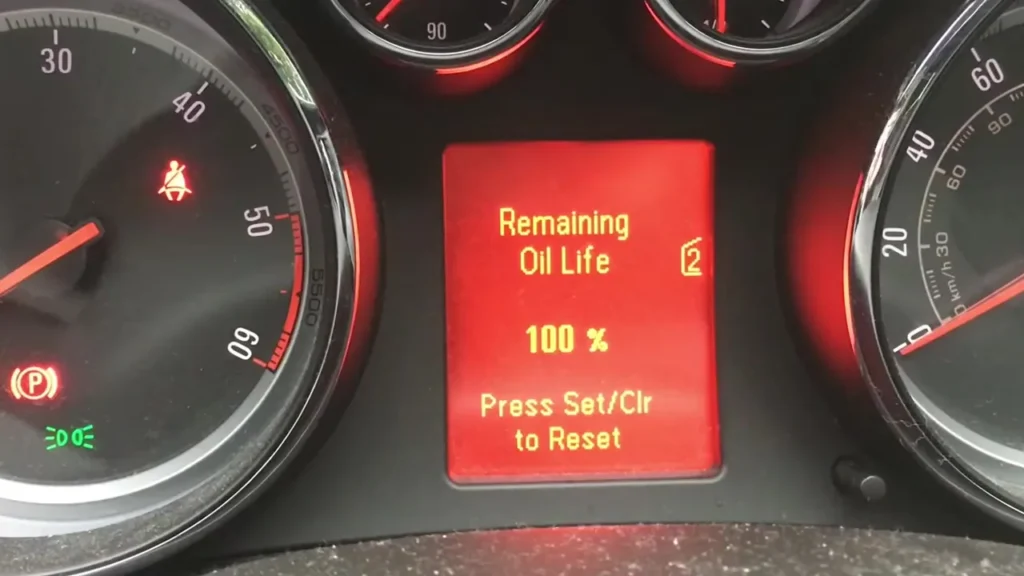
How to reset the oil service light on a Vauxhall Insignia (2008–2017)
- Switch the ignition on, but do not start the engine.
- Press the MENU button on the indicator stalk.
- Scroll through the menu until Vehicle Information System appears, then press the button to select it.
- Scroll until Oil Life System is shown.
- Press and hold the button for about 3 seconds, then release it.
- The oil life display returns to 100% — the oil service is now reset.
- Switch the ignition off to store the change.
On later cars with the color Driver Information Center you can also reach the same point by scrolling to the Oil Life System, selecting RESET, then holding the confirm button for about 5 seconds.
Oil service vs. inspection reminder
The Insignia keeps two separate reminders. The oil life counter is the one you can reset from the menu above. The inspection or maintenance interval needs a diagnostic tool (Tech2 or an equivalent OBD tool) and is normally done at the dealer or a workshop.
Why won’t my Insignia service light reset?
Make sure the ignition is on with the engine off, and that you hold the button long enough — the display only resets once the Oil Life value jumps back to 100%. If a wrench or spanner symbol stays on after an oil-life reset, it is the inspection counter, which is cleared with a diagnostic tool.
Is the reset the same on the facelift Insignia?
Yes. Pre-2013 and 2014-onward cars both reset the oil life through MENU → Vehicle Information System → Oil Life System. The only difference is cosmetic — the facelift car has a higher-resolution display and the extra RESET confirm step.
Does resetting the light service the car?
No. Resetting only clears the reminder. Change the oil and filter first, then reset the counter so the next interval is measured from the correct point.
Independent guide — not affiliated with Vauxhall. Always follow your official service manual and safety precautions. Read our full disclaimer.