These instructions apply to the Hyundai i40 Mk1 (VF) 2011-2019.
For other models, please choose your vehicle here.
If the radio or display in your Hyundai i40 (VF, 2011–2019) has frozen, gone silent or stopped responding, a forced reboot usually fixes it in under a minute — no tools and no dealer visit.
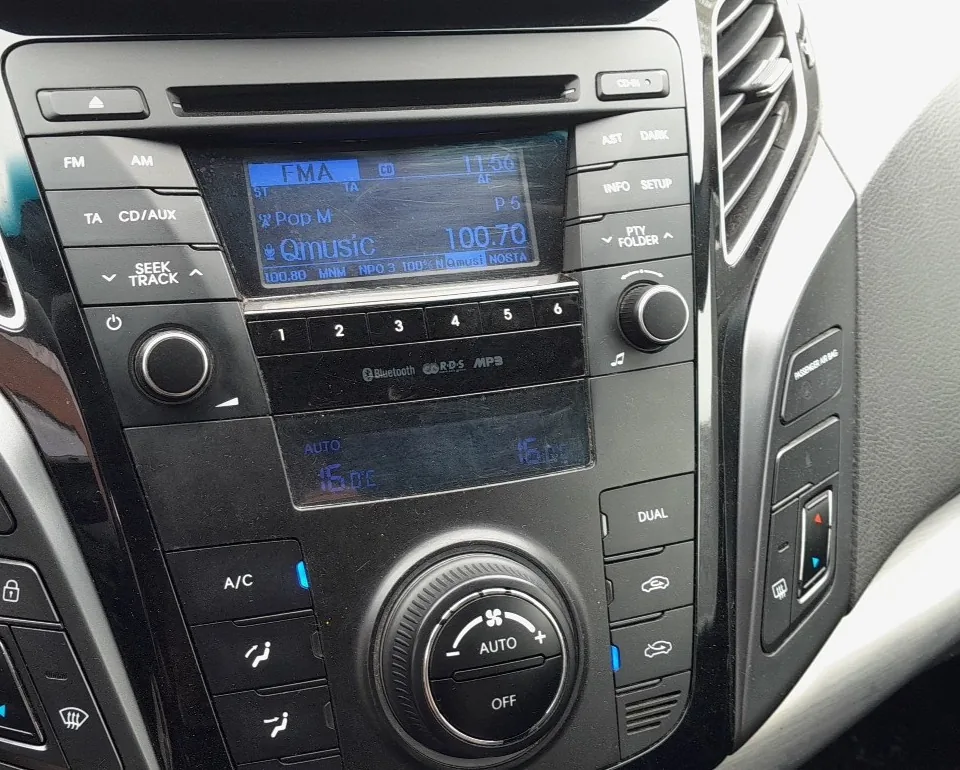
How to Reboot the i40 Head Unit
- Switch the ignition to ON so the unit is powered, with the car parked.
- Press and hold the power/volume knob for about 10 seconds.
- Keep holding until the screen goes blank and the system restarts.
- Allow up to a minute for it to reload before expecting sound and controls to respond.
If a Reboot Doesn’t Help
- Check the audio fuse if the unit is completely dead.
- A full reset to factory settings can be done from the unit’s Settings menu, but it clears your presets and pairings.
- Disconnecting the 12 V battery for a few minutes forces a power-down reset — remember to re-set the clock and windows afterwards.
Frequently Asked Questions
How do I restart a frozen i40 radio?
With the ignition on, press and hold the power/volume knob for about 10 seconds until the screen goes dark and the system reboots. It returns to the home screen after a short pause.
Will a reboot delete my presets?
No. A simple power reboot keeps your stations and settings. Only a full factory reset from the menu, or a long battery disconnect, clears presets and pairings.
The screen is still black after rebooting — what now?
Check the radio fuse, then try a short 12 V battery disconnect. If it stays dead, the unit itself may have failed and needs inspection.
If a warning light stays on afterwards, look the code up on our sister site autodtcs.com to see what it means.
Independent guide — not affiliated with Hyundai. Always follow your official service manual and safety precautions. Read our full disclaimer.