These instructions apply to the Volkswagen Transporter T6 (SG) 2015-2019.
For other models, please choose your vehicle here.
After you adjust the tyre pressures or change a wheel on the Transporter T6, the tyre-pressure warning has to be told the new “correct” values. It is a quick job from the dash — no tools — done once the pressures are right.
Reset the T6 tyre-pressure warning
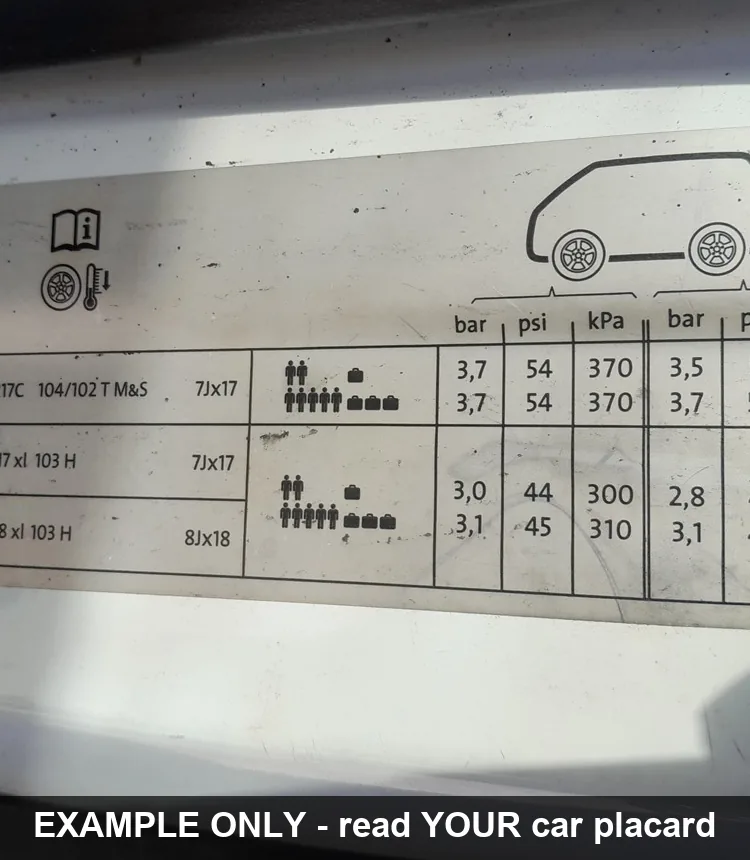
- Set all tyres to the correct cold pressures from the placard (on the driver’s door pillar). Vans often run higher pressures when loaded — use the laden figures if carrying weight.
- Turn the ignition on.
- Method 1: press and hold the SET button until a confirmation tone sounds, then turn the ignition off. The warning light must be out.
- Method 2: scroll the cluster menu, select Tyre pressure, and store the current pressures as the new reference, then turn the ignition off.
For the exact tyre sizes and cold pressures for each variant, see the full Transporter T6 tyre-size and pressure table.
Whichever method your van has, always set the pressures correctly before storing them — the system simply memorises whatever it reads at reset.
Frequently asked questions
Where is the SET button on the T6?
Depending on the trim it is a button on the centre console/dash marked with the tyre-pressure symbol, or the reset lives in the cluster menu. If there is no physical button, use the menu method.
Do I use laden or unladen pressures?
Match the load. The door placard lists both normal and fully-laden pressures; set and store the figure for how the van is actually being used.
The light came back after a few miles — why?
Either a tyre is genuinely low, or the pressures were stored before they were correct. Re-check all four (and the spare), set them properly, and reset again.
If a TPMS fault code is stored rather than a low-pressure warning, you can check it on autodtcs.com.
Independent guide — not affiliated with Volkswagen. Always follow your official service manual and safety precautions. Read our full disclaimer.