Service ResetService Reset
  • Home
  • Guides
  • Tools
    • Tire Pressure Calculator
    • Check DTC Codes
    • Request a Guide
    • Wheel Offset Calculator
    • Tire Size Comparison
    • Tire Pressure Converter
    • Torque Converter
    • Coolant & Antifreeze Mix
  • Blog
  • About
  • FAQ
  • Contact Us
  • Home
  • Guides
  • Tools
    • Tire Pressure Calculator
    • Check DTC Codes
    • Request a Guide
    • Wheel Offset Calculator
    • Tire Size Comparison
    • Tire Pressure Converter
    • Torque Converter
    • Coolant & Antifreeze Mix
  • Blog
  • About
  • FAQ
  • Contact Us
Home/Ford/Kuga/Mk2 (C520) 2013-2019/Reset the Service Indicator

Reset the Service Indicator

Reviewed by the Service Reset editor · Updated September 30, 2026 · How we verify

These instructions apply to the Ford Kuga Mk2 (C520) 2013-2019.
For other models, please choose your vehicle here.

The Ford Kuga Mk2 (2013–2019) keeps its oil-service reminder in the instrument cluster, and you can clear it yourself with a simple pedal sequence — no scan tool needed. Do it straight after an oil and filter change so the counter matches the fresh service.
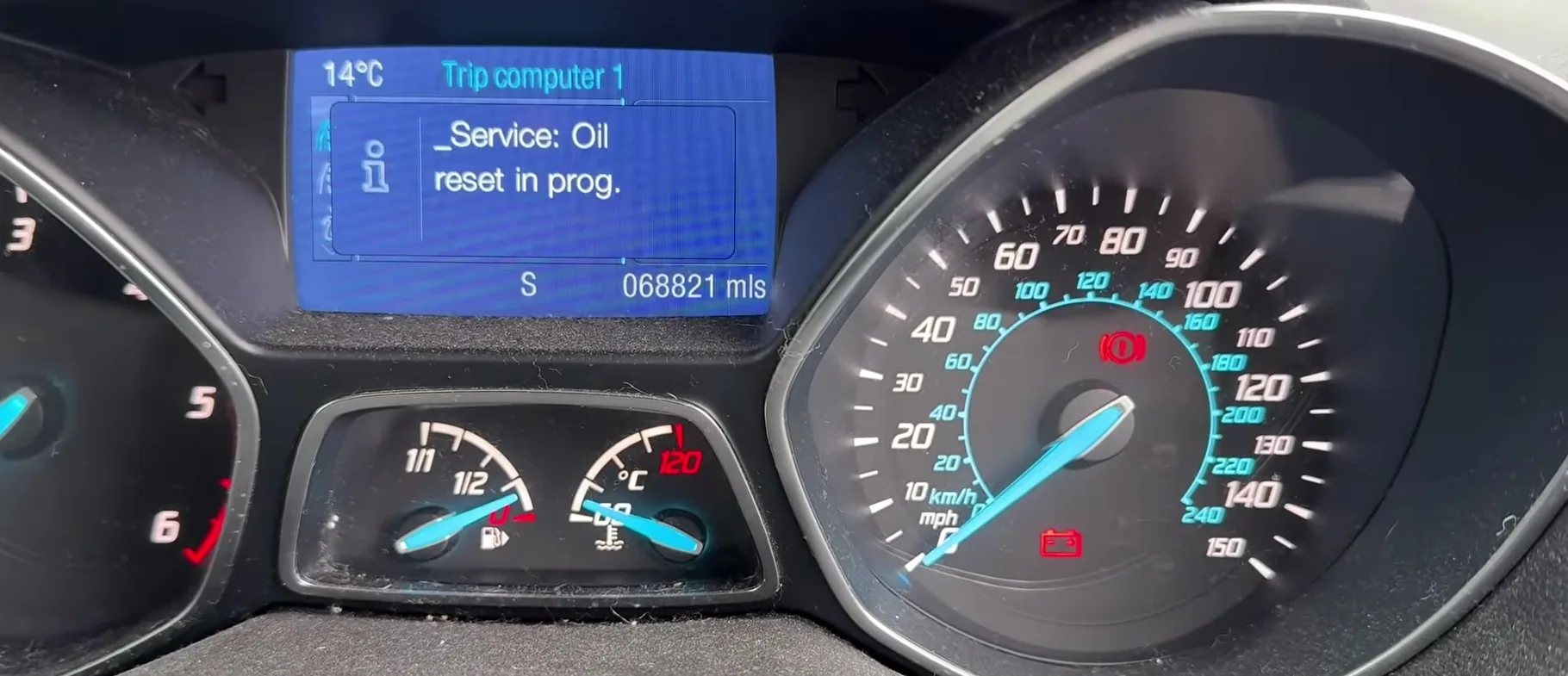
Ford Kuga Mk2 trip computer showing Service Oil reset in progress
A Ford Kuga Mk2 (C520) trip computer mid-reset, showing the Service: Oil reset in prog. message – illustrative frame from an owner video.

How to reset the service light on a Ford Kuga Mk2

  1. Sit in the car with the doors closed and the handbrake on. Do not start the engine.
  2. Turn the ignition on to position II so the dash lights up but the engine stays off. On KeyFree cars, press the START/STOP button once without touching the brake.
  3. Press the accelerator and brake pedals fully at the same time and hold them both down.
  4. After about 3 seconds the service reset display appears — keep holding.
  5. Keep both pedals down for about another 25 seconds until a confirmation message shows the interval has reset.
  6. Release both pedals and turn the ignition off. The service message is cleared.

Frequently Asked Questions

Why won’t the service message clear?

Almost always because the engine was running — it must be ignition-on only — or the two pedals weren’t held fully down for the whole 25-second period. Start again and hold firmly.

Do I need a diagnostic tool?

No. The Kuga Mk2 oil-service reset is done entirely from the pedals and ignition; no OBD tool is required.

When should I reset it?

Only after the oil and filter have actually been changed, so the reminder tracks the real service interval.

Does this update Ford’s online service record?

No. The pedal reset clears the dashboard reminder; the online Digital Service Record is stamped separately by a franchised dealer.

If a warning light stayed on after the reset, you can decode the fault code on autodtcs.com.

Independent guide — not affiliated with Ford. Always follow your official service manual and safety precautions. Read our full disclaimer.

Related Articles
  • Release the PowerShift Gearbox from Park
  • Start the Car with a Dead Key Fob
  • Turn Off Auto Start-Stop
  • Replace the Key Fob Battery
  • Initialize the Electric Windows
  • Reset the Tyre Pressure Monitor (TPMS)

On This Page: [hide]

How to reset the service light on a Ford Kuga Mk2

Frequently Asked Questions

Why won’t the service message clear?

Do I need a diagnostic tool?

When should I reset it?

Does this update Ford’s online service record?

Service Reset

Independent step-by-step car reset & maintenance guides – not affiliated with any manufacturer. All trademarks belong to their respective owners.

© 2026 ServiceReset.net. All rights reserved.

POPULAR BRANDS
Toyota · Volkswagen · BMW · Ford · Audi · Mercedes · Nissan · Kia
EXPLORE
  • Guides
  • Blog
  • About
  • Contact
TOOLS
  • Dashboard Warning Lights
  • Tire Pressure Calculator
  • Tools
  • FAQ
  • Request a Guide
LEGAL
  • Privacy Policy
  • Terms of Use
  • Disclaimer
  • YouTube
  • Pinterest