These instructions apply to the Suzuki Jimny Mk3 (JB) 1998-2018.
For other models, please choose your vehicle here.
Many owners search for how to “reset the service light” on a Suzuki Jimny (JB), expecting a hidden button sequence. The honest answer is simple: the 1998–2018 Jimny has no electronic service-interval indicator to reset. There is no “SERVICE” or spanner reminder that counts down to the next service and needs clearing.
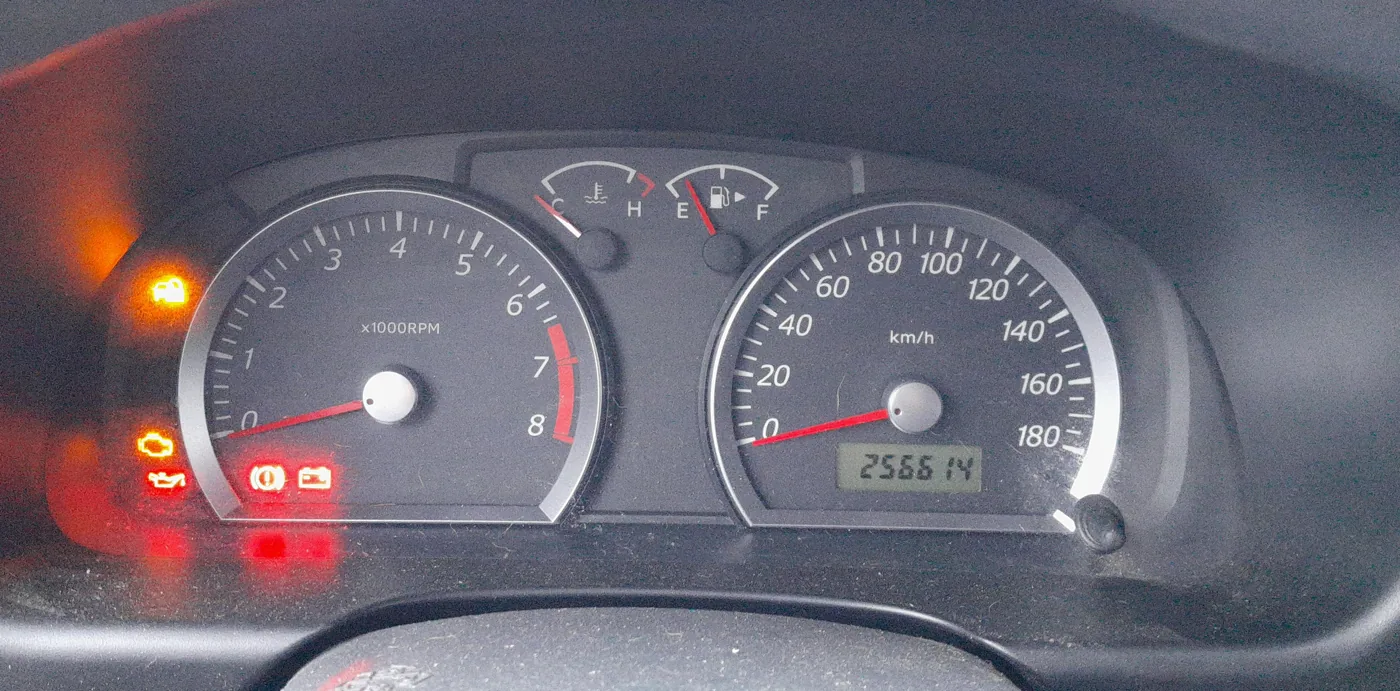
How Jimny servicing is tracked
Instead of a dashboard reminder, Suzuki sets the Jimny’s service schedule by mileage and time. The maintenance interval is every 10,000 km (6,000 miles) or 6 months, whichever comes first, with the engine oil and filter changed at every service.
Because nothing resets in the cluster, you simply record the date and mileage when the work is done — in the service book or a note in the glovebox — and watch the odometer for the next one.
So what are the lights on my Jimny dash?
The JB Jimny cluster shows warning lights, not a service countdown. The ones that come on and stay on need attention:
- Oil pressure (red oil can): stop the engine immediately and check the oil level — this is low oil pressure, not a service reminder.
- Charge (red battery): the battery is not charging; suspect the alternator or drive belt.
- Check engine (amber engine): an emission or engine-management fault is stored. Have the code read.
- Brake (red): the parking brake is on, or brake-fluid level is low.
None of these are cleared with a reset procedure — they go out once the underlying issue is fixed.
Frequently asked questions
How do I reset the service light on a Suzuki Jimny?
There is nothing to reset. The JB-generation Jimny has no service-interval display, so servicing is tracked by mileage and date only.
What is the Jimny service interval?
Every 10,000 km (6,000 miles) or 6 months, whichever is first, with an oil and filter change each time.
My oil light came on — is that the service light?
No. The red oil-can light means low oil pressure. Stop and check the oil level straight away; do not treat it as a service reminder.
If your check-engine light is on, read the stored fault for free with the autodtcs.com OBD-II code lookup before booking a garage.
Independent guide — not affiliated with Suzuki. Always follow your official service manual and safety precautions. Read our full disclaimer.