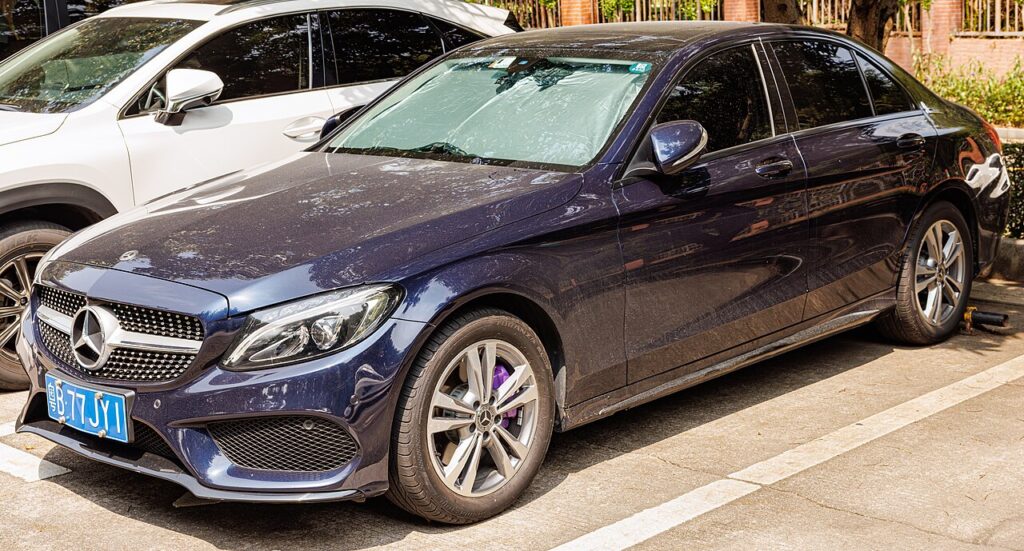
These instructions apply to the Mercedes C-Class Mk4 (W205) 2014-2023.
For other models, please choose your vehicle here.
The Mercedes-Benz C-Class W205 (2014–2023) — the fourth-generation C-Class saloon (W205), Estate (S205), Coupé (C205), Cabriolet (A205), and Long-Wheelbase China (V205), built in Sindelfingen and Bremen (Germany), East London (South Africa), and Tuscaloosa (USA) for global markets, sold across pre-facelift (2014–2018) and facelift (2019–2023, with the new touchpad steering controls) variants and an enormous engine range covering C160 / C180 / C200 (M274/M264 1.5–2.0 petrol, 95–135 kW including the EQ Boost 48V mild hybrid), C220 / C250 d (OM651/OM654 2.0/2.1 diesel, 100–130 kW), C300 / C350 (M274/M264 2.0 petrol, 180–195 kW), C400 / C450 (M276 3.0 V6 biturbo, 245–270 kW), C300 h / C350 e (M274 + electric, plug-in hybrid), the Mercedes-AMG C43 (M276/M256 3.0 V6/inline-6 biturbo, 270–290 kW), C63 / C63 S (M177 4.0 V8 biturbo, 350–375 kW), and the C300 / C200 4MATIC AWD variants — uses Mercedes’s ASSYST PLUS service-tracking system. ASSYST PLUS tracks the next service comprehensively (oil change + inspection + brake fluid etc. as a unified “FULL SERVICE” event). The procedure differs between pre-facelift (button-driven) and 2019 facelift (touchpad-driven) cars.
When to Reset the Service Indicator
- After completing a full service (oil + filter + inspection items per Mercedes’s ASSYST PLUS schedule).
- If the cluster shows “Service in X days” or “Service overdue”.
⚠️ ASSYST PLUS is irreversible: the reset confirmation displays “Reversal not possible” / “Cannot be undone”. Only confirm after you’ve actually completed the full service — there’s no way to undo an accidental reset, only to overwrite it at the next genuine service.
Before You Begin
- Close the bonnet, the boot/tailgate, and all the doors. ASSYST PLUS checks aperture state and refuses to enter the menu otherwise.
- Complete the actual service work before the reset.
- Identify your variant:
- Pre-2019 facelift: physical steering-wheel buttons. Use Method 1.
- 2019 facelift and later: touchpad steering controls (small black touchpad squares on either side of the steering wheel hub). Use Method 2.
- Have the oil specification you used to hand — ASSYST PLUS asks you to confirm it during the reset (Mercedes uses this for the next service-interval calculation).
- The ignition key has two ON positions: position 1 (instruments live, electrical accessories on) and position 2 (everything live, ready to start). Both are used in the procedure.
What You’ll Need
None for the reset itself. For an oil change, fresh Mercedes-spec oil — 0W-30 ACEA C3 / MB 229.71 for the M264 / M254 (1.5/2.0 petrol mild-hybrid); 5W-30 ACEA C3 / MB 229.51 for the M274 (2.0 petrol non-hybrid) and OM651/OM654 diesel; 5W-40 ACEA A3/B4 / MB 229.5 for the M177 AMG V8. A new spin-on or cartridge filter (cap-style housing on most; different cap sizes by engine code); sump-plug torque 25 Nm. Capacity: C200 M274 takes 5.5 L with filter; C220d OM651 takes 5.5 L; C220d OM654 takes 5.8 L; C43 AMG M276 takes 6.5 L; C63 AMG M177 takes 9.0 L.
Method 1 — Pre-2019 Facelift (Steering-Wheel Buttons)
Uses the steering-wheel left-hand button cluster. HaynesPro numbers them (1) through (5) — these correspond to the left-pad arrows (1 = UP, 2 = BACK/PHONE, 4 = DOWN) and the OK / CONFIRM button (5), plus the right-pad phone-exit button (3).
- Close the bonnet, boot/tailgate, and all doors.
- Turn the ignition key to position ‘1’ (instruments live, engine off).
- Press button (1) repeatedly until ‘TRIP’ is highlighted on the cluster display.
- Confirm by pressing button (5).
- Press button (4) repeatedly to scroll through the list until ‘Total distance’ appears.
- Within 5 seconds, press and hold button (2).
- Within 1 second, also press and hold button (5).
- Keep both buttons pressed and wait 5 seconds.
- The hidden menu appears: ‘VEHICLE DATA’, ‘DYNAMOMETER TEST’, and ‘ASSYST PLUS’.
- Press button (4) to scroll and select ‘ASSYST PLUS’.
- Turn the ignition key to position ‘2’ (full electrical, engine off — just before start position).
- Confirm ‘ASSYST PLUS’ by pressing button (5).
- Press button (4) to select ‘FULL SERVICE’.
- Confirm by pressing button (5). The display lists the services to be carried out.
- Press button (4) until ‘CONFIRM SERVICE?’ appears.
- Confirm by pressing button (5).
- (If the oil-selection menu appears) select the oil specification you used, then confirm with button (5).
- ‘SERVICE CARRIED OUT?’ is highlighted. Press button (4) until ‘YES’ is highlighted.
- Confirm by pressing button (5).
- ‘Reversal not possible’ or ‘Cannot be undone’ appears.
- Use button (4) to select ‘CONFIRMATION’, then press button (5).
- ‘FULL SERVICE CARRIED OUT’ is highlighted. The reset has completed.
- Press button (3) (right-pad) repeatedly to exit ASSYST PLUS and return to the standard cluster display.
- Turn the ignition key to position ‘0’. Reset complete.
Method 2 — 2019 Facelift Onwards (Touchpad Controls)
The 2019 facelift introduced Mercedes’s touchpad steering-wheel controls — small black square touchpads on either side of the steering-wheel hub that replace the old multi-button cluster. The button (1) of the procedure becomes the touchpad swipe / press; button (2) becomes the back/escape touchpad button.
- Close the bonnet, boot/tailgate, and all doors.
- Turn the ignition key to position ‘1’.
- Scroll through the menu on the cluster display using the navigation touchpad (1).
- Select the ‘Trip’ menu.
- Scroll through the menu until ‘Total distance’ appears.
- Press and hold button (2) (back/escape on the right-hand touchpad cluster).
- Within 1.5 seconds, also press button (1) (touchpad press).
- Keep both pressed.
- The hidden menu appears: ‘VEHICLE DATA’, ‘DYNAMOMETER TEST’, ‘ASSYST PLUS’.
- Scroll via touchpad (1) and select ‘ASSYST PLUS’.
- Turn the ignition key to position ‘2’.
- Confirm by pressing touchpad (1).
- Scroll via touchpad and select ‘FULL SERVICE’.
- Press (1). The display lists the services to be carried out.
- Scroll to and select ‘Confirm Service’, then press (1).
- (If the oil-selection menu appears) select the oil specification, press (1).
- ‘SERVICE CARRIED OUT?’ highlighted. Scroll to ‘YES’, press (1).
- ‘Reversal not possible’ / ‘Cannot be undone’ appears.
- Scroll to ‘CONFIRMATION’, press (1).
- Display shows ‘Full service completed’.
- Press button (2) repeatedly. The hidden menu returns.
- Scroll via touchpad and select the ‘Trip’ menu to exit ASSYST PLUS.
- Turn the ignition key to position ‘0’. Reset complete.
Verify the Reset Worked
Switch the ignition off, wait 30 seconds, then cycle back on. The “Service in X days” countdown should now show the fresh full interval — typical W205 intervals after a full service:
- Petrol (C200/C250/C300 M274/M264): 15,500 miles (25,000 km) or 12 months — flexible service.
- Diesel (C220d/C250d OM651/OM654): 15,500 miles (25,000 km) or 24 months.
- AMG C43 (M276/M256): 9,300 miles (15,000 km) or 12 months.
- AMG C63 / C63 S (M177): 6,200 miles (10,000 km) or 12 months — Mercedes-AMG shortens significantly for the V8.
- C350 e PHEV: 12,400 miles (20,000 km) or 12 months — algorithm tightened for hybrid use.
UK severe-service / short-trip driving shortens the interval further. ASSYST PLUS in real-world UK use typically signals at 8,000–13,000 miles on non-AMG cars.
If Something Goes Wrong
- The hidden menu (VEHICLE DATA / DYNAMOMETER / ASSYST PLUS) doesn’t appear after holding (2) + (5). Timing is critical — start the (5) press within 1 second of starting the (2) press. Both must be held continuously for the full 5 seconds. Restart from step 1.
- I’m on a 2019+ facelift but the menu navigation doesn’t match Method 2. Some early 2019 facelift cars (very early production) shipped with pre-facelift firmware — Method 1 (physical buttons) may still work on the touchpad steering wheels because the touchpad simulates the old buttons. Try Method 1 first if Method 2 doesn’t enter the hidden menu.
- I selected ‘YES’ to ‘SERVICE CARRIED OUT?’ by mistake. The reset is irreversible (the “Reversal not possible” message exists for this reason). The only “fix” is to perform the actual service then run the reset again — but the algorithm will treat the original (premature) reset as the last service date.
- The cluster doesn’t show the expected oil-selection menu. Some pre-2017 W205 cars don’t include the oil-selection step in the workflow — proceed directly to the ‘SERVICE CARRIED OUT?’ prompt. Mercedes added the oil-selection step in mid-cycle to support the newer 0W-30 specs.
- 2019 facelift (Mopf) — anything different? The 2019 facelift updated the headlights, added the larger 10.25-inch widescreen cockpit option, and replaced steering-wheel buttons with touchpads. Use Method 2.
- AMG C43 / C63 — same procedure? Yes, same ASSYST PLUS system. The shorter AMG service interval is built into the algorithm.
- C350 e PHEV — anything different? The PHEV uses the same ASSYST PLUS for engine-side service. The high-voltage battery items are dealer-only via Mercedes XENTRY.
- Sport Plus / All-Terrain / 4MATIC — same procedure? Yes. Drivetrain options don’t change the ASSYST PLUS reset path.
Frequently Asked Questions
What does the “Service in X days” message on the W205 mean?
It’s Mercedes’s flexible service-interval reminder — counts down to the next scheduled service based on driving style and time elapsed. The countdown switches from “in X days” to “Service overdue” at 0. Not an engine fault — the orange CEL / amber engine-check is separate.
Do I need a diagnostic tool?
No. Both methods (depending on facelift age) are owner-accessible via the steering-wheel controls. Mercedes XENTRY / DAS dealer tools can also reset ASSYST PLUS via OBD-II but aren’t needed.
Does the reset clear engine fault codes?
No. The reset zeros the ASSYST PLUS service-distance counter only. Engine fault codes need a scan tool. For DTC interpretation see autodtcs.com.
Why is the reset irreversible?
Mercedes ASSYST PLUS records the reset event into the car’s permanent service history (the digital service record). It uses this history to validate the AMG/Premium-care extended warranty and to authenticate dealer service stamps. Allowing an undo would let owners falsify service history.
Is the procedure the same as the Mercedes A-Class W176 and Citan W415?
Yes — the C-Class W205 (pre-facelift method), A-Class W176 (2012–2018), and Citan W415 (2012–2020) all use the same ASSYST PLUS firmware family with identical button sequences. The W213 E-Class, X253 GLC, and W447 V-Class also share this system. The 2019 facelift introduced the touchpad-driven variant (Method 2 above) which has since spread to the W206 C-Class, W213 E-Class Mopf, and other current Mercedes models.
How often does the C-Class service indicator come up?
Mercedes’s flexible algorithm sets the interval based on driving conditions. Non-AMG petrol/diesel typically 15,500 miles (25,000 km) or 12–24 months. AMG C43 is 9,300 miles / 12 months; C63 is 6,200 miles / 12 months. UK city use tightens these further.
What about the W206 C-Class (2021+)?
The fifth-generation W206 C-Class (2021–) uses Mercedes’s MBUX 2 system with the full-screen “Hyperscreen” option and a redesigned digital cluster. ASSYST PLUS is still present but the reset is accessed through the MBUX menu rather than the steering-wheel hidden menu. We’ll publish a dedicated W206 guide.
For DTC code interpretation on Mercedes vehicles see autodtcs.com.
Independent guide — not affiliated with Mercedes. Always follow your official service manual and safety precautions. Read our full disclaimer.