These instructions apply to the Hyundai Tucson Mk4 (NX4) 2020-Present.
For other models, please choose your vehicle here.
If the tyre-pressure light is on in your Hyundai Tucson Mk4 (NX4, 2020–present) after adjusting pressures or swapping wheels, it usually just needs the car driven so the system relearns. The Tucson uses an indirect TPMS that works from the ABS wheel-speed sensors, so there are no valve sensors to match and the reset is automatic. A steady amber tyre symbol is a reminder that a corner has drifted, not a fault — correct the pressures, let it relearn, and it clears. Here’s how.
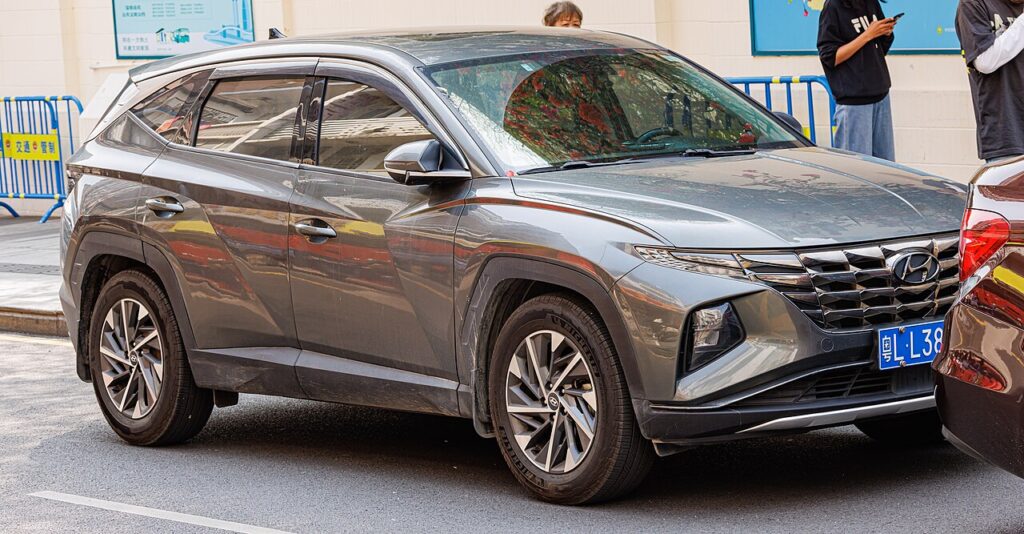
How the Tucson’s TPMS Works
Rather than a pressure sensor in each wheel, the Tucson compares how fast the wheels turn. A softer tyre is fractionally smaller and spins slightly faster, and the system flags it. Because it’s comparing wheels it can’t give you an exact psi per corner — it only knows one wheel is out of step. It also has to be taught what “correct” looks like: after you set the pressures, the relearn stores the four wheel-speed relationships as the new normal, which is why a short drive is part of the reset rather than a single button press.
Before You Begin
- Check pressures cold — before driving, or after the car has stood a few hours. Warm tyres read high and skew the baseline the relearn will store.
- Use the door-label figures in the driver’s door opening, matched to your load and wheel size.
- Get all four exactly right first — because the system compares wheels, one corner set differently will keep triggering the light even after a relearn.
- Use an accurate gauge or the forecourt airline; the indirect system is only as good as the pressures you set by hand.
- Plan a short drive at a steady speed on an open road, not stop-start town traffic, so the relearn can complete.
How to Reset the Tucson Mk4 TPMS
- Set all four tyres to the correct pressure cold — the figures are on the label in the driver’s door opening.
- If your cluster has a TPMS ‘Set’ option in the User Setting menu, select it to register the current pressures (not all trims have this).
- Drive normally for around 20–30 minutes, keeping above roughly 25 km/h (15 mph). The system relearns and the warning clears.
If the Warning Stays On
- Re-check every tyre, including the spare if it’s a monitored full-size wheel — one corner slightly off is enough to keep the light on.
- One tyre noticeably low — look for a slow puncture, a leaking valve, or a corroded alloy bead; the system is doing its job.
- Not enough steady driving — the relearn needs continuous running above about 25 km/h; a couple of short hops around town may not be enough, so take a longer run.
- Cold morning — pressure falls roughly 1–2 psi for every 10 °C drop, so a warning after a cold night is normal; top up and drive to relearn.
- After a wheel swap or rotation, or fitting a space-saver, the wheel-speed relationships change — set the pressures and let it relearn again.
- It flashes then stays on — a flashing TPMS light points to a system fault rather than low pressure; have it scanned.
After the Reset
Once the pressures are right and you’ve driven far enough, the amber tyre symbol goes out on its own and stays off for the rest of the trip and afterwards. Because the Tucson relearns as it drives, you may see the light clear partway through your journey rather than the instant you set off. It only returns if a corner genuinely drifts again, and a brief self-check flash at start-up is normal.
Frequently Asked Questions
Do I need a tool to reset the Tucson TPMS?
No — it’s an indirect system that reads the ABS wheel-speed sensors, so there are no in-wheel sensors to program. Set the pressures cold, use the ‘Set’ option if your trim has one, and drive; no relearn tool is needed. The whole process is done from the driver’s seat.
How long until the light goes out?
Usually within 20–30 minutes of steady driving after correcting the pressures. Keep above roughly 25 km/h (15 mph) on an open road rather than crawling in traffic, and the system will finish its relearn and switch the warning off by itself during the drive.
Why did the light come on in cold weather?
Pressure drops as temperature falls, roughly 1–2 psi for each 10 °C, so tyres set correctly on a mild day can read low after a cold night. It doesn’t mean anything is leaking. Top the tyres back to the door-label figure and drive to let the system relearn.

The light keeps flashing — is that a fault?
A brief check at start-up is normal; a light that keeps flashing indicates a TPMS fault — have it diagnosed. Typically the symbol flashes for around a minute and then stays lit steadily. That pattern is the system telling you it can’t monitor properly, and no amount of driving or re-storing will clear it until the underlying fault is fixed.
Do I need to reset after swapping or rotating the wheels?
Yes — since the system compares wheel speeds, changing wheel positions or fitting a different set alters those relationships. Set every tyre to the correct cold pressure, use the ‘Set’ option if fitted, and drive so it relearns. Fitting a temporary space-saver can also trip the light until you refit the standard wheel.
Can I ignore the warning if the tyres look okay?
Better not to. An indirect system can flag a corner only slightly soft, which is hard to spot by eye but still costs grip, braking and fuel and hides a developing slow puncture. Check all four with a gauge, correct anything low, and drive to relearn. If all were fine, the short drive simply re-references and clears a stale reading.
If a fault code is stored, look it up on autodtcs.com. To clear a service reminder, see our Tucson Mk4 service reset guide.
Independent guide — not affiliated with Hyundai. Always follow your official service manual and safety precautions. Read our full disclaimer.