These instructions apply to the Mercedes C-Class Mk5 (W206) 2021-Present.
For other models, please choose your vehicle here.
The Mercedes-Benz C-Class W206 (2021–present) has no engine oil dipstick — you read the level electronically from the instrument-cluster menu. It catches a lot of owners out, because there’s nowhere to pull a stick and wipe it, so the first time you go looking for one it can feel like something is missing. Nothing is wrong: the W206 replaced the dipstick with a sensor and an on-screen readout, and once you know where the menu lives, checking the oil is quick and arguably more consistent than the old wipe-and-look method. Here’s how to do it properly so the reading you get is one you can trust.
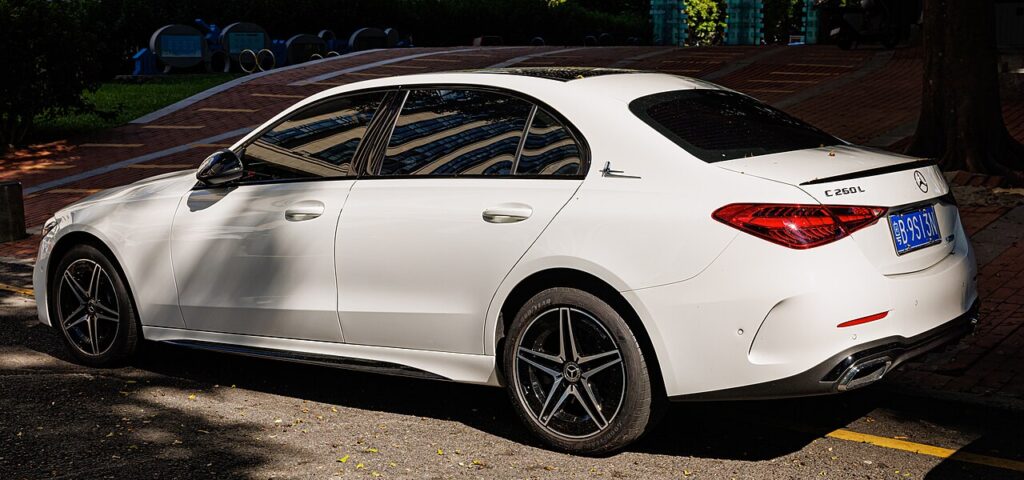
Why There’s No Dipstick
A sensor in the sump measures the oil level and the car displays it on the dash. It’s accurate, but only when the engine is warm and the car is on level ground — check it wrong and you’ll get a misleading reading. The reason is simple: oil drains back into the sump slowly, and warm oil sits at a different level than cold, thick oil clinging to the top of the engine. The sensor gives its best result when the oil is up to temperature, evenly settled, and not pooling to one side because the car is parked on a camber. Treat those two conditions as non-negotiable and the electronic check is very repeatable.
Before You Check
- Warm the engine to normal running temperature — a short drive is enough; a cold engine gives a false low reading.
- Park on genuinely level ground — a driveway slope or road camber will skew the result.
- Let the oil settle for a minute or two after a drive before you open the menu.
- Have the ignition and engine state the car asks for — follow the on-screen prompt (engine idling or key on) rather than guessing.
- Keep the right oil to hand if you plan to top up, so you’re not adding whatever’s in the garage.
How to Check the Oil Level
- Park on a level surface with the engine at normal operating temperature.
- With the engine idling (or as the on-screen check instructs), open the cluster menu with the steering-wheel controls.
- Go to ‘Service’ and select ‘Oil level’ (Engine oil level).
- Wait while the car measures — it shows the level as OK, or how much to top up (or that it’s over-full).
Topping Up
- Add the correct MB-approved oil (the W206 petrol/diesel engines use a low-ash specification — check your handbook) a little at a time.
- Re-measure after a few minutes; don’t overfill — too much oil is as harmful as too little.
If the Reading Looks Wrong
- Cold engine or a slope — the sensor needs the car warm and level; re-check.
- ‘Measurement not possible’ — let the engine idle a little longer and retry.
- Reading swings between checks — you’re probably measuring at different temperatures or on different ground; standardise your conditions and the numbers settle.
- Level keeps dropping over weeks — that points to consumption or a leak rather than a bad reading, and is worth investigating.
- Warning symbol stays on — a low-oil-pressure light is not the same as a low-level message; if it’s pressure, stop the engine and don’t rely on the level menu to clear it.
After You’ve Checked
If the display reads OK, you’re done — no dipstick to refit, nothing to wipe. If you topped up, add small amounts and re-run the measurement each time until it reads correct rather than pouring in a full bottle and hoping. Give the oil a moment to drain down between measurements so the sensor isn’t reading mid-pour. Overfilling is a genuine problem on these engines, so err towards a touch under and top again rather than overshooting.
Frequently Asked Questions
How do I check the oil on a Mercedes C-Class W206 with no dipstick?
Warm the engine, park level, then open the cluster menu with the steering-wheel controls and read Service → Oil level. The car measures with its sump sensor and shows OK, a top-up amount, or over-full. There is no stick to pull.
Why does my reading change?
The electronic check needs a warm engine on level ground; cold oil sits higher on internal surfaces and a slope pools it to one side, so both skew the result. Check under the same conditions each time — up to temperature, freshly settled, on flat ground — and the reading becomes consistent.
What oil does it take?
An MB-approved low-ash grade suited to your specific engine — check the handbook for the exact specification and capacity rather than a generic viscosity. Using the wrong oil can affect the particulate filter and the sensor calibration, so match the approval code the manual lists for your car.
Can I overfill it?
Yes, and it’s harmful — too much oil can foam, raise crankcase pressure and damage the engine. Top up gradually, re-measuring between additions, and stop as soon as the display reads OK. If you do go over, the excess should be drained rather than left in.
Do I have to run the engine to check it?
Follow whatever the on-screen check asks — typically the engine warm and idling on level ground. The sensor and software are designed around those conditions, so guessing or skipping them is what produces the ‘measurement not possible’ message or a misleading figure.
How often should I check it?
Because there’s no quick dipstick glance, build a habit of running the menu check every couple of fuel stops and before any long trip. If the level trends downward between checks, monitor it more closely — steady loss usually means consumption or a leak that’s worth having looked at.
Doing an oil change? Reset the counter afterwards with our W206 service reset guide. For warning lights, look up the code on autodtcs.com.
Independent guide — not affiliated with Mercedes. Always follow your official service manual and safety precautions. Read our full disclaimer.