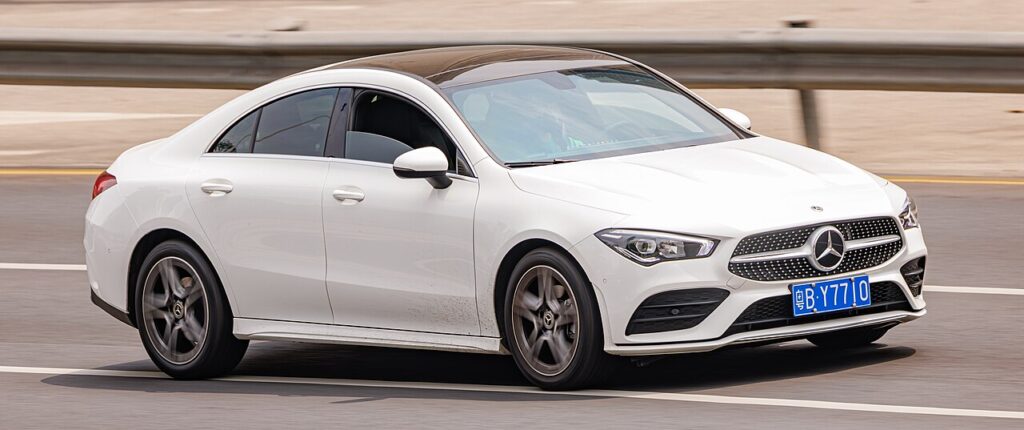
These instructions apply to the Mercedes CLA Mk2 (C118) 2019-Present.
For other models, please choose your vehicle here.
The Mercedes-Benz CLA (C118, 2019–present) carries a main 12 V battery plus a small auxiliary battery, so it helps to know which one you are actually working on before you reach for a spanner. This guide covers the main 12 V battery — the one you disconnect for a battery renewal, before bodywork or electrical repairs, ahead of a long lay-up, or to recover the car after a flat. Do it in the right order and the CLA settles back down and relearns what it needs without any drama.
Where the Batteries Are
The CLA splits its low-voltage supply across two batteries, and it is worth being clear which is which so you touch the correct one.
- The main 12 V battery is in the engine bay, in the rear corner on the passenger side near the bulkhead, under a rectangular plastic panel you lift off. This is the one you disconnect.
- A small auxiliary battery lives in the cabin (passenger side, under the floor carpet near the cabin filter) — a separate low-current battery you don’t normally touch.
- On the plug-in hybrid CLA 250e, keep clear of the orange high-voltage components — those cables and connectors are off-limits. The 12 V job under the bonnet is completely separate and safe for an owner.
Once the panel is off, identify the two terminals before you undo anything: the negative (−) earth lead usually wears a black cover, and the positive (+) is capped in red. The negative clamp bolts to a stud that grounds to the body; the positive feeds the car’s main supply.
First, a Few Checks
- Make sure the ignition is fully off — the dash dark, not in READY or accessory mode.
- Take the keyless remote out of range (indoors, several metres away) so the car can’t silently wake and power a circuit while you work.
- Switch off the lights, climate and any accessories so nothing is drawing current at the moment you break the connection.
- Give it a couple of minutes after locking up for the modules to power down and go to sleep.
- Have the right spanner ready, and wear gloves and eye protection — a battery is heavy and its terminals carry real current.
Disconnecting the Main Battery
- Switch everything off, take the keyless remote out of range, and wait a minute.
- Lift the cover, then disconnect the negative (−) earth first. Slacken the clamp nut, ease the lead off the post and tuck it well clear so it can’t spring back onto the terminal.
- If you are removing the battery, disconnect the positive (+) next, then release the hold-down clamp and any vent tube before lifting it out level.
Reconnecting & After
- Reconnect positive (+) first, then the negative (−) last; make sure both clamps are tight, then refit the cover.
- Reset the clock; MBUX reloads on its own once power is restored.
- Re-initialise the windows and, if fitted, the sunroof — the one-touch and anti-pinch travel is often forgotten after a power cut. See our CLA window guide.
- A new battery should be registered to the power-management system with a diagnostic tool so the car charges it correctly; a straight disconnect and reconnect of the same battery does not need this.
- Take a short, steady drive so the CLA can relearn its idle and any stability-system references — a light or two may self-clear on the way.
When a Warning Persists
- Check both clamps are properly tight — a loose earth is the usual cause of odd electrical behaviour afterwards.
- Give the car a short drive to let the modules relearn before assuming something is wrong.
- If the windows won’t auto-close or bounce back, run the re-initialise again from the top.
- If the car struggles to hold charge, the battery itself may simply be tired — a disconnect won’t revive a failing one.
- For any code that lingers, read it and look it up rather than guessing.
Frequently Asked Questions
Where is the battery on a Mercedes CLA C118?
The main 12 V battery is in the engine bay, in the passenger-side rear corner near the bulkhead under a lift-off panel; a small auxiliary battery sits separately inside the cabin under the floor. You only disconnect the main one under the bonnet.
Which terminal do I disconnect first?
The negative (−) earth first when taking it off, and reconnect it last. Removing the earth first means a spanner brushing bodywork can’t short the battery while you work.
Does a new CLA battery need coding?
Yes — a new main battery should be registered to the power-management system with a tool so it gets the correct charging profile. A quick disconnect and reconnect of the same battery doesn’t need coding.
What do I need to reset afterwards?
Reset the clock, then re-initialise the electric windows and sunroof if fitted. MBUX and the radio reload on their own, and a light or two may clear after a short drive.
Do I need to touch the auxiliary battery?
No — for a normal disconnection you only deal with the main 12 V battery under the bonnet. The cabin auxiliary battery is a separate low-current unit you leave alone.
Is it safe on the plug-in hybrid 250e?
Yes, for the 12 V battery under the bonnet. Just keep well clear of the orange high-voltage cabling and connectors — that system is not an owner job and stays untouched.
For any warning light that stays on, look up the code on autodtcs.com. To clear the service reminder, see our CLA service reset.
Independent guide — not affiliated with Mercedes. Always follow your official service manual and safety precautions. Read our full disclaimer.