These instructions apply to the Mercedes CLA Mk2 (C118) 2019-Present.
For other models, please choose your vehicle here.
The Mercedes CLA (C118, 2019–Present) shares its MFA2 platform and braking hardware with the W177 A-Class, so it uses the same true electric parking brake (EPB) with the clamp motor built into each rear caliper. That motor drives the rear piston, which means the pads cannot be changed until the EPB is electronically retracted into its service position. There is no foot pedal and no lever to release manually.
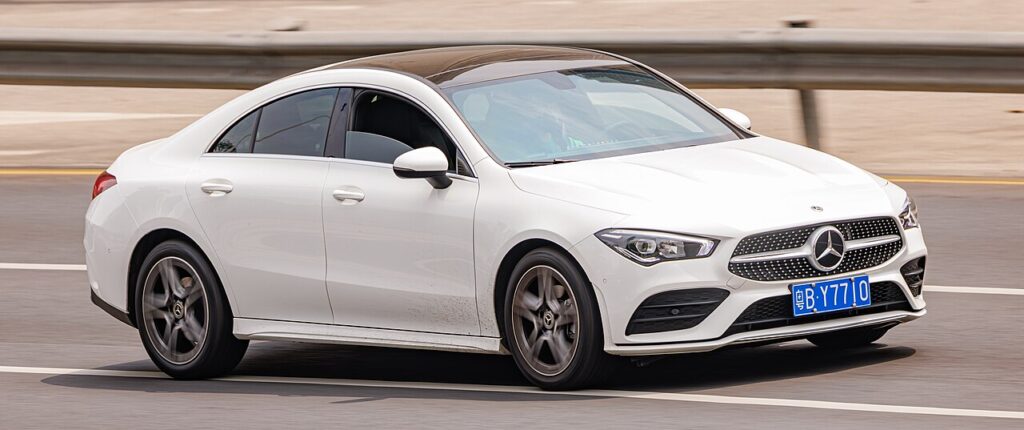
Below is how to put the C118 rear EPB into the brake-pad fitting position, retract the caliper, and exit and bed in afterwards.
Which parking brake does the C118 have?
Every C118 CLA — CLA200 up to the CLA45 S AMG — has the pushbutton electric parking brake, switch mounted low on the dash by the steering column. There is no cable, pedal or ratchet. The rear calipers integrate the parking-brake motor and a threaded spindle, so the rear piston is not a hand-wind-back design. The motor has to be commanded open before the pads come out.
Put the rear EPB into the service position
The C118 has the same cluster workshop menu as the A-Class, and it also accepts a generic OBD EPB tool. Cluster method:
- Switch the ignition to position 1 (on, engine off — do not press the brake or start the car).
- Close all doors, the bonnet and the glovebox so nothing reads as open.
- Set the central display to show the total odometer.
- Press and hold the telephone/hang-up button and the OK button on the steering wheel together for about five seconds until the workshop menu appears.
- Select Brake Pad Replacement (Fitting Position), press OK and confirm; the rear EPB motors run and the spindles retract.
With a tool, plug into the OBD port, select the rear-brake/EPB function and run “service mode / open caliper.” XENTRY does the same and additionally allows a parking-brake re-adaptation. After the EPB is retracted, wind the hydraulic piston back with a piston tool to clear the new pads.
Critical warning
Never force a true EPB piston back by hand or with a clamp. The C118 rear caliper piston runs on a motor-driven spindle; pushing it in with the brake applied shears the gears and ruins the caliper. Always retract it electronically through the cluster menu or a tool first. (A foot-brake or cable caliper genuinely does wind back by hand — but the CLA has neither, so never use that method here.)
Exit service mode and bed in
With the new pads fitted and the hydraulic piston wound home, reassemble and take the EPB out of fitting position — press OK in the menu to exit, or run the tool’s close/calibrate step so it clamps to normal travel. Park, then pump the brake pedal until firm so the pistons seat. Cycle the EPB switch a couple of times and check the warning clears. Bed the pads in: six to eight moderate stops from a safe speed, then a few firmer ones, avoiding a hard stop from high speed on cold new pads.
Frequently Asked Questions
Is the CLA rear-pad job the same as the A-Class? Yes — same MFA2 platform, same EPB, same cluster fitting-position routine and the same tool option.
Why won’t the workshop menu open on my CLA? Almost always an open door, bonnet or glovebox, or the display not on the odometer. Ignition on, engine off.
Do the front pads need the EPB step? No. The EPB only clamps the rear, so the fronts are a normal hydraulic wind-back.
The parking-brake light stayed on — what now? Exit service mode, pump the pedal firm, cycle the EPB switch; an EPB adaptation in XENTRY clears a persistent one.
Is the CLA45 AMG different? Larger calipers, same motor-on-caliper EPB and the same service-mode procedure.
If your CLA logs a brake or EPB fault code during the job, you can decode it on autodtcs.com before continuing.
Independent guide — not affiliated with Mercedes. Always follow your official service manual and safety precautions. Read our full disclaimer.