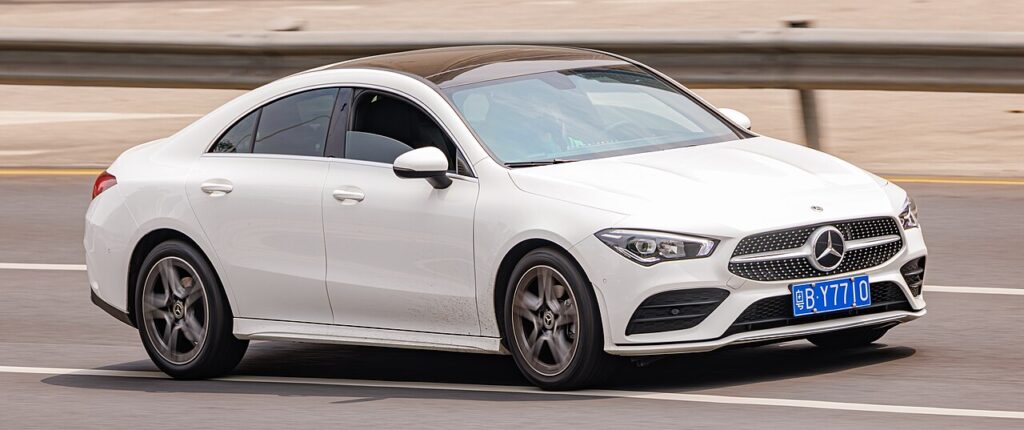
These instructions apply to the Mercedes CLA Mk2 (C118) 2019-Present.
For other models, please choose your vehicle here.
If the SmartKey for your Mercedes-Benz CLA (C118 Coupé and X118 Shooting Brake, 2019–present) has started unlocking the car only from arm’s length, or KEYLESS-GO no longer wakes the handles as you approach, the coin cell inside the fob is almost certainly flat. The C118 ships with a single key design — the slim chrome SmartKey with the triangular panic button on the back, the same fob shared with the A-Class (W177), GLA, GLB and CLS of the same era. Whether your car has plain remote entry or full KEYLESS-GO, the fob and its battery are identical. Here is the exact cell it takes, how to open the case without marking the chrome, and why a fresh battery fixes the range problem but a lost key does not.
How to Tell the Fob Battery Is Dying
- Shrinking range. You have to be right beside the CLA — or hold the fob against the door handle — before it locks or unlocks. This is the first and clearest sign.
- KEYLESS-GO stops greeting you. On keyless cars the handles no longer unlock as you reach for them and the start button won’t respond until you hold the fob right up to the steering column. A weak cell is the usual cause.
- A dashboard key-battery warning. The CLA shows a “Key battery — replace battery” message in the instrument display when the fob voltage drops, sometimes with a small key symbol.
- Cold-morning dropouts. A near-flat lithium cell sags further in the cold, so the remote may work in the afternoon but not first thing on a frosty morning.
A cell in a C118 SmartKey normally lasts two to four years. If yours is around that age and doing any of the above, fit a fresh battery before you start suspecting the car’s receiver or the immobiliser.
The Battery You Need
The C118 chrome SmartKey uses a single CR2025 3-volt lithium coin cell. That is the genuine Mercedes-Benz specification — the OEM keyless-remote coin battery (part 000 828 03 88) is a CR2025 — and it matches the current triangular-panic-button fob fitted to the CLA, A-Class and their siblings. Only the older round-panic-button chrome keys used two cells; the C118 does not.
A quick word on the common mix-up: a CR2032 is the same 20 mm diameter but noticeably thicker (3.2 mm versus the CR2025’s 2.5 mm). Some owners force one in, but Mercedes specifies the CR2025 here, and the thicker cell can stress the tray contacts or stop the case closing flush. Stick with a good-quality branded CR2025 — and if in any doubt, read the code printed on the cell you take out and match it exactly.
How to Change the CLA C118 Key Battery
- Slide out the emergency key. Turn the fob over, press the small chrome release catch at the base, and pull the mechanical emergency key blade straight out. Set it aside — you’ll use its tip in a moment.
- Pop the back cover. Insert the tip of that emergency blade (or a thin plastic trim tool) into the slot the blade left behind and lever gently to release the rear cover. The cover unclips rather than unscrews — there is no screw on this fob — so work slowly and let the clips give rather than prying at the chrome edges.
- Note how the old cell sits, then lift it out. The CR2025 sits in a shallow tray with its positive (+) face upward. Take a photo before you disturb it if you want a reference.
- Fit the new CR2025. Drop the fresh cell in the same way — positive (+) side up — and press it fully home under its retaining clip. Try not to touch both flat faces with your fingers, as skin oils on the contacts can cause poor connection.
- Close it up. Line up the back cover and press until the clips click all the way round, then slide the emergency key blade back in until it latches. Test lock and unlock from a few paces.
⚠️ Get the polarity right. The cell must go in positive (+) face up, exactly as it came out. A coin cell fitted upside-down won’t power the transmitter and can slowly discharge against the contacts — so always copy the orientation of the battery you removed.
Make Sure It Took
Stand back several metres and lock, then unlock, the CLA. Full range should return straight away. On a KEYLESS-GO car, walk up and confirm the handles wake as you touch them and the start button responds normally. The dashboard “replace battery” message clears once the car next reads a healthy fob — occasionally that takes a drive cycle rather than clearing the instant you refit the cover.
If a Fresh Cell Doesn’t Fix It
- Re-check the cell and its seating. Confirm it’s a CR2025, sitting positive-side up and pressed fully under the clip against clean, dry contacts — a loose or upside-down cell is the single most common reason a “new” battery seems dead.
- Wipe the contacts. A smear of finger grease or light corrosion on the terminals is enough to cause dropouts; clean them with a dry cloth or a cotton bud.
- Rule out the car’s own battery. A weak 12 V vehicle battery can make a CLA slow to wake and mimic a key fault. If the car itself feels sluggish to start or the electronics glitch, have the main battery checked before condemning the fob.
New Key or Spare — Why It’s a Dealer Job
Swapping the coin cell keeps the fob’s existing coding, so nothing needs reprogramming — the remote works the moment you close the case. Adding a new key is a different matter. Mercedes’ FBS4 electronic ignition system pairs each SmartKey to the car cryptographically, and blank keys have to be ordered against the vehicle’s VIN and coded through the dealer’s secured online system. That means a lost or spare C118 key is a main-dealer job, not something an independent locksmith can typically cut and program on the spot. The practical takeaway: keep the battery in your spare key fresh too, so you’re never down to a single working fob.
Frequently Asked Questions
What battery does a Mercedes CLA C118 key take?
A single CR2025 3-volt lithium coin cell. That is the genuine Mercedes-Benz specification for the current chrome SmartKey fitted to the 2019-onwards CLA.
Can I use a CR2032 instead?
It’s the same 20 mm diameter, so it may physically drop in, but it’s 0.7 mm thicker than the specified CR2025 and can strain the contacts or stop the case sitting flush. Fit the CR2025 the car is designed for and match whatever code is printed on the cell you remove.
Which way up does the battery go?
Positive (+) side up, exactly as the old one sat. Fitting it the wrong way round leaves the fob dead and can flatten the new cell.
Do I need to reprogram the key after changing the battery?
No. A battery change doesn’t affect the fob’s coding, so it pairs with the car automatically. Only a brand-new key needs programming through a Mercedes dealer.
How long should a CLA key battery last?
Usually two to four years. Leaving a KEYLESS-GO fob sitting close to the car, where it wakes repeatedly, tends to shorten that, so store spare keys away from the driveway.
Can I still drive the CLA if the fob battery is completely dead?
Yes. Use the emergency key blade inside the fob to unlock the driver’s door, then hold the fob against the marked spot on the steering column (or in the cupholder tray on KEYLESS-GO cars) and press start — the car reads the transponder even with a flat coin cell, so a dead battery won’t strand you.
If the remote stopped working suddenly rather than fading — especially just after the 12 V battery was disconnected or ran flat — and the dash is showing warning lights, the cause may be a stored fault rather than the fob cell. You can look up what a logged code means on autodtcs.com before booking any diagnostic time.
Independent guide — not affiliated with Mercedes. Always follow your official service manual and safety precautions. Read our full disclaimer.