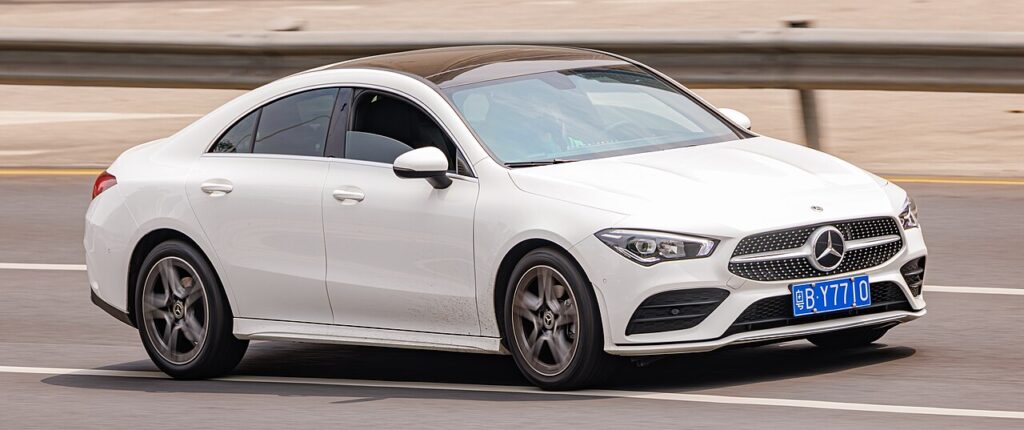
These instructions apply to the Mercedes CLA Mk2 (C118) 2019-Present.
For other models, please choose your vehicle here.
The Mercedes-Benz CLA (C118, 2019–present) has ECO start/stop that switches the engine off at a standstill to save fuel. If you’d rather keep it running — in traffic, on a hot day, or before working in the engine bay — you can switch it off.
The engine cutting out the moment you come to rest is completely normal on the CLA — it is the ECO start/stop system doing its job, not a fault or a stall. The engine spins straight back up when you lift off the brake (automatic) or dip the clutch (manual). The little “A” inside an arrow on the instrument cluster simply tells you the system is armed and ready to stop the engine. Many owners are happy to leave it working; others prefer a steadier drive, and switching it off takes one press.
How It Works on This Model
ECO start/stop only shuts the engine down when a set of conditions is met. Broadly, the car needs to be at a genuine standstill, the 12 V battery has to be well charged, the engine and catalytic converter need to be warm, and the cabin climate has to be near its target. If any of those is out — a cold engine on a winter morning, the heater or air-conditioning working hard, a low state of charge, or a gradient sensed under the wheels — the system quietly keeps the engine running. That is by design, not a malfunction, and it explains why the auto-stop sometimes happens and sometimes doesn’t.
Before You Start
- You can switch ECO start/stop off with the engine running — no need to stop first.
- Decide your method: the console ECO button if your car has one, or the MBUX touchscreen menu if it doesn’t.
- If you’re about to open the bonnet, switch it off first so the engine can’t restart on its own.
- The change lasts for the current drive only, so do it early in the journey.
How to Turn Off ECO Start/Stop
- ECO button: if fitted, press the ‘ECO’ button on the centre console — the display confirms start/stop is off.
- MBUX menu: on cars without the button, open the touchscreen menu and go to Vehicle → ECO start/stop and switch it off.
It Resets Every Drive
Like nearly every car with this feature, the CLA re-enables ECO start/stop each time you restart. There’s no permanent factory ‘off’ — switch it off again at the start of each journey if you prefer.
If the Engine Won’t Stop
If ECO start/stop never seems to trigger, it’s usually one of the inhibit conditions rather than a fault. Common reasons on the CLA:
- A weak or ageing 12 V battery — the most frequent cause. The system won’t stop the engine if it can’t guarantee a clean restart.
- The engine is still cold — it needs to reach normal operating temperature first.
- The heater or air-conditioning is working hard, so the engine stays on to keep the cabin comfortable.
- You’re on a slope, or the car isn’t fully at rest.
- The bonnet is open, or the brake pedal isn’t pressed firmly enough (automatic).
- Steering is turned hard, or the demister is running — both can inhibit a stop.
Why Switch It Off?
- Before engine-bay work — avoids an unexpected restart.
- Stop-go traffic — stops constant cycling.
- Maximum cabin cooling/heating on extreme days.
The system also holds the engine running on its own when the battery is low, the cabin needs heating/cooling, or you’re on a hill — that’s normal.
What to Expect After
Once you’ve switched it off, the “A” symbol changes to show the system is disabled and the engine stays running at every stop for the rest of the drive. Next time you start the car it will be armed again — that’s expected, not a fault. Fuel use over the trip is only marginally affected, so leaving it on or off is purely a comfort choice.
Frequently Asked Questions
How do I turn off auto stop/start on a Mercedes CLA?
Press the ECO button on the centre console if your car has one; the display confirms it’s off. On cars without the button, open MBUX and go to Vehicle → ECO start/stop and switch it off. Either way the engine will then keep running when you come to a stop.
Can I disable it permanently?
No — the CLA resets ECO start/stop to on every time you restart the engine, and there is no factory setting to make ‘off’ stick. It’s a quick single press or menu tap at the start of each journey, so build it into your routine if you’d rather not use the feature.
Why did stop/start come back on by itself?
It didn’t re-enable mid-drive — restarting the engine simply re-arms it from scratch, which is standard on every car with this system. If it appears to switch back on during a single journey, check that you actually pressed the button and that the “off” symbol was showing.
Why won’t the engine stop at junctions?
One of the inhibit conditions is being met. The most common are a cold engine, a battery that isn’t fully charged, the climate system working hard, or being parked on a gradient. The car only auto-stops when it’s confident of a smooth restart, so this behaviour is normal.
Does leaving start/stop on wear out the engine?
No. The CLA uses a reinforced starter and uprated bearings designed for frequent restarts, and the engine only stops once it’s warm. There’s no meaningful extra wear from normal use, so the choice to disable it is about driving feel, not engine longevity.
Is a warning light the same as the ECO symbol?
No. The plain “A”-in-arrow symbol is just the status indicator. A separate amber or red start/stop or battery warning means a fault — most often a tired 12 V battery that can no longer support auto-restarts.
If a start/stop or battery fault light shows, look it up on autodtcs.com. See our CLA battery guide.
Independent guide — not affiliated with Mercedes. Always follow your official service manual and safety precautions. Read our full disclaimer.