These instructions apply to the Volvo S60 Mk3 (225) 2018-present.
For other models, please choose your vehicle here.
Lost the one-touch (auto up/down) on your Volvo S60 (225, 2018–present) after a flat or disconnected battery? The window motor has simply forgotten its limits. You re-teach them by hand in under a minute — no tools.
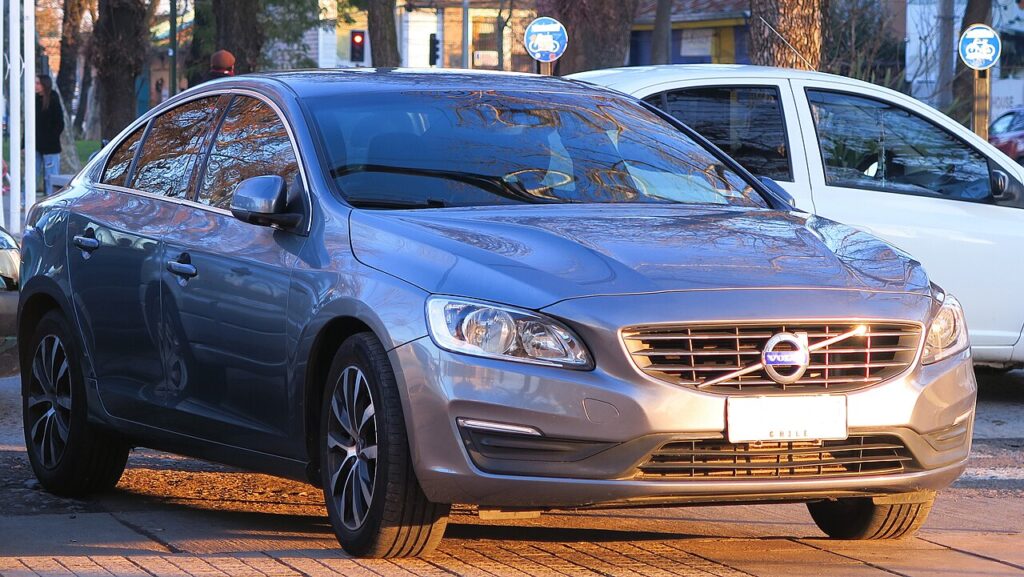
All four doors on the third-generation S60 have express (one-touch) operation, so it’s common to notice several windows lose the feature at once after battery work. This isn’t a fault and it doesn’t need a dealer — the door modules have just dropped the travel figures they normally hold, and you restore them by hand.
What Happened
Each S60 door has its own motor and position sensor, and the door module learns where the glass meets the top seal and the bottom of the drop. Those two end points let a single tap run the window to its limit and stop without slamming, and they give the anti-pinch a reference to reverse against an obstruction. The values live in memory fed by the 12 V battery, so any loss of power — a flat battery, a jump, or disconnecting it for service — erases them and leaves hold-to-move only until you re-teach.
Before You Start
- Switch the ignition on (or press start with your foot off the brake) so the windows have full voltage.
- Keep the door closed throughout — an open door can flex the frame and shift the seating point.
- Clear the glass and channel of ice, a sunshade, or a phone mount before you begin.
- If the battery was just reconnected, let the car sit keyed-on for a minute so the modules wake.
- Do one window at a time, each from its own switch on that door.
Re-teaching a Window
- Door closed, ignition on.
- Pull the switch up to close the window fully and keep holding ~2–3 seconds past the stop.
- Release, then press down to open fully, pausing at the bottom.
- Pull up again to close fully, holding a couple of seconds at the top.
- Release and check one-touch both ways.
Repeat on each one-touch window from its own switch.
Not Working Yet?
- Hold longer at the top so the closed limit registers — releasing early is the usual reason the learn fails.
- Shut the door and make sure the 12 V battery is healthy during the learn; a weak battery sags under the motor load.
- Recharge first if the battery was flat — a short drive or charger top-up gives a steadier voltage for the relearn.
- Check the door switch pack returns to centre cleanly; a sticky rocker can stop the auto latch catching.
- A persistent single door that won’t learn may have a motor or regulator issue — check for a stored code on autodtcs.com.
What To Expect After
With each window cycled and held at both ends, a single tap should again run the glass fully up or down and stop cleanly, and the anti-trap should reverse on resistance. There’s no message on the driver display to clear — the auto function working is the confirmation. Expect to repeat this any time the 12 V battery is disconnected; it’s a normal side effect of losing power, not a recurring fault.
Frequently Asked Questions
Why did my S60 windows stop auto-closing?
A battery disconnect or flat battery cleared the learned travel the door modules keep in volatile memory. Without those end points the car can’t run the windows automatically or judge where to stop, so it reverts to hold-to-move. Re-initialising each window brings one-touch back.
How do I reset the auto window on a Volvo S60?
Pull the switch up to close fully and hold 2–3 s, then open fully and close fully again, holding at the top. That single up-down-up cycle re-teaches the module the top and bottom limits. Do it at each one-touch window from its own switch.
Does it matter that it’s a mild-hybrid or plug-in S60?
No. Whatever the drivetrain, the windows run off the ordinary 12 V system, and the relearn is the same at the door switches. The high-voltage battery on a hybrid or Recharge model isn’t involved — it’s the 12 V supply that feeds the door modules and its loss that clears the calibration.
Do I have to do every window?
Just the one-touch ones, but on the S60 that’s typically all four, since each has express operation. Every door has its own module and learned travel, so a power loss clears them together. Re-teach each affected window from its own switch.
Any tools needed?
None — it’s all done at the switches with the ignition on. There’s no menu on the centre screen and no scan tool involved for a routine one-touch relearn after a battery event. A tool only comes in if a door refuses to learn and you need to read a fault code.
It worked on three doors but not the fourth — why?
If one door won’t take the learn after several clean attempts while the others did, the issue is usually that door’s switch, motor or regulator rather than the calibration. Confirm you’re holding the full couple of seconds at the top, then have that door checked and scan for a stored code.
This is the most-missed step after battery work — see our S60 battery guide. For warning lights, look up the code on autodtcs.com.
Independent guide — not affiliated with Volvo. Always follow your official service manual and safety precautions. Read our full disclaimer.