These instructions apply to the Jaguar F-Pace Mk1 (X761) 2016-Present.
For other models, please choose your vehicle here.
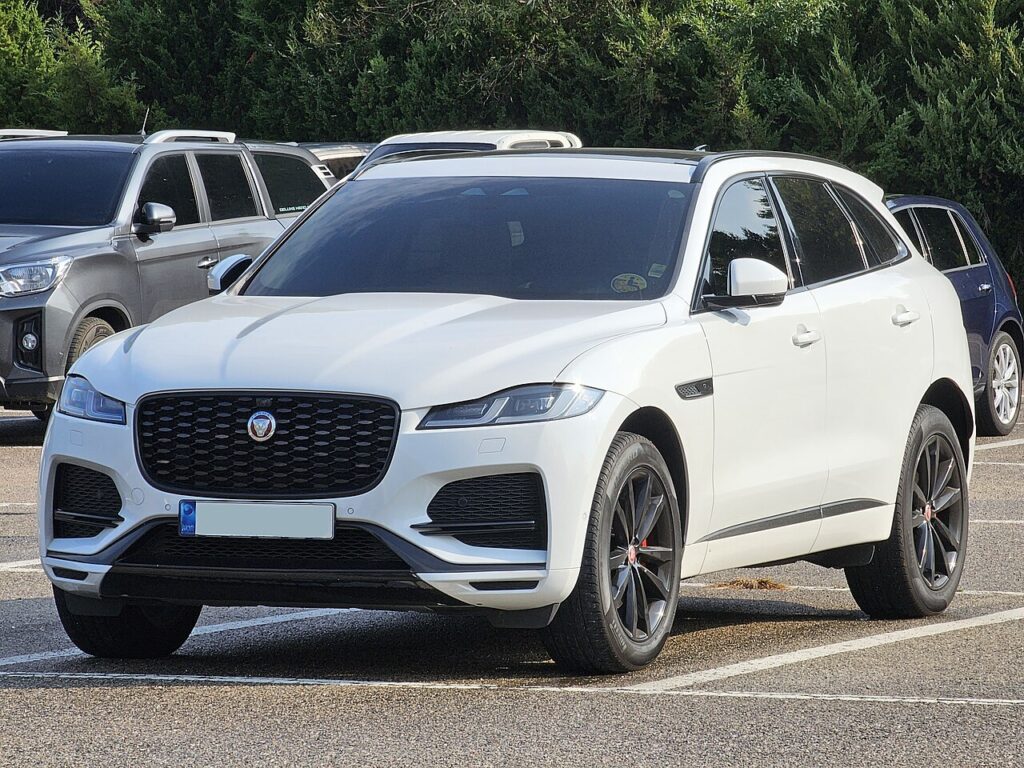
The Jaguar F-Pace (X761, 2016–present) uses Jaguar Land Rover’s slim, gloss-finished keyless smart fob — the same family of key shared across the range, with a concealed metal blade and passive entry that unlocks and starts the car while it stays in your pocket. When the fob starts letting you down — the doors only respond up close, the tailgate ignores the button, or a “Smart Key Battery Low” message pops up on the dash — the coin cell inside has usually run down. Changing it is a five-minute job once you know how the case slides apart, and it is well worth doing promptly because a fully flat fob is more awkward to start the car with on this Jaguar than on many rivals.
How to Tell the Fob Battery Is Dying
- Passive entry range collapses. You end up standing against the door or pressing the fob to the handle instead of the car reading you on approach — the first and clearest symptom.
- “Smart Key Battery Low” on the display. The F-Pace spells this out in the instrument cluster when the fob voltage drops; treat it as a fortnight’s notice rather than a breakdown.
- Starting needs the fob held close. If the car will only start when you hold the fob against the steering column or the start button, it is reading the transponder by backup induction because the radio side has faded.
- Worse in cold weather. A tired lithium cell loses output when it is freezing, so intermittent frosty-morning failures that clear later point squarely at the battery.
An F-Pace fob cell generally lasts two to four years. Within that age and showing any of these signs, fit a fresh cell before you start suspecting the receiver or the immobiliser.
The Battery You Need
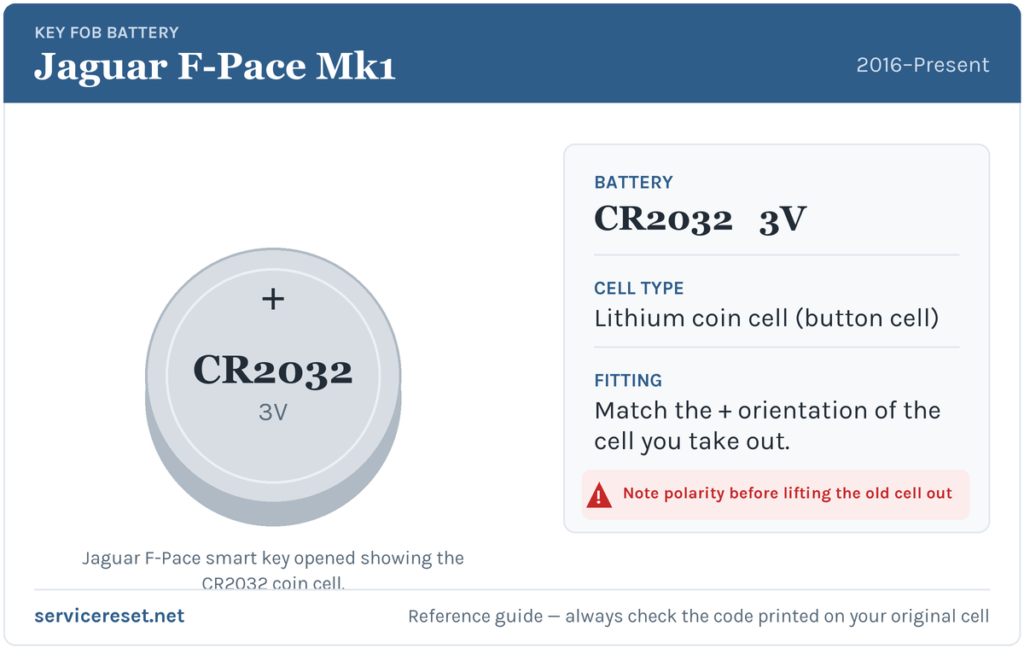
The F-Pace smart fob takes a CR2032 — the everyday 3-volt lithium coin cell, around 20 mm across — sold in every supermarket, chemist and hardware shop. Fit a good branded cell rather than a bargain multipack; cheaper cells sag under the brief current spike the transmitter draws and can give short range even straight from the packet. Handle the new cell by its edges only — skin oil on the flat faces can corrode the contacts and shorten its life.
How to Replace the F-Pace Fob Battery
- Slide the cover to release the blade. On the back of the fob, slide the cover catch and pull the concealed emergency key blade out of the body.
- Slide off the rear cover. With the blade gone, slide the back cover of the fob off to expose the internals — it slides clear rather than hinging open.
- Part the case with the blade. Use the emergency blade (or a thin flat tool) to gently prise the body of the fob apart at the seam and reveal the CR2032.
- Swap the cell. Note which face is showing, lift the old cell out and set the new one in the same way round — on this fob the marked positive (+) face sits upward.
- Reassemble. Press the halves back together, slide the cover home until it clicks, then push the emergency blade back into place.
⚠️ Copy the polarity. A CR2032 fitted upside down will not power the fob, and if it is left reversed it can slowly discharge against the contacts — so match the orientation of the cell you removed rather than guessing which face goes up.
Check It Worked
Stand back a few metres and test lock, then unlock, then walk up to the car to confirm passive entry reads the fob again. The “Smart Key Battery Low” message clears the next time the F-Pace reads a healthy fob, occasionally only after a drive cycle rather than at once. As a final check, make sure the engine now starts with the fob simply on you rather than pressed against the button.
If a Fresh Cell Doesn’t Fix It
- Re-check the face and the seating. A cell fitted the wrong way up, or not sitting flat against both contacts, is the commonest reason a “new” battery does nothing.
- Clean the contacts. A film of finger grease or a trace of corrosion on the terminals produces the same intermittent behaviour as a flat cell — wipe the faces and contacts with a dry cloth.
- Use the induction start. Hold the fob against the start button and press; if the engine fires, the transponder is healthy and only the radio side or a contact is at fault.
- Check the car’s 12 V battery. A weak vehicle battery can cause erratic locking and no-start faults that mimic a dead fob, so have it tested if the fob itself checks out.
New Key or Spare — Why It’s a Dealer Job
Changing the coin cell leaves the fob’s coding untouched, so it works the moment you close it up. A replacement key is far more involved: the F-Pace’s immobiliser has to enrol the new transponder through the car’s security system, the emergency blade has to be cut to the locks, and blank smart fobs are supplied against the VIN. That makes a spare or a lost-key replacement a job for a Jaguar dealer or a JLR-capable auto-locksmith — so keep the cell in your second fob fresh and you are never down to a single working key.
Frequently Asked Questions
What battery does a Jaguar F-Pace key fob take?
A single CR2032 3-volt lithium coin cell — the common 20 mm size stocked everywhere.
How do I open the F-Pace smart key?
Slide the cover to release and remove the emergency blade, slide the rear cover off, then use the blade to gently prise the body apart at the seam and expose the cell.
Which way round does the battery go?
Match the cell you removed — on this fob the positive (+) face sits upward. Fitting it the wrong way simply leaves the fob dead, so note the orientation before you lift the old one out.
Do I need to reprogram the fob after changing the battery?
No. Swapping the cell leaves the coding intact, so keyless entry and start keep working. Only a brand-new key needs programming.
How long should an F-Pace fob battery last?
Usually two to four years. Leaving the fob sitting near the car so it keeps waking to transmit — on a hall table by the driveway, for instance — drains it faster.
Can I still drive the F-Pace with a dead fob?
Yes. Unlock the door with the emergency blade in the fob, then hold the fob against the start button as you press it — the induction reader picks up the transponder and the car starts, so a flat cell will not strand you.
If the remote failed suddenly right after the 12 V battery was disconnected, rather than fading gradually, the cause is more likely a lost pairing or a stored fault than a flat coin cell — you can check what any related code means on autodtcs.com.
Independent guide — not affiliated with Jaguar. Always follow your official service manual and safety precautions. Read our full disclaimer.