These instructions apply to the Skoda Fabia Mk3 (NJ) 2015-2022.
For other models, please choose your vehicle here.
A dead fob battery on a Škoda Fabia (Mk3, 2015–2022) tends to catch owners out, because most third-generation Fabias were sold with a traditional turn-key ignition rather than the keyless KESSY system. That actually makes life easier: on a blade-ignition Fabia the flat coin cell only affects the remote locking, not the ability to start the car. Higher-trim cars fitted with the optional KESSY START/STOP button have a slightly different drill, covered below.
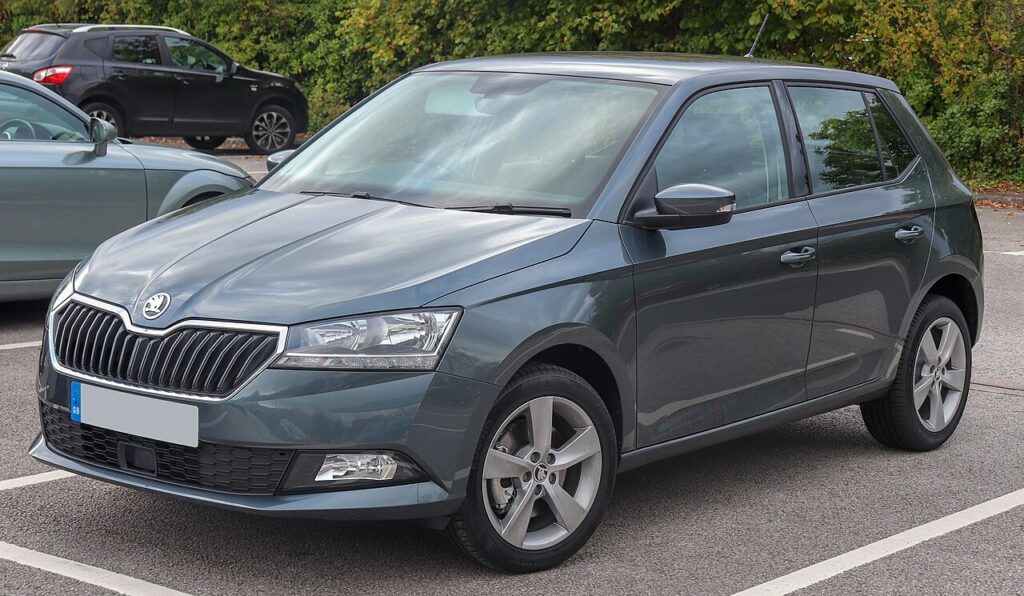
This generation is the supermini hatch and Combi estate built on VW Group’s MQB-A0 platform. Whichever ignition type you have, the hidden emergency blade gets you into the cabin.
Start the Fabia Mk3 With a Dead Fob
Turn-key Fabia (most cars):
- Unlock the driver’s door with the emergency blade (next section).
- Insert the same blade into the ignition barrel on the steering column.
- Turn it to crank and start the engine exactly as you normally would — the fob battery is not involved in starting a blade-ignition car.
KESSY (button-start) Fabia:
- Get in with the emergency blade first.
- Press and hold the brake pedal.
- Hold the fob flat against the START/STOP button so the transponder sits right against the reader behind it.
- Press the button through the fob. The immobiliser reads the passive chip and starts the engine.
Unlock the Fabia Mk3 With the Emergency Key Blade
- On the flip key, press the release catch so the blade springs out (it is the same blade you fold away day to day). On separate-blade fobs, slide the catch and pull the blade free.
- At the driver’s door handle, a small plastic cap hides the lock barrel. Lever the cap off from its rear edge with the blade tip.
- Insert the blade and turn to unlock the door.
- For turn-key cars, carry the blade to the ignition; for KESSY cars, use the contact-start method above.
Why the Immobiliser Still Recognises the Key
The Fabia’s immobiliser authenticates a passive transponder chip embedded in the key, and that chip is powered wirelessly by the car’s reader coil — no battery required. The coin cell only runs the radio that locks and unlocks the car remotely. So a turn-key Fabia starts perfectly with a dead fob the moment the cut blade is in the barrel, and a KESSY Fabia starts the moment the fob touches the button. A battery has never been part of the immobiliser handshake.
Replace the Key Fob Battery
- Fold or slide out the blade to access the case.
- Split the fob halves with a plastic pry tool or thin coin along the seam.
- Remove the old cell. The Fabia Mk3 fob uses a CR2032 3V coin cell.
- Fit the new battery + side up to match the original, touching only the edges.
- Close the case, refit the blade, and test the buttons — a fresh cell should last 2–3 years.
Frequently Asked Questions
Does my Fabia Mk3 have keyless start? Most do not — the majority shipped with a turn-key ignition. Only cars optioned with KESSY have the START/STOP button.
If it’s a turn-key car, will a dead fob stop it starting? No. The cut blade in the ignition barrel starts it regardless of the fob battery; only the remote locking is affected.
Where is the hidden door lock on the Fabia Mk3? Under a clip-off plastic cap on the driver’s door handle. Prise it from the rear edge.
What battery does the Fabia Mk3 fob take? A CR2032 coin cell.
The remote stopped working but the car drives fine — what now? That is the classic flat-coin-cell symptom on a turn-key Fabia. Swap the CR2032 and the remote buttons should return.
If a dashboard warning light appeared during all this, you can look it up on our sister site autodtcs.com.
Independent guide — not affiliated with Skoda. Always follow your official service manual and safety precautions. Read our full disclaimer.