These instructions apply to the Cupra Formentor Mk1 (KM) 2020-present.
For other models, please choose your vehicle here.
The Cupra Formentor (KM, 2020–Present) ships with KESSY keyless entry and go as standard, so a flat key-fob coin cell stops the car detecting the key — the doors won’t open on a pull and the start button does nothing. It is not a breakdown. The fob still carries a battery-free transponder, and the Formentor’s owner manual spells out an emergency start that reads that chip even with a dead battery. Get in with the hidden blade, place the fob in the right spot, and the car starts.
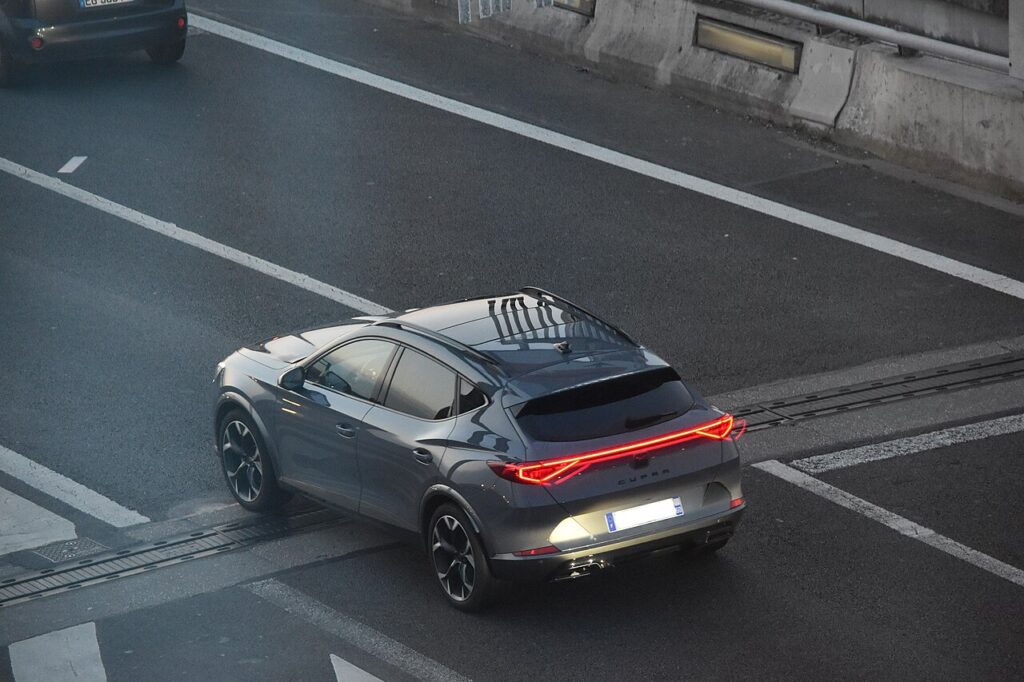
This guide covers the Cupra Formentor crossover on the MQB-Evo platform, including the e-Hybrid and VZ5 variants. Because the Formentor has no turn-key option, the emergency start below is the procedure every owner should know.
Start the keyless Formentor with a dead fob
- Sit in the driver’s seat with the fob and close the door so the cabin antenna can search for the key.
- Press and hold the brake pedal — the Formentor will not start without it.
- Press the START/STOP button once. The dash display warns that no valid key is detected and that an emergency start is required.
- Place the fob in the centre-console drink holder, as close as possible to the KESSY logo moulded near it. On the Formentor the emergency antenna is built into the console here, not the steering column.
- With the fob resting there and your foot on the brake, press START/STOP again. The immobiliser reads the passive transponder and the engine starts.
Unlock the doors with the emergency key blade
- Press the release button on the fob and slide out the metal emergency blade.
- At the driver’s door handle, push the blade into the slot in the lower edge of the lock cover and lever the cover off upward to expose the lock cylinder.
- Turn the blade to unlock the door. The alarm may sound — it stops once you complete the emergency start.
- Clip the handle cover back over the lock.
Why this works — the immobiliser note
The Formentor’s smart key combines a battery-powered radio for keyless entry and remote locking with a passive RFID transponder that the car powers wirelessly. When the coin cell dies, only the radio stops; the transponder still answers the immobiliser when held close to the emergency antenna. Cupra placed that antenna in the centre console on the Formentor, so the drink-holder position — not the steering column — is the spot that powers the chip and lets the engine start.
Replace the fob battery
The Formentor fob takes a single CR2032 3V lithium coin cell. Pull the emergency blade out first, then lever the fob open at the seam the blade reveals (a small flat screwdriver helps). Lift out the old cell, fit the new one with the + face up, and press the halves back together. KESSY fobs drain quickly because the car and key constantly poll each other, so an annual change is normal — use a fresh branded cell to avoid early low-battery warnings.
Frequently Asked Questions
Where do I put the fob to start the Formentor? In the centre-console drink holder, next to the KESSY logo — not against the steering column. The Formentor’s emergency antenna is in the console.
What does “emergency start required” mean on the dash? It means the car can’t find a valid key by radio (the fob battery is flat) and you must use the console position above to let it read the transponder.
Does the e-Hybrid or VZ5 start any differently? No. All Formentor variants use the same KESSY antenna and emergency-start procedure; the powertrain has no effect on reading the key.
Which battery does the Formentor fob use? A CR2032 3V lithium coin cell, accessed by first removing the emergency blade and splitting the fob case.
The alarm went off when I used the blade — did I break something? No. The mechanical override trips the alarm by design, and it silences as soon as the car recognises the key and starts.
If a warning light or fault code appeared alongside the key message, you can decode it on our sister site autodtcs.com.
Independent guide — not affiliated with Cupra. Always follow your official service manual and safety precautions. Read our full disclaimer.