These instructions apply to the Jaguar E-Pace Mk1 (X540) 2017-Present.
For other models, please choose your vehicle here.
The Jaguar E-Pace (X540, 2017–Present) is a keyless compact SUV: keep the smart key on you and the doors sense it, then a press of START/STOP gets you moving. When the coin cell inside the fob dies the key stops broadcasting, so the E-Pace can no longer detect it across the cabin — touch-unlock fails and the start button looks dead. The car has not failed. Jaguar builds a battery-free backup into the E-Pace key, and the recovery takes under a minute once you know the reader location.
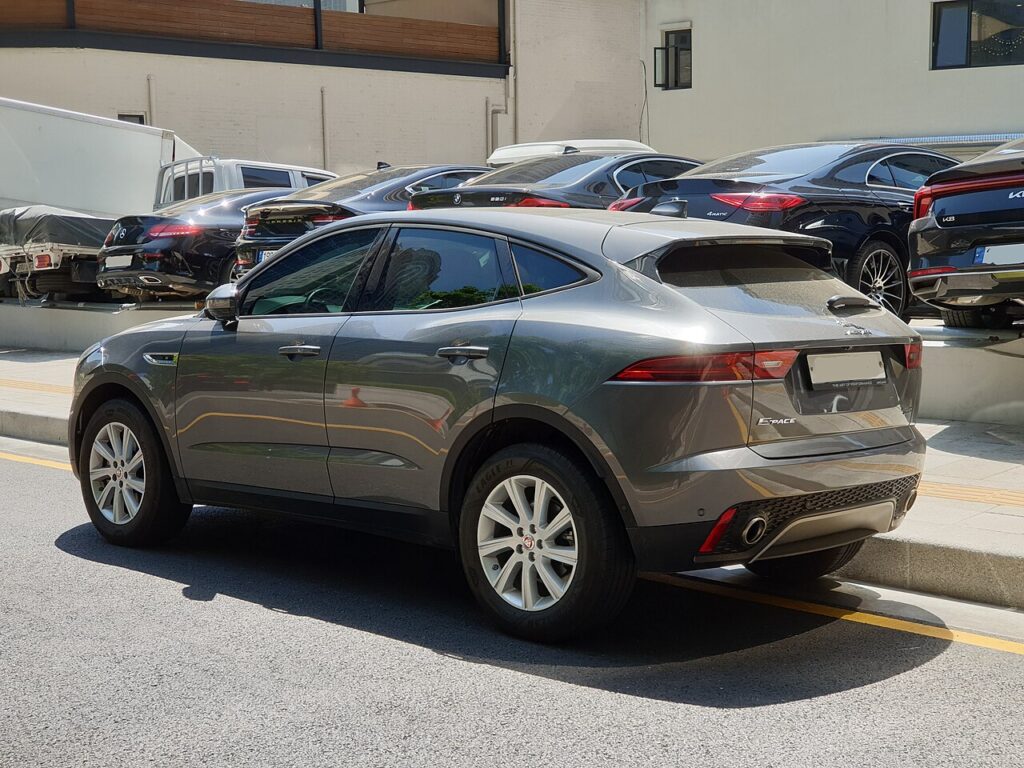
Start the E-Pace With a Dead Fob Battery
The transponder chip in the key is passive and needs no power from the coin cell. Held against the reader, the car energises and reads it directly.
- Sit in the driver’s seat with the smart key in hand and your foot firmly on the brake.
- Find the key symbol on the steering column shroud. With a manual column the reader is on the underside; with an electric column it sits on the left side, marked by three parallel lines.
- Hold the fob flat against that mark with the buttons facing away from the column.
- Keeping the key in place, press the START/STOP button. The engine should start.
- Once it is running, pocket the key for the rest of the trip.
If it does not catch first time, move the fob a few millimetres and retry to find the antenna sweet spot. Later E-Pace cars fitted with the newer Smart Key read against an indent on the underside of the dashboard below the switches instead of the column — hold the key flat there, buttons facing out, then press START/STOP.
Unlock the Door With the Hidden Emergency Key
If the fob is too flat to unlock the E-Pace remotely, the key carries a metal blade for the door.
- Press the release catch or slider on the side of the smart key and pull the emergency blade out.
- At the driver’s door, the lock barrel is hidden under a cap at the rear edge of the handle, nearest the door pillar.
- Insert the blade tip into the slot and lever the cap off to expose the lock cylinder.
- Turn the blade in the cylinder to unlock the door, then refit the cap.
The alarm will most likely sound as the door opens. That is normal — with a dead fob the E-Pace gets no radio confirmation of a valid key, so it reads the entry as a break-in. It stops the moment you complete the reader start above.
Why the Immobiliser Still Lets You In
The E-Pace immobiliser trusts the passive transponder, not the radio signal. Holding the key on the reader proves a genuine key is present, so the engine control unit releases ignition and fuelling. A flat coin cell never locks you out — this fallback exists for exactly this case.
Replace the Fob Battery
The E-Pace smart key uses a single CR2032 3V lithium coin cell. Slide out the emergency blade, split the fob halves at the seam, lift the old cell, and fit the new one with the “+” side matching the holder. Click the case shut and the key reads at full range again. Keep a spare CR2032 in the glovebox to avoid repeating the routine.
Frequently Asked Questions
Where is the start reader on the E-Pace? On the steering column shroud — underside for a manual column, left side for an electric column, marked by three parallel lines. Later cars with the newer fob use an indent under the dashboard.
Why did the alarm go off when I used the blade? The dead fob cannot send the valid-key signal, so the E-Pace treats the door opening as forced entry. It silences as soon as the engine starts from the reader.
Which battery does the E-Pace key take? A single CR2032 lithium coin cell, sold in any supermarket or hardware shop.
Where is the keyhole hidden on the E-Pace? Under a cap at the rear edge of the driver’s door handle; lever it off with the blade to reach the cylinder.
Can I drive after a dead-fob start? Yes. The E-Pace runs for the whole trip, but fit a new battery before switching off so the key works normally next time.
If a warning light stayed on after the alarm cleared, you can identify the code at autodtcs.com before booking any work.
Independent guide — not affiliated with Jaguar. Always follow your official service manual and safety precautions. Read our full disclaimer.