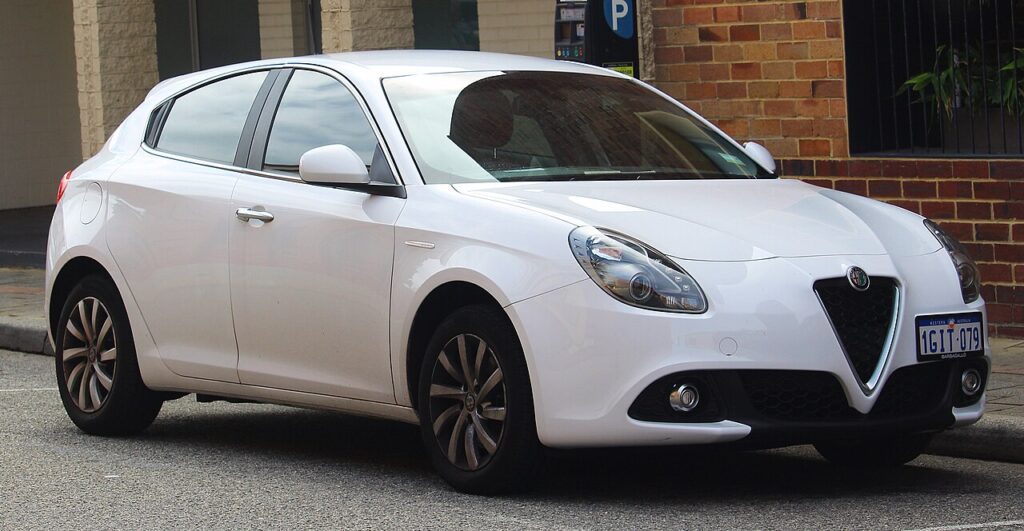
These instructions apply to the Alfa Romeo Giulietta Mk1 (940) 2010-2020.
For other models, please choose your vehicle here.
The Alfa Romeo Giulietta (940, 2010–2020) uses a conventional bladed remote key and a turn-key ignition barrel on the steering column — it is not a push-button keyless car. That is good news when the fob battery dies: the flat coin cell only stops the remote lock and unlock buttons working. The metal blade and the immobiliser chip inside the key are completely unaffected, so you can unlock the door and start the engine exactly as normal. This guide walks through both, and how to fit a fresh cell to get the remote back.
Starting the Giulietta With a Dead Fob
Because the Giulietta has a turn-key ignition, a dead fob battery does not stop you driving:
- Unlock the driver’s door with the metal blade (steps below) and get in.
- Insert the same key into the ignition barrel on the right of the steering column.
- Press the clutch (manual) or brake (TCT automatic) and turn the key to crank the engine.
- The engine starts normally — the immobiliser reads the transponder chip in the key head, which needs no battery.
In short, the only thing you lose with a flat fob is remote central locking. The car drives exactly as before.
Unlocking the Door With the Emergency Blade
With a dead battery the remote buttons go silent, so use the blade itself.
- If your key is a flip type, fold the blade out; on the fixed-blade version it is always exposed.
- Go to the driver’s door — the lock barrel sits in or just behind the door handle.
- Insert the blade and turn to unlock.
- Opening the car this way can trigger the alarm; turning the ignition on with the recognised key clears it within a few seconds.
The Immobiliser Still Reads the Key
The Giulietta’s immobiliser uses a passive transponder embedded in the key, separate from the remote’s radio circuit. When you turn the key, an antenna ring around the ignition barrel energises that chip just long enough to read its code and release the engine. Because the antenna powers the chip, a totally flat fob battery never prevents the engine starting — it only kills the remote and the dashboard’s “key not recognised” nuisance.
Replacing the Key Fob Battery
The Giulietta remote uses a single CR2032 3V lithium coin cell.
- Slide the small catch and remove the metal blade, which releases the case.
- Carefully prise the two halves of the fob apart at the seam with a thin coin or flat screwdriver.
- Lift out the old CR2032 and fit the new one with the “+” side facing the same way.
- Clip the case shut and refit the blade.
- Press a remote button next to the car; locking and unlocking should respond again.
Frequently Asked Questions
Will a dead fob battery stop my Giulietta starting? No. The Giulietta uses a turn-key ignition, so the engine starts as normal — you only lose the remote lock/unlock buttons.
Which battery does the Giulietta key take? A CR2032 3V lithium coin cell, available from any supermarket or hardware shop.
My Giulietta won’t start even though the fob is dead — why? A flat fob cannot stop a turn-key car. If it cranks but won’t fire, suspect the 12V battery or the immobiliser, not the coin cell.
Where is the door keyhole on the Giulietta? On the driver’s door, in or just behind the handle. Some trims have a slim cap over it that the blade tip lifts off.
Can I just use the blade and skip replacing the cell? Yes — the car is fully drivable on the blade alone. Replace the CR2032 only when you want remote locking back.
If a warning light stayed on after a flat fob or weak 12V battery, you can look up exactly what the code means on our sister site autodtcs.com.
Independent guide — not affiliated with Alfa Romeo. Always follow your official service manual and safety precautions. Read our full disclaimer.