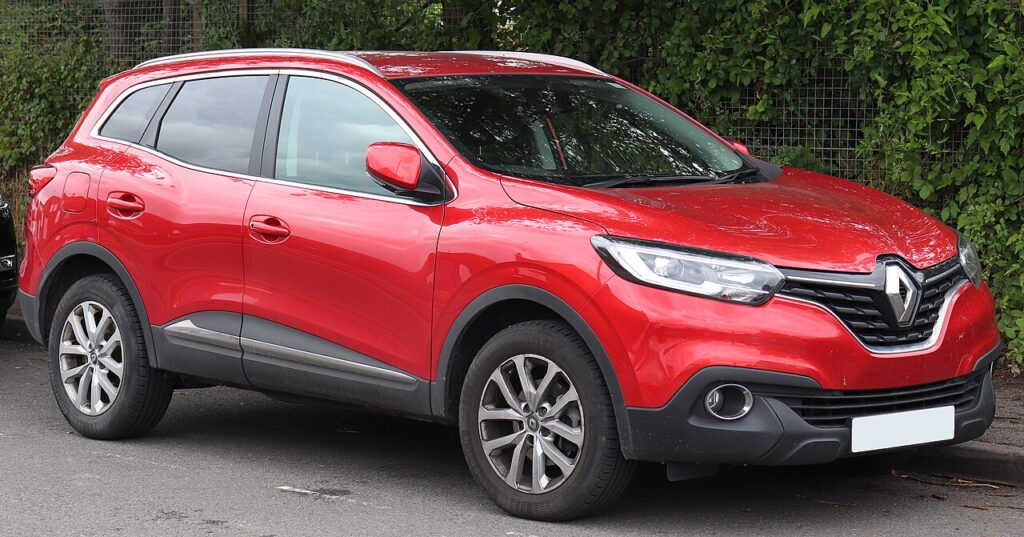
These instructions apply to the Renault Kadjar Mk1 (XFE) 2015-2022.
For other models, please choose your vehicle here.
The Renault Kadjar (2015–2022) carries an electronic parking brake (EPB) on most versions, operated by a small switch on the centre console rather than a lever. Because the rear calipers contain motor-driven parking-brake pistons, you cannot simply wind them back to fit new pads — the calipers must first be put into service mode. The good news is that the Kadjar has an owner-operated service-mode sequence using the pedals and the EPB switch, so on most cars you can do this without a Renault CLIP diagnostic tool.
A few early or basic Kadjars left the factory with a conventional cable handbrake lever. If you have a pull-up lever between the seats instead of a rocker switch with a (P), this guide does not apply — those rear calipers retract mechanically and need no electronic service mode.
Putting the EPB into service mode
Service mode commands the rear parking-brake motors to wind fully open and stay there, giving the clearance to compress the piston for thicker new pads. Do this with the car chocked and on level ground, before jacking up or removing a wheel.
- Switch the ignition on without starting the engine — press Start/Stop once without touching the pedals.
- Press and hold the brake pedal and wait about one second.
- Keeping the brake pedal down, also press and hold the accelerator pedal for at least one second.
- With both pedals still held, press the EPB switch — the red parking-brake light begins to flash.
- Within five seconds, while the light is still flashing, press the EPB switch once more. The rear calipers wind open and service mode is active.
If the warning light goes solid rather than flashing, the sequence has timed out; switch off, pause, and start again from step one. Note that some later locked Kadjar modules will not accept the manual sequence and need a CLIP-type tool to retract the calipers. If three careful attempts fail, treat your car as tool-only rather than forcing the pistons.
Critical warning — never force the pistons back
The Kadjar’s rear pistons are driven by an electric motor through a fine internal screw. Never push or wind the rear pistons back by hand, and never use a G-clamp on them. Forcing a piston the wrong way strips the spindle or burns out the EPB motor, and a replacement caliper costs far more than a set of pads. Always let service mode retract the piston electronically; once it is open you wind the spindle back only with the correct Renault three-pin caliper tool — never by brute force.
Exiting service mode and bedding in
With new pads and discs fitted and both wheels back on, exit service mode in the same order but pull the EPB switch instead of pressing: ignition on, hold the brake pedal, hold the accelerator, pull the EPB switch, then pull it again within five seconds. The motors clamp the calipers back onto the discs. Cycle the parking brake on and off a couple of times and confirm there is no EPB fault message and the warning light behaves normally.
Then bed the pads in: drive gently and make ten to fifteen moderate stops from about 30–40 mph with a cooling gap between each. Avoid hard or continuous braking for the first 200 miles so the new friction material lays down an even transfer layer on the discs.
Frequently Asked Questions
Does every Kadjar have an electronic parking brake?
No. Most do, but some early or basic versions used a cable handbrake lever. Check between the seats: a (P) rocker switch means EPB.
Can I do the Kadjar EPB service mode myself without a scan tool?
On most cars yes, using the pedal-and-switch sequence above. Some locked later modules need a Renault CLIP-type tool instead.
I got an EPB fault after changing the pads — why?
The most common causes are exiting service mode incorrectly or a caliper not clamping fully. Re-run the exit sequence; if the warning persists, read the fault code.
Do I need to repeat the sequence for each rear wheel?
No. Service mode releases both rear calipers at once, so you run the sequence a single time.
What tool retracts the piston once service mode is on?
The Kadjar uses a triangular three-pin Renault caliper rewind tool that engages the spindle — not a standard two-pin wind-back cube.
If a brake or EPB warning light or fault code shows up afterwards, you can check what it means at autodtcs.com.
Independent guide — not affiliated with Renault. Always follow your official service manual and safety precautions. Read our full disclaimer.