These instructions apply to the Honda Civic Mk9 (FK) 2012-2017.
For other models, please choose your vehicle here.
When the tyre-pressure warning light comes on in your Honda Civic Mk9 (FK, 2012–2017), it usually just means the system — Honda calls it the Deflation Warning System — needs to relearn your current pressures after a check, top-up or wheel change. You reset it through the i-MID display menu. This guide shows how.
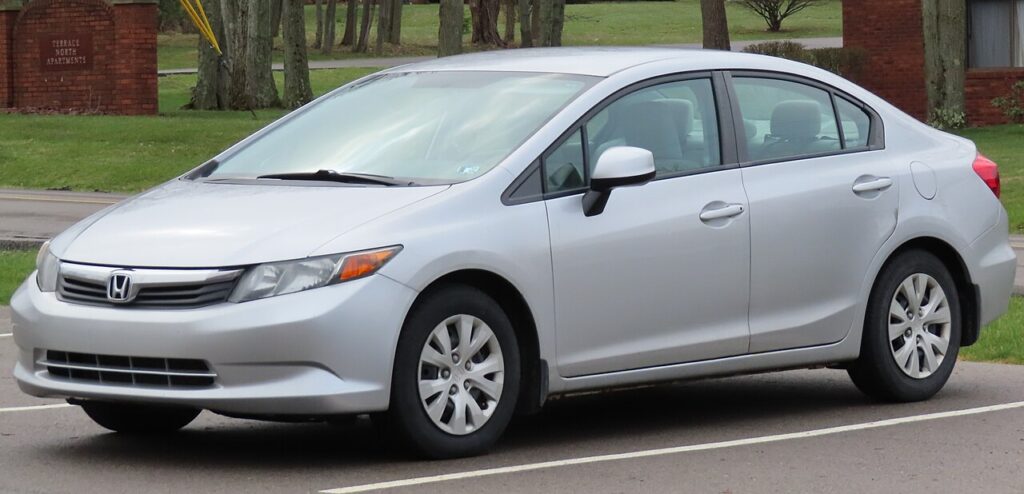
How the Civic System Works
The Mk9 Civic uses an indirect system (the Deflation Warning System) that watches the ABS wheel-speed signals rather than using a sensor in each wheel. Because it works from a stored baseline, you must re-initialise it whenever you change the pressures — there is nothing to read, only a reference to store. You do it from the menu in the i-MID screen above the centre console.
When to Reset
- After checking or adjusting the tyre pressures (including seasonal changes).
- After changing one or more wheels or tyres.
- After rotating the wheels front-to-back.
Set Your Pressures First
The reset stores whatever pressures are in the tyres at that moment, so they must be correct first. Set all four (cold) to the figures on the placard on the driver’s door pillar, using the laden column for a full load. Never reset with a tyre already low.
How to Reset (Initialise) the Civic Deflation Warning System
- Make sure all four tyres are at the correct cold pressure.
- With the car stopped, put the gear selector in neutral.
- Turn the ignition on — do not start the engine. (On start/stop cars, press the start button once without your foot on the brake to reach the “ignition on” state.)
- Press the MENU button.
- Use the volume ‘+’ and ‘−’ buttons to scroll, and select by pressing button A on the steering wheel.
- Select “Customize Settings”.
- Select “Deflation Warning System” (or “TPMS Calibration”).
- Select “Initialise”, then “YES”. The new pressures are stored.
The car finishes learning over the first few miles, so the light can take a short drive to confirm.
Light Won’t Go Out? Work Through This
- A tyre is genuinely low: the system is doing its job — find and fix the leak, re-inflate, then re-initialise.
- Initialise not completed: repeat the menu steps and confirm YES.
- Big front-to-rear split: set them to the placard figures; indirect systems dislike large mismatches.
- Light stays on with correct pressures: a persistent fault may be stored — you can look up what a code means on autodtcs.com.
Frequently Asked Questions
Does the Civic Mk9 have a sensor in each wheel?
No — it uses the indirect Deflation Warning System based on the ABS wheel-speed sensors, so there is nothing inside the wheel. The reset is done from the i-MID menu.

Where do I find the initialise option?
Press MENU, then Customize Settings → Deflation Warning System → Initialise → YES, using the volume buttons to scroll and button A to select.
Why does the light return after a few days?
Either a tyre is slowly losing air, or you initialised while a tyre was already low. Re-check all four cold pressures and re-initialise.
Do I need to reset after just topping up the air?
Yes — any pressure change shifts the baseline an indirect system relies on, so re-initialise after any adjustment.
After tyre or seasonal-wheel work it is worth confirming the service reminder is clear — see our Honda Civic service indicator reset guide.
Independent guide — not affiliated with Honda. Always follow your official service manual and safety precautions. Read our full disclaimer.