These instructions apply to the Honda CR-V Mk3 (RE) 2007-2012.
For other models, please choose your vehicle here.
After the battery is disconnected or goes flat, the one-touch auto-up/down on the Honda CR-V (RE, 2007-2012) driver’s window stops working and must be re-initialized. It takes a few seconds.
Re-initialize the driver’s window
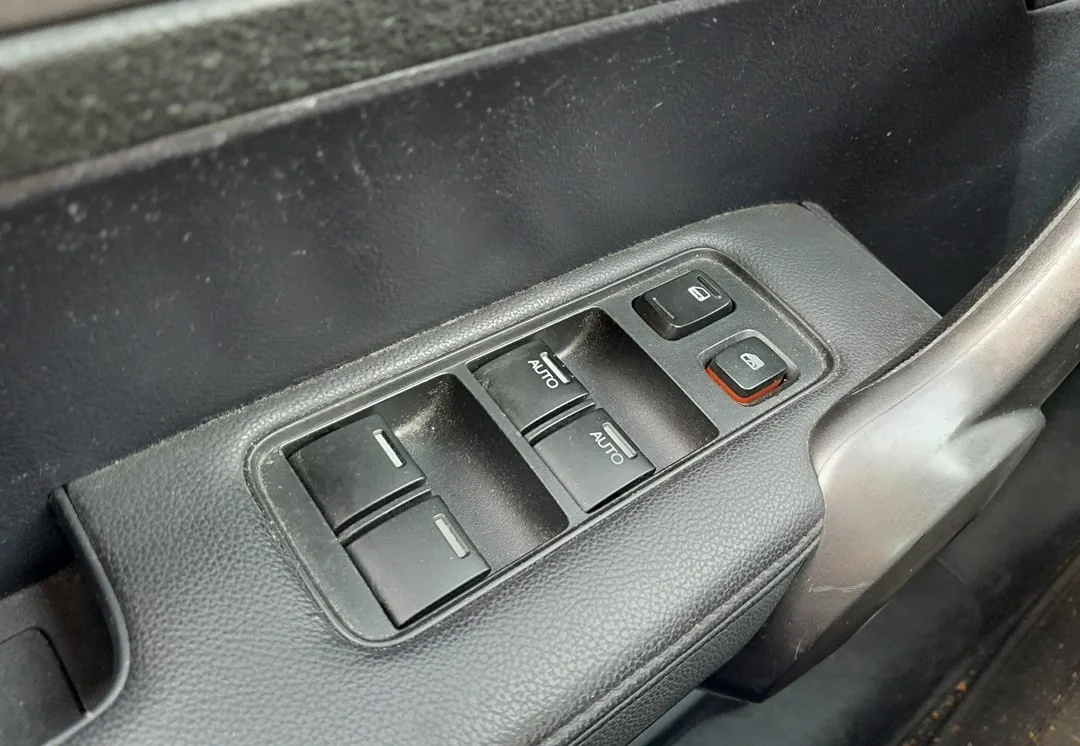
- Turn the ignition to ON (II).
- Pull the driver’s window switch up and hold it until the window is fully closed, then keep holding for about 1 more second.
- Release, then push the switch down and hold until the window is fully open, then hold for about 1 more second.
- Pull up again to fully close it and hold briefly to confirm.
- Test one-touch auto-up and auto-down — both should now work, with anti-pinch restored.
If one-touch still does not work, repeat the steps, holding firmly at each end stop.
Frequently asked questions
Why did auto-up stop working? The window module loses its end positions when power is removed, so it reverts to manual until re-taught.
The window reverses before it shuts. That is the anti-pinch reacting to an incomplete initialization — run the procedure again.
Looking for a fault code instead of a procedure? Decode it on autodtcs.com.
Independent guide — not affiliated with Honda. Always follow your official service manual and safety precautions. Read our full disclaimer.