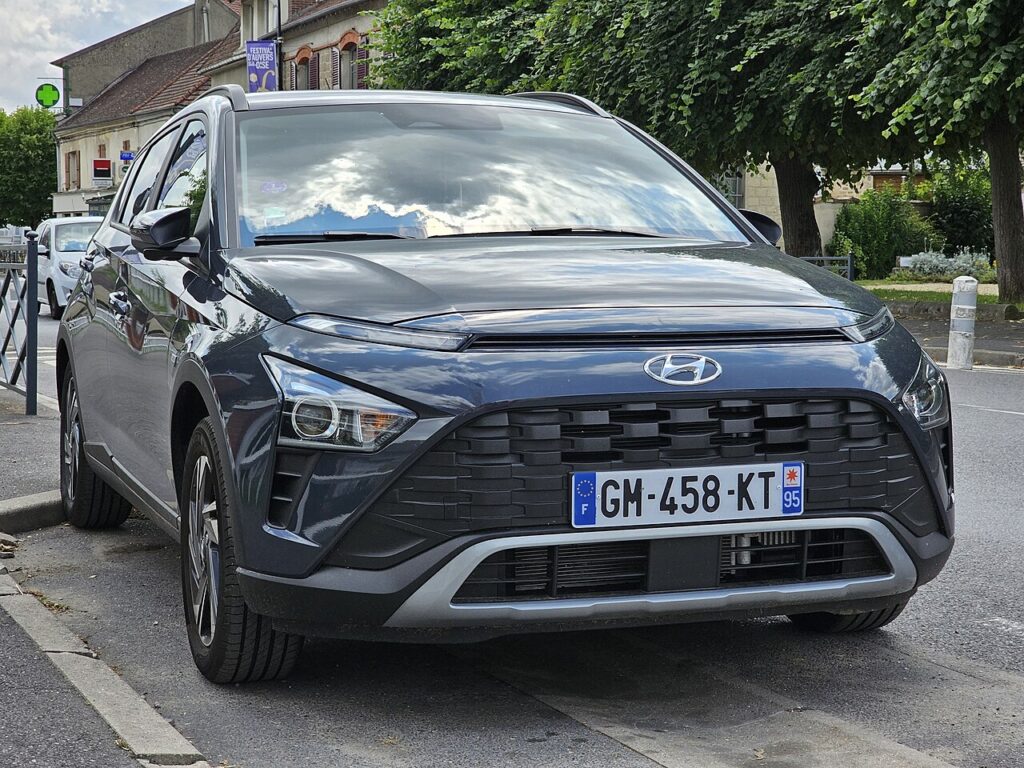
These instructions apply to the Hyundai Bayon Mk1 (BC3) 2021-Present.
For other models, please choose your vehicle here.
If the one-touch (auto up/down) windows stop working on your Hyundai Bayon (2021–present) — usually after a flat or disconnected battery — the window motor has lost its learned end-stops and anti-pinch reference. Re-teaching it takes seconds per door, no tools. It is a normal consequence of the door module losing power, not a sign that the switch or motor has failed, and it is a simple driveway fix.
Why It Happens
The window controller remembers the fully-closed position so one-touch can stop correctly and the safety auto-reverse can work. A power interruption clears that memory, leaving only hold-to-move operation.
How It Works on the Bayon
The auto windows on the Bayon are position-aware: a small controller in the door tracks how far the motor has turned so it knows exactly where the glass sits. That reference is what allows a single tap to send the window all the way up or down, and it feeds the anti-pinch, which reverses the glass if it senses an obstruction near the top. Lose 12V — through a flat battery, a disconnect, or a fuse — and that reference is erased. Manual hold-to-move still works because it is a direct input, but the automatic behaviour stays disabled until you re-teach the limits.
Before You Start
- Confirm the battery is charged and properly reconnected — a marginal battery can interrupt the learn.
- Sit inside with the door closed so the glass travels in its normal channel.
- Switch the ignition on; running the engine keeps voltage steady and is fine.
- Make sure nothing is in the window opening and the seals are free of grit.
- Work on one window at a time from that door’s switch.
How to Re-initialise a Window
- Sit in the car with the door closed and the ignition on.
- Pull the switch up to fully close the window and keep holding for about 2–3 seconds after it stops.
- Release, then push the switch down to fully open and hold a moment at the bottom.
- Pull up again to fully close and hold for a couple of seconds at the top.
- Release and test one-touch up and down — it should now run on its own.
Repeat for each affected window using its own switch.
If One-Touch Still Doesn’t Work
- Hold a little longer at the fully-closed stop — the controller needs a clear moment at the top limit to register it.
- Make sure the door is shut and the battery is healthy during the learn.
- Run the whole cycle two or three times — a single pass sometimes only partly registers.
- If a window won’t move at all, check the window fuse before anything else.
- Watch for glass that stops short of the top; grit or a stiff runner can keep it from the true limit it must store.
- If just one window refuses to relearn while the rest are fine, suspect that door’s switch or motor rather than the method.
What to Expect After
With the limits stored again, a single tap up or down should run the glass fully in that direction and the anti-pinch auto-reverse returns with it. The learned position stays until power is next lost, so you should not need to repeat this unless the battery is disconnected again. Do the front windows first, then any auto rear windows.
Frequently Asked Questions
Why did my Bayon windows stop going up automatically?
A battery disconnect or flat battery wiped the learned end positions, so the door module no longer knows where the top of travel is. One-touch and the anti-pinch auto-reverse switch off as a safety default, leaving only hold-to-move. Re-initialising each window from its own switch brings the automatic function straight back.
How do I reset the auto window on a Hyundai Bayon?
Hold the switch up to fully close and keep holding 2–3 seconds; if needed, fully open and fully close again, holding at the top. The pause at each end stop is what lets the controller record the limits, so make sure the glass reaches the very top and you do not release too soon.
Do I have to do every window?
Only the ones with one-touch. That is usually the driver’s window, and on higher-spec Bayons the front passenger and rear windows as well. Re-teach each affected window from its own switch — the master panel and each door switch control their own motor for the relearn.
Do I need a tool?
No — it is done entirely from the window switches with the ignition on. There is no dashboard menu and no scan tool involved. If a window still won’t relearn after several careful attempts, that suggests a fuse, switch or motor issue rather than something the hand procedure can fix.
Is it safe to use the window before I re-initialise it?
Yes, but with care. The glass still raises and lowers while you hold the switch, so the window is usable. What is missing is the one-tap convenience and, crucially, the auto-reverse anti-pinch. Because that safety feature stays off until you relearn, keep fingers and objects well clear while closing the window.
Could a blown fuse be behind it?
It can. If a window does not respond at all — not even hold-to-move — the window circuit fuse is the more likely cause than lost memory. Check and replace it, then run the re-initialise routine. If the window moves manually but simply won’t auto, the wiped memory is the cause and the relearn is all that is required.
This is the step most owners miss after battery work — see our Bayon battery guide. For warning lights, look up the code on autodtcs.com.
Independent guide — not affiliated with Hyundai. Always follow your official service manual and safety precautions. Read our full disclaimer.