These instructions apply to the Hyundai i40 Mk1 (VF) 2011-2019.
For other models, please choose your vehicle here.
After the 12 V battery has been disconnected or gone flat, the one-touch auto-up on your Hyundai i40 (VF, 2011–2019) stops working until each window is re-initialised. It takes about ten seconds per window with the ignition on and no tools.
How to Initialise an i40 Power Window
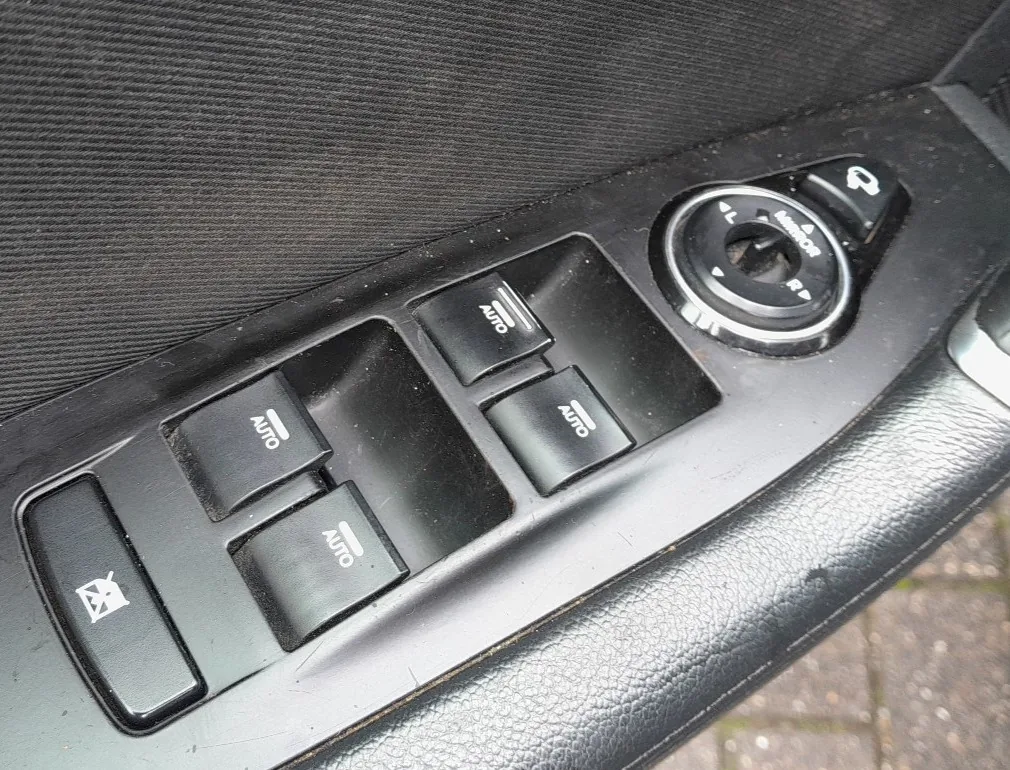
- Turn the ignition ON.
- Pull and hold the window switch in the close (up) position until the window is fully closed.
- Keep holding for about 1 second after it has closed, then release.
- Repeat for the passenger’s window (and the rear windows if fitted with auto-up).
- Check that one-touch auto-up and auto-down now work.
Frequently Asked Questions
Why did my i40 windows stop closing automatically?
Disconnecting or flattening the battery clears the window motor’s learned top position, which disables the one-touch auto-up and the anti-pinch feature. Re-initialising teaches the position back.
Do I have to do every window?
Only the windows with a one-touch auto function need it, and only if that function has stopped. Doing the driver’s and front passenger’s windows covers most i40s.
The window still won’t auto-close — what now?
Repeat the hold-closed step, making sure you keep the switch held for a moment after the glass reaches the top. If it still fails, have the switch or motor checked.
If a warning light stays on afterwards, look the code up on our sister site autodtcs.com to see what it means.
Independent guide — not affiliated with Hyundai. Always follow your official service manual and safety precautions. Read our full disclaimer.