These instructions apply to the Hyundai Kona Mk1 (OS) 2017-2023.
For other models, please choose your vehicle here.
The Hyundai Kona Mk1 (OS, 2017–2023) resets its service reminder with the steering-wheel OK button — no tool needed. With the ignition on, hold OK for about 5 seconds until a “Service reset?” prompt appears, then hold it again for about 3 seconds to confirm. The method is the same on every engine, including the hybrid and electric models.
When to Reset the Service Indicator
- After completing an oil and filter change (or, on Electric, the equivalent dealer service schedule check).
- After a scheduled inspection service.
- If the spanner / wrench icon with “Service required” appears at startup, typically counting down from a 1,000 km warning.
Before You Begin
- Park on a level surface with the engine off (or, on Electric/Hybrid, with READY off), then turn the ignition on without starting. On push-button cars: two presses without the brake reaches IGN-ON (one press is ACC only).
- Complete the actual service work before the reset.
- Locate the steering-wheel OK button — central position on the right-hand cluster of multifunction-display controls. This is the same button that confirms menu selections during normal driving.
- Confirm the cluster’s central LCD readout is showing the main trip / odometer screen — not deep inside a menu — before you start.
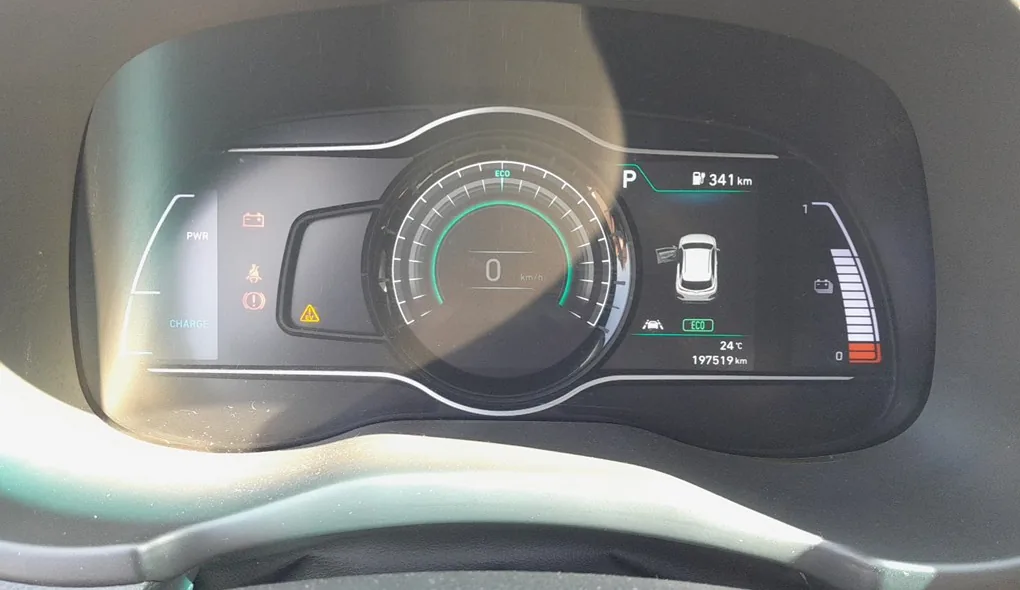
- On the Kona Electric: the procedure is the same as on petrol/diesel cars; the central LCD on Electric is digital but the steering-wheel OK button is in the same position.
What You’ll Need
None for the reset itself. For an oil change, fresh Hyundai-spec oil — 5W-30 ACEA C3 / Hyundai/Kia Premium LF for the 1.0 / 1.6 T-GDi petrol and the 1.6 CRDi diesel; 0W-20 ACEA C5 / Hyundai/Kia 0W-20 Hybrid for the 1.6 GDi Hybrid; 0W-40 ACEA A3/B4 for the 2.0 T-GDi N. A new spin-on filter (different parts for petrol G-series and CRDi D-series); a 17 mm sump-plug socket on petrol, 19 mm on diesels; torque 40 Nm petrol / 35 Nm diesel. The 1.0 T-GDi takes 3.6 L with filter; the 1.6 CRDi takes 6.0 L; the 1.6 GDi Hybrid takes 3.8 L. The Kona Electric has no engine oil; the reduction gear oil is a dealer-interval item, separate from the service indicator.
How to Reset the Service Light on the Hyundai Kona
- Turn the ignition ON (engine/READY off, instruments live).
- Confirm the cluster LCD is on the standard trip / odometer screen.
- Press and hold the steering-wheel OK button for at least 5 seconds. The cluster will display a “Service reset?” prompt.
- Release the OK button briefly.
- Press and hold the OK button again for at least 3 seconds to confirm the reset.
- Release the OK button. The cluster will display a confirmation (typically “Service reset complete” or returns to the standard trip screen with the spanner cleared).
- Switch the ignition off. Reset complete.
Verify the Reset Worked
Switch the ignition off, wait 30 seconds, then cycle back on. The spanner / “Service required” icon should be gone, and the cluster LCD should return to the standard trip / odometer screen without a service-distance overlay. Typical OS Kona intervals after the reset:
- 1.0 / 1.6 T-GDi petrol: 10,000 miles (15,000 km) or 12 months, whichever comes first.
- 2.0 MPi petrol: 10,000 miles (15,000 km) or 12 months.
- 2.0 T-GDi (Kona N): 6,250 miles (10,000 km) or 12 months — Hyundai shortens the interval for the high-performance variant.
- 1.6 CRDi diesel: 12,500 miles (20,000 km) or 24 months.
- 1.6 GDi Hybrid: 10,000 miles (15,000 km) or 12 months.
- Electric: dealer inspection schedule — typically annual; no engine-oil interval applies.
UK severe-service / short-trip driving requires halving the interval manually. The 7-year Hyundai warranty assumes you stick to the published schedule.
If Something Goes Wrong
- The “Service reset?” prompt doesn’t appear after holding OK. Confirm the ignition is fully ON. On push-button cars: press START twice without depressing the brake — once goes to ACC, twice to IGN-ON, three times to ACC again. Also confirm the cluster LCD is on the trip / odometer screen, not deep in a menu.
- The reset prompt appears but cycles away before I can confirm. You have about 5 seconds to begin the second OK hold. Release and press-and-hold again within that window. If you miss it, restart from step 1.
- I reset the indicator but the spanner returns after a few miles. Either (a) the 12V battery is weak and the cluster lost the reset between starts — load-test, replace if older than 5 years; or (b) you reset the trip portion but not the actual service counter — the Kona has separate trip and service counters, and only the cluster-LCD “Service reset?” prompt zeros the service counter.
- 2020 facelift Kona (OSe) — anything different? The 2020 facelift updated the styling and revised the infotainment, but the cluster and OK-button reset path remained unchanged. Procedure unchanged.
- Kona Electric — same procedure? Yes. The Electric uses the same cluster electronics (with a digital instrument display on later trims) and the same steering-wheel OK button. The reset zeros the dealer-service interval counter even though there’s no oil to change.
- Kona N (2.0 T-GDi, 2021+) — anything different? The Kona N uses the same cluster and OK button. Its tighter 6,250-mile oil interval is reflected in the counter’s reset value, not in the reset procedure.
- 1.6 CRDi MHEV (2021+) — anything different? The 48V mild-hybrid variant uses the same cluster and OK button. The MHEV-specific battery-management warnings are separate from the service-indicator system.
Frequently Asked Questions
What does the spanner symbol on the Kona mean?
On the OS Kona the spanner / wrench icon is the service-distance reminder — it indicates the service interval has been reached or is about to be reached (the 1,000 km countdown warning). The icon does not indicate an engine fault; that’s a separate amber engine-check / yellow malfunction-indicator lamp.
Do I need a diagnostic tool?
No. Every Mk1 Kona uses the owner-accessible OK-button method. Hyundai’s GDS dealer tool and aftermarket scan tools can also reset the service counter via OBD-II, but the cluster method is standard.
Does the reset clear engine fault codes?
No. The reset zeros the service-distance counter only. Engine fault codes need a scan tool. For DTC interpretation see autodtcs.com.
Is the procedure the same as the Tucson TL and Sportage QL?
Yes — the Kona OS, Hyundai Tucson Mk3 (TL, 2015–2020), and Kia Sportage Mk4 (QL/QLE, 2016–2022) all share the same Hyundai-Kia cluster generation with the steering-wheel OK button, and the two-stage hold procedure is identical. Same applies to the i30 Mk2 (GD) and other Hyundai-Kia models of the era.
How often does the Kona service indicator come up?
Hyundai’s UK-market schedule depends on powertrain — most petrol Konas are 10,000 miles (15,000 km) or 12 months, the diesel CRDi is 12,500 miles (20,000 km) or 24 months, the Kona N is shortened to 6,250 miles (10,000 km) or 12 months, and the Electric is on an annual dealer-inspection schedule with no mileage component.
What about the Kona Mk2 (SX2, 2023+)?
The Mk2 Kona (SX2, 2023-onwards) uses a fully digital cluster with the reset moved into the digital cluster menus rather than a steering-wheel hold. We’ll publish a dedicated SX2 guide.
For DTC code interpretation on Hyundai vehicles see autodtcs.com.
Independent guide — not affiliated with Hyundai. Always follow your official service manual and safety precautions. Read our full disclaimer.