These instructions apply to the Jaguar F-Type Mk1 (X152) 2013-Present.
For other models, please choose your vehicle here.
After the battery on your Jaguar F-Type (2013–present) has been disconnected or gone flat, the one-touch function on the windows often stops working — the glass only moves while you hold the switch. Re-initialising each window restores it in seconds, with no tools. (The F-Type’s frameless windows also drop slightly when you open the door, so a correct relearn matters.) This is a normal consequence of losing 12 V power rather than a fault, and it’s the same relearn a workshop performs after a battery job.
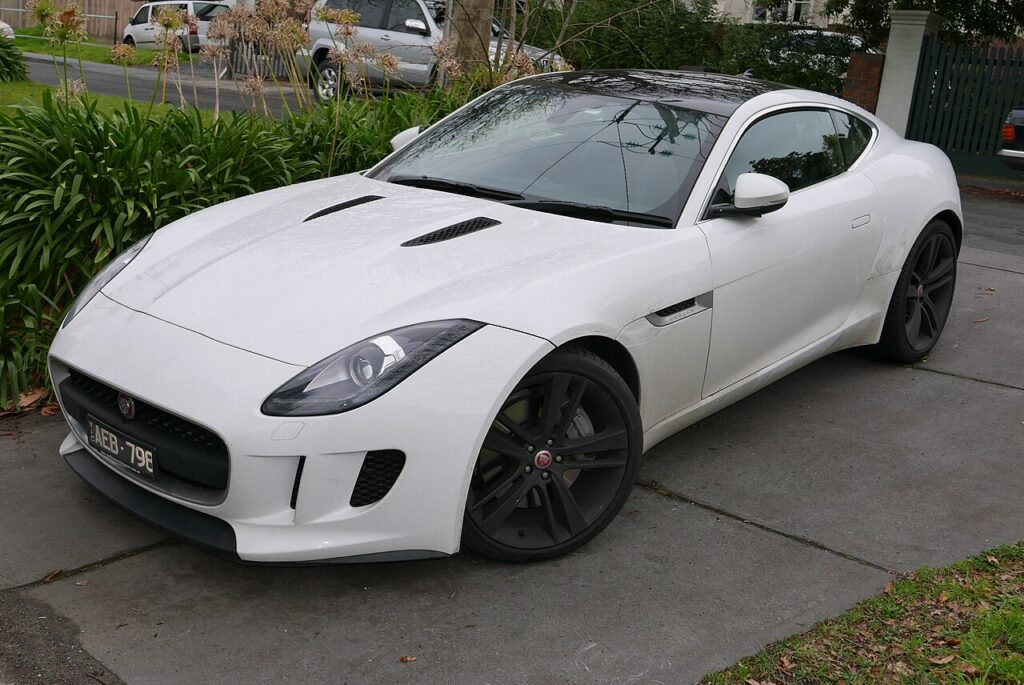
When You Need This
Each window motor stores its fully-open and fully-closed positions, and that memory is cleared when the 12 V battery is disconnected or runs flat. On a coupe/convertible with frameless glass, you may also notice the auto drop/raise on opening the door stops working until you relearn. The usual sign is a window that only moves while you hold the switch, with the single-press auto travel gone until the positions are re-taught.
How It Works on the F-Type
The F-Type uses frameless door glass, so the window has to index itself against the seal every time the door opens and closes: it drops a few millimetres to clear the seal as you open the door, then rises to seal the cabin once the door is shut. That short auto-drop, one-touch travel, and anti-pinch protection all rely on the motor knowing exactly where the top and bottom limits are. Remove the 12 V feed and those reference points are lost, which is why several of those functions stop together until the relearn is done.
Before You Start
- Turn the ignition on so the windows have power.
- Keep the door closed while you work so the glass reaches its true sealed position.
- Check the glass and seal are clear of ice or grit so travel isn’t obstructed.
- Do one window at a time, staying at that switch until it’s finished.
Re-initialising a Window
- Pull the switch up to fully close the window, holding briefly after it stops, then release.
- Press the switch down to fully open it, again holding briefly after it stops, then release.
- Pull up to fully close once more, holding a few seconds at the top, then release.
- Test one-touch up and down, and repeat for the other window.
If It Still Won’t Auto-Close
- Hold the switch past the end stop in each direction — the motor must feel the limit to learn it.
- Check the glass runs freely and the frameless seal isn’t catching.
- Cycle the ignition off and on once if the battery was only just reconnected, then repeat the sequence.
- Check the fuse for that window if it’s completely dead rather than hold-to-move.
- Persistent fault? A window-module issue can store a code — look it up on autodtcs.com.
What to Expect After
Once the relearn takes, a single tap runs the window fully up or down, anti-pinch is active again, and the frameless glass drops and re-seals cleanly as the door opens and closes. The positions are stored, so they hold through normal use — you’ll only need to repeat this after another battery disconnection or flat battery.
Frequently Asked Questions
Why did my F-Type windows stop auto-closing?
The one-touch memory is cleared when the battery is disconnected or goes flat, and the relearn restores it — along with the frameless auto-drop on door open. The motor and switch are fine; the module has simply reverted to hold-to-move mode until you re-teach the top and bottom stops with the switch sequence.
Do I need tools?
No — it’s done entirely from the window switch. There’s no diagnostic tool or workshop equipment involved. Switch the ignition on, keep the door shut, and hold the switch through each limit in turn. That is all the F-Type needs to store the fully-open and fully-closed positions again.
Which order, up or down?
Fully close and hold, then fully open and hold, then fully close and hold again. The final close-and-hold is what confirms the top limit, which is the one the auto-drop and sealing depend on. Give it a couple of seconds at each end so the motor registers the true limit.
Why does the glass drop when I open the door?
That’s normal for the frameless windows — the glass drops a few millimetres to clear the seal as the door opens, then rises to seal again once it’s shut. The relearn keeps it working correctly. If the drop stopped after a battery job, re-initialising the window brings it back.
Do I have to relearn both windows?
Only the window that lost one-touch strictly needs it, but on the F-Type it’s worth doing both sides after a battery job so the auto-drop indexes correctly on each door. Each takes only seconds, so there’s little reason to leave one for later.
Will this need doing again after the next battery job?
Yes — any future battery disconnection or flat battery wipes the learned limits again, and the windows return to hold-to-move. It’s harmless, and the same quick relearn restores one-touch and the door-open auto-drop each time, so it’s worth knowing the routine if you service the car yourself.
Just reconnected the battery? Our F-Type battery disconnect/reconnect guide lists the windows among the items to re-initialise.
Independent guide — not affiliated with Jaguar. Always follow your official service manual and safety precautions. Read our full disclaimer.