These instructions apply to the Jaguar F-Type Mk1 (X152) 2013-Present.
For other models, please choose your vehicle here.
Your Jaguar F-Type (2013–present) switches the engine off at a standstill to save fuel, then restarts it as you pull away. Many owners prefer to keep the engine running — you can switch the system off in one press. This is a normal, designed feature rather than a fault, and the indicator that appears when you disable it simply confirms your choice for the current drive.
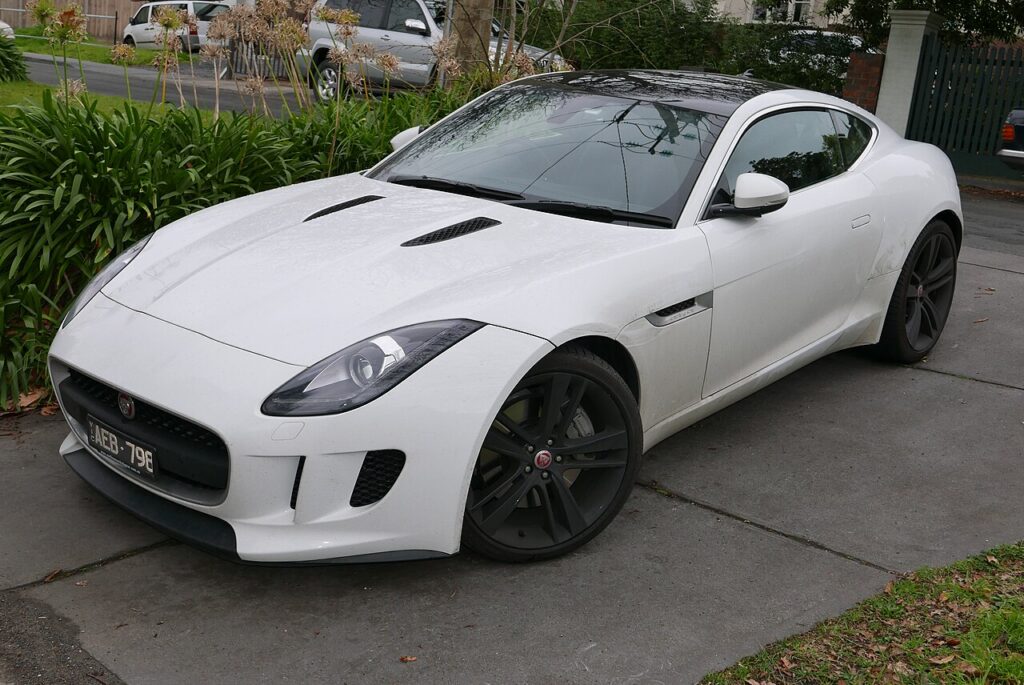
How Stop/Start Works on the F-Type
The system checks a set of conditions continuously and only cuts the engine when they all line up: the car is fully stopped, the brake is held, the engine is warm, the cabin is near its set temperature and the 12 V battery has charge in reserve. Lift off the brake — or change any of those conditions — and it restarts. On a performance car like the F-Type the driving mode also matters: in a sportier setting the calibration can hold the engine on so it’s ready to respond. Because the car relies on a healthy battery to keep everything alive during the brief shutdown, battery condition is the biggest factor in how consistently stop/start behaves, and it resets to on at every start as the default economy mode.
Getting Ready
- Have the engine running — the button toggles the system, it doesn’t start the car.
- Do it while stationary so you can see the confirmation indicator.
- Remember the setting lasts only for the current drive; the next start returns it to on.
- A sportier drive mode may already be suppressing stop/start, so behaviour can differ by mode.
Turning the System Off
- With the engine running, press the stop/start (ECO) button on the centre console (an “A” inside a circular arrow).
- An indicator confirms the system is off; the engine now stays running at a standstill.
The system defaults back to on each time you start the car, so disabling it is a per-drive choice — press the button again to re-enable it.
When the F-Type Disables Stop/Start Itself
Even with the system on, the F-Type won’t stop the engine when it isn’t appropriate, so continued idling isn’t necessarily a fault. It keeps the engine running when the cabin is still reaching temperature, the engine is cold, or the 12 V battery charge is low. (Note: Dynamic mode may also alter the behaviour.)
If Stop/Start Won’t Cut the Engine
- Check the battery. The system needs a healthy 12 V battery and a settled battery-management system; an ageing battery or a recent disconnection is the usual reason it stops cutting out — relevant on lower-mileage F-Types that sit a lot.
- Check the drive mode. A dynamic or sport setting can legitimately suppress stop/start.
- Give it a longer drive. After a short trip the engine and cabin may not be up to temperature.
- Seat belt fastened, doors and bonnet closed — an open one inhibits it.
- Press the brake firmly and come to a complete stop — a rolling stop may not trigger it.
- Fault light? A charging or sensor issue stores a code — decode it on autodtcs.com.
What Happens Next
With the system switched off, the indicator stays lit and the engine idles normally at every stop for the rest of that drive. There is nothing to reset — the next time you start the car, stop/start is active again and the light is off. Toggling it makes no lasting change and does not harm the engine or the reinforced starter, both of which are designed for frequent restarts.
Frequently Asked Questions
How do I turn off stop/start on a Jaguar F-Type?
With the engine running, press the ECO button on the centre console — the one marked with an “A” inside a circular arrow. An indicator lights to confirm the system is off, and the engine idles normally at every stop until you next restart the car, when it returns to on automatically.
Does the setting stay off?
No. The F-Type treats stop/start as its default economy mode, so it resets to on every time you start the engine. There is no button-level way to make the off state permanent, so if you prefer it off you press the button once at the start of each drive.
Why has my F-Type stopped switching the engine off?
Usually a low or ageing 12 V battery — common on cars that sit unused — or a battery-management system relearning after a recent disconnection. It can also be normal: a cold engine, a cabin still reaching temperature, a short trip, or a sportier drive mode will all keep the engine running.
Does the drive mode affect stop/start?
It can. In a more dynamic or sport-focused setting the calibration may hold the engine running so throttle response stays sharp, which means stop/start can appear inactive purely because of the mode you have selected. Switching to a normal or eco-oriented mode usually restores the expected shut-down behaviour at stops.
Is leaving stop/start on harmful?
No. The engine, the uprated starter and the battery are all built for repeated automatic restarts, and the system only cuts the engine when it is safe and efficient to do so. Leaving it on is the intended setting and causes no additional wear beyond what the car was engineered to handle.
Should the battery be a specific type?
Stop/start cars use a battery designed for frequent deep cycling, and fitting the correct specified type matters when you replace it. An unsuitable or worn battery is the most common reason the system quietly stops working, so confirm the right specification with your handbook or a battery supplier before buying a replacement.
If a warning light appeared with the change, decode it on autodtcs.com.
Independent guide — not affiliated with Jaguar. Always follow your official service manual and safety precautions. Read our full disclaimer.