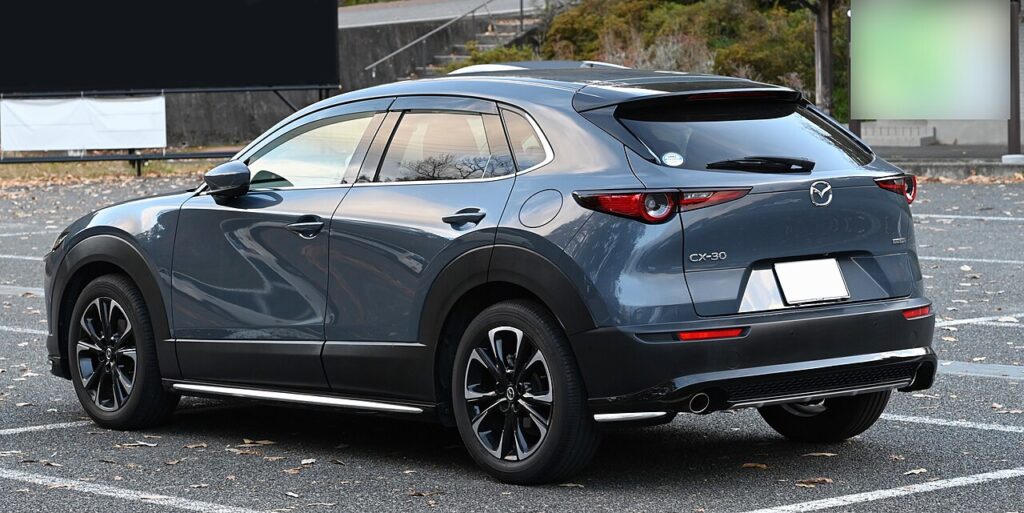
These instructions apply to the Mazda CX-30 Mk1 (DM) 2019-Present.
For other models, please choose your vehicle here.
When the maintenance message appears on your Mazda CX-30 (DM, 2019–present), you clear it through the Mazda Connect display — the CX-30 lets you set the distance and time to the next service directly. No garage tool needed. Do the oil and filter change first.
What the Maintenance Message Means on the CX-30
The maintenance / spanner message on the CX-30 is a service reminder, not a fault warning. The car counts down toward the next scheduled service by both distance and time, and when either limit is reached it displays the message to prompt an oil change and the associated checks. Nothing is broken when it appears — it is the built-in equivalent of a service-book due date.
The CX-30 handles this a little differently from most cars. Rather than simply zeroing a counter, Mazda Connect lets you enter the distance and time until the next service, so you set the actual interval you want the car to count down from. That makes the reset flexible — you can match it to the service regime the car follows — but it also means you have to step all the way through the maintenance settings and save the new values for the reminder to clear properly.
Reset After the Service Only
The reminder counts down to the next service by distance and time. Reset it once the work is done so the next interval is right.
Before You Start
A little preparation makes the on-screen reset straightforward:
- Finish the service first. Set the new interval only after the oil and filter are changed, so the distance and time you enter count down from a genuinely serviced car.
- Park safely. Level ground, parking brake on. You don’t need the engine running — switching the ignition on so the Mazda Connect screen is live is enough.
- Know the figures you want to enter. Because the CX-30 asks for the distance and time to the next service, decide those values beforehand based on the schedule your car follows, rather than guessing on the screen.
- No tools required. Everything is done through the central display using the touchscreen or the rotary Commander control.
How to Reset the CX-30 Service Indicator
- Turn the ignition on.
- On the main information display, select ‘Information’.
- Select ‘Vehicle status monitor’, then ‘Vehicle maintenance settings’.
- Set the distance until the next service and the time until the next service.
- The service indicator is reset.
Tyre-Rotation Reminder
If a separate tyre-rotation reminder shows, reset it under Information → Vehicle status → Maintenance → Tyre Rotation → Reset.
If It Doesn’t Reset
- You didn’t save the new values — step through the maintenance settings to the end so the entered distance and time are stored.
- Set both figures. The reminder tracks distance and time; leaving one unset can stop the message clearing.
- Reset the tyre-rotation reminder separately if that’s the one showing — it lives under its own menu item and clears on its own.
- A different warning is lit — that’s a fault, not the service counter, and it won’t clear through the maintenance settings.
What to Expect After Resetting
Once the new distance and time are saved, the maintenance message clears and the CX-30 begins counting down from the values you entered toward the next service. There is no drive cycle to complete — the display updates as soon as the settings are stored. If the message reappears, the most likely cause is that you backed out of the menu before the values were saved; go back in, set both figures, and step through to the end.
How Often to Reset It
Set a fresh interval after each scheduled service the car has. Because the CX-30 lets you enter the distance and time yourself, the figures you use should match the maintenance schedule your car follows — and that depends on the engine, the market and how the vehicle is used — so take the interval from your owner’s handbook rather than assuming a fixed number. Entering the values only tells the car when to remind you next; keeping to the actual schedule is what protects the engine.
Frequently Asked Questions
How do I reset the service light on a Mazda CX-30?
On the display go to Information → Vehicle status monitor → Vehicle maintenance settings and set the new distance and time.
Do I need a diagnostic tool?
No — it’s done from the Mazda Connect display.
Why does it ask for distance and time?
Mazda lets you set the actual interval to the next service rather than just zeroing a counter.
The message came back — why?
The settings weren’t saved. Repeat and confirm the new values.
How do I reset the tyre-rotation reminder?
It’s a separate item — go to Information → Vehicle status → Maintenance → Tyre Rotation → Reset.
Can I do this without starting the engine?
Yes — switch the ignition on so the Mazda Connect screen is live; the engine doesn’t need to be running to change the maintenance settings.
If a warning light appeared with the service message, look it up on autodtcs.com. After battery work, see our CX-30 battery guide.
Independent guide — not affiliated with Mazda. Always follow your official service manual and safety precautions. Read our full disclaimer.